Template details
Eleventy Google Docs Starter
Eleventy starter that uses Google Docs and Google Drive as a CMS to generate static pages.
About this template
Eleventy Google Docs Starter is a boilerplate that combines the Google Docs API, Eleventy (11ty.dev), and the @googleworkspace/google-docs-hast package to build static pages using Google Docs and Google Drive as a CMS.
What is the Eleventy Google Docs Starter?
The Eleventy Google Docs Starter is an open-source Eleventy template that lets you manage website content in Google Docs and publish it as a static site. It takes Google Docs documents stored in a Google Drive folder as input, fetches them via the Google Docs API, converts them to HTML using @googleworkspace/google-docs-hast, and renders them into static pages with Eleventy. The starter runs on Node.js and is configured entirely through environment variables, with a .env.sample file provided for quick setup.
Key Features
- Google Docs as content source — Content is written in Google Docs inside a designated Google Drive folder, so page updates happen without editing code.
- Google Docs API integration — The starter authenticates with a Google Cloud service account and retrieves documents using the Google Docs API.
- HAST conversion — @googleworkspace/google-docs-hast transforms the Docs API JSON payload into an HTML abstract syntax tree for Eleventy rendering.
- Eleventy static site generation — Eleventy builds a static HTML site from the fetched document content, deployable to any static host.
- Environment-based setup — Credentials and folder IDs are stored in a
.envfile, with a.env.sampletemplate provided for quick configuration. - Local development workflow — After copying
.env.sampleand adding credentials, runningnpm installandnpm run devstarts a development server. - Live demo — A working example is hosted on Netlify, showing a published site built from Google Docs content.
Who should use this template?
This template suits developers and teams that want a lightweight, familiar editing experience for a static site. Content editors can write in Google Docs, which many people already use, instead of learning a new CMS interface. Developers get a minimal Eleventy starter that wires up Google's APIs without building the integration from scratch. It is especially useful for documentation sites, personal blogs, or lightweight company websites where a full CMS is overkill.
What can you do with it?
- Content teams: Author articles, documentation, or marketing pages in Google Docs and have them rendered as static HTML on the site.
- Developers: Use the starter as a foundation for client projects where the client wants to manage content in Google Drive.
- Solopreneurs: Maintain a simple website or blog using Google Docs as the only content backend, avoiding CMS hosting costs.
How does the Eleventy Google Docs Starter work?
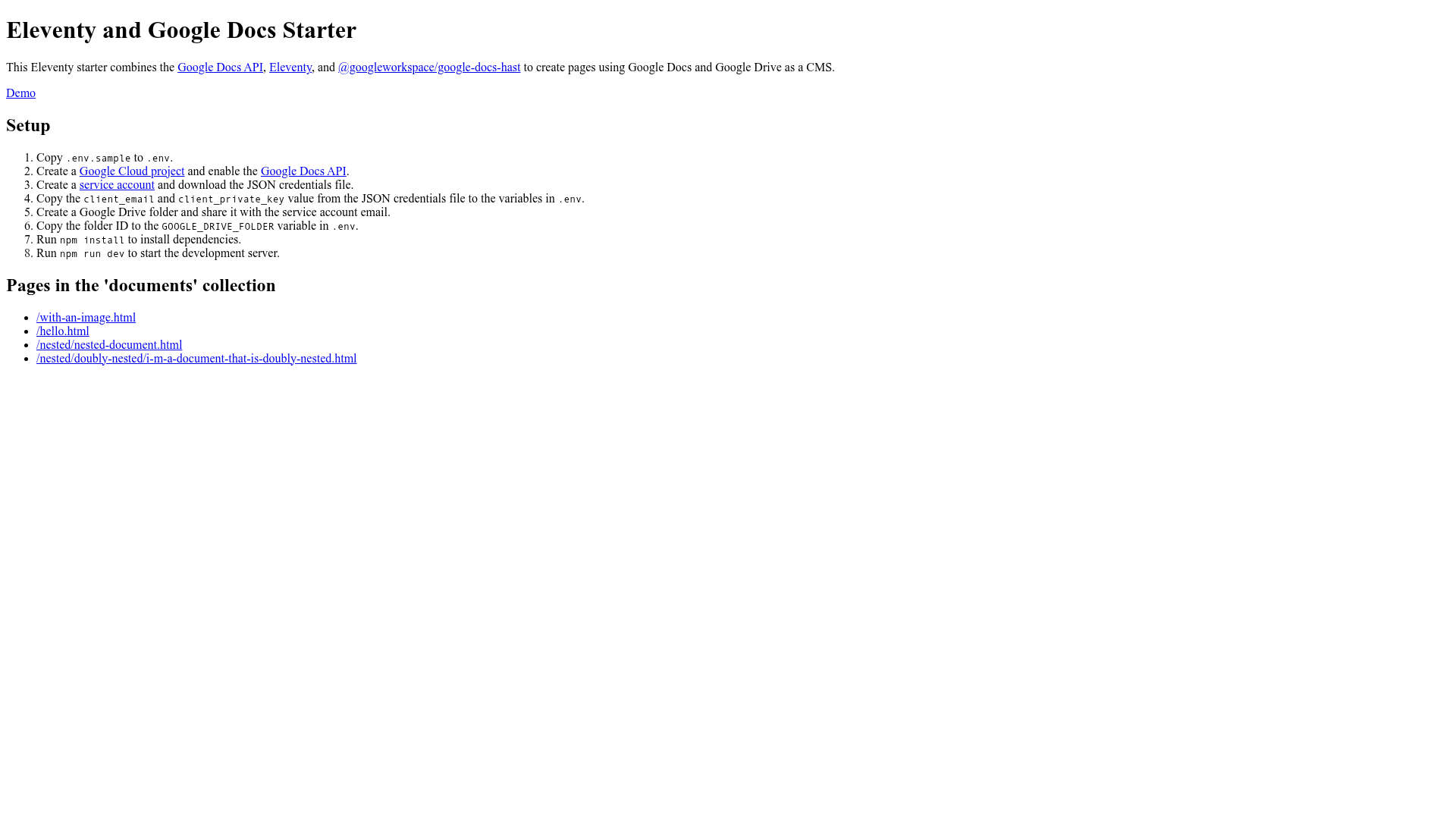
The setup process is documented step-by-step. You copy .env.sample to .env, create a Google Cloud project and enable the Google Docs API, create a service account and download its JSON credentials, then copy the client_email and client_private_key values into .env. You also create a Google Drive folder, share it with the service account email, and add the folder ID to the GOOGLE_DRIVE_FOLDER variable. After npm install and npm run dev, the development server pulls documents from Drive and serves the generated pages.