Template details
Eleventy Netlify Boilerplate
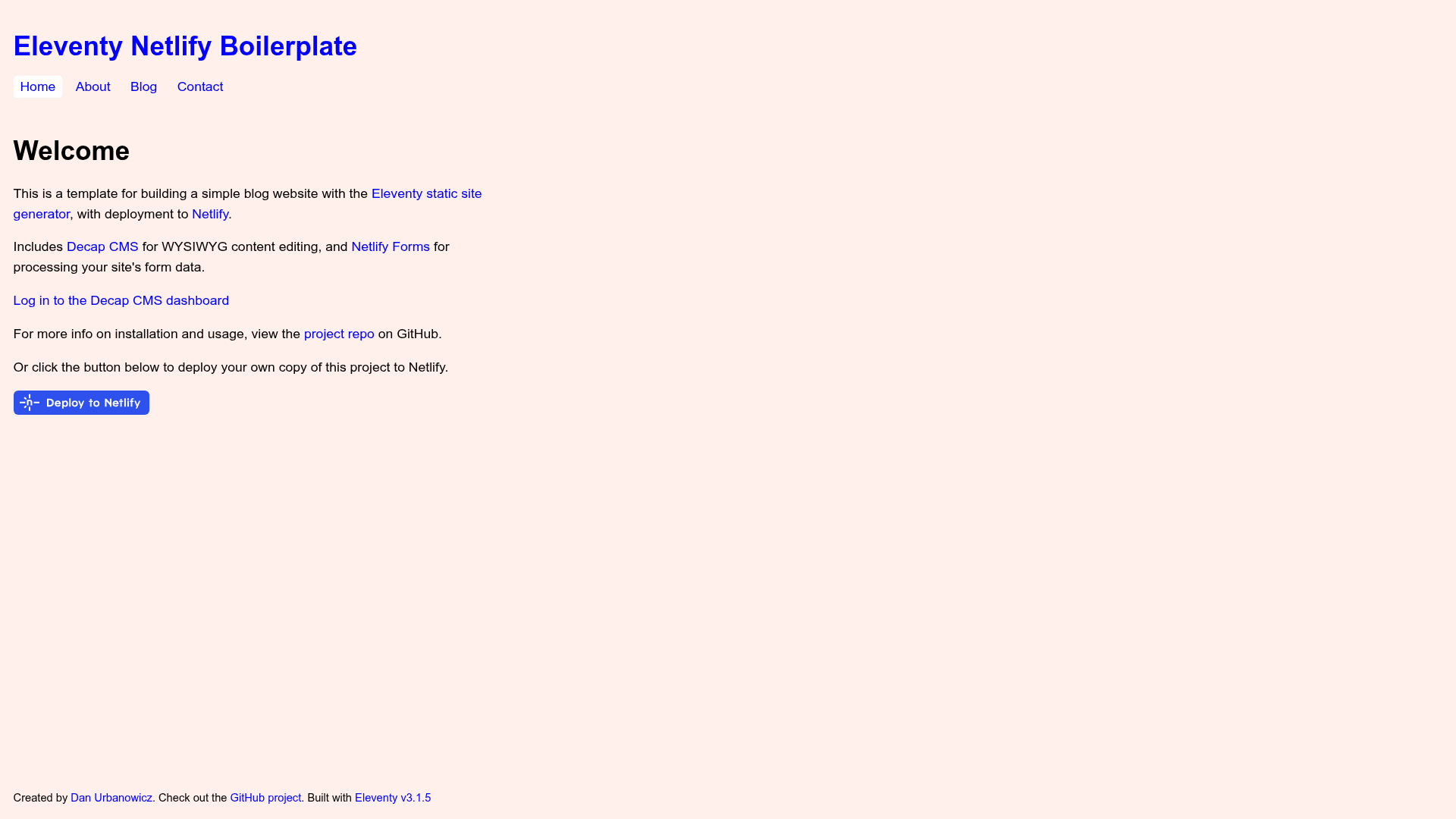
A blog/website boilerplate using the Eleventy static site generator with Decap CMS, designed for one-click deployment to Netlify.
About this template
The Eleventy Netlify Boilerplate is a starter template for building a blog or content site with the Eleventy static site generator and Decap CMS, deployable to Netlify in a couple of clicks.
What is the Eleventy Netlify Boilerplate?
This is a starter template that takes Markdown content and Nunjucks or Liquid templates and outputs a pre-generated static HTML site. Decap CMS (formerly Netlify CMS) is built in for editing content through a web interface. It is based on the Eleventy Base Blog repository by Dan Urbanowicz and is designed to run on Netlify's global CDN.
Key Features
- Eleventy 3 — Uses the latest version of the Eleventy static site generator, making the site fast to build and serve.
- Decap CMS integration — Includes a full CMS with editor previews, so non-technical editors can manage Markdown-based posts from an /admin panel.
- Perfect Lighthouse score — The demo site scores 100/100/100/100 in Lighthouse performance tests.
- Minified inline CSS — CSS under 2 KB is minified and inlined into the HTML for faster first render.
- Automatic navigation menus — Built with the Eleventy Navigation plugin, so menu items update automatically.
- Working contact form — Processed by Netlify Forms with no backend code.
- Markdown files for content — All posts and pages are written as Markdown and rendered by the static site generator.
- Continuous Deployment workflow — Deploys automatically to Netlify whenever the repository changes.
Who is it for?
- Jamstack developers — Get a minimal, JavaScript-framework-free base to extend for personal or client projects.
- Bloggers — Publish posts in Markdown and manage them through Decap CMS's admin interface.
- Agencies — Spin up a deployable client site with a content editor, contact form, and identity authentication out of the box.
- Netlify users — Use the one-click Deploy to Netlify button to create a GitHub repository, enable Netlify Identity, and start editing content in minutes.
What can you do with it?
- Personal blogs — Write posts in Markdown, generate tag archives, and add a contact form, all as static HTML.
- Marketing or company sites — Use the included sample pages for a homepage and about page, with a blog for announcements.
- Learning Eleventy — Study the .eleventy.js configuration and Nunjucks templates to see how a minimal Eleventy project is structured.
How does it work?
Click the Deploy to Netlify button in the README: it copies the repository to your GitHub account, sets up continuous deployment, enables Netlify Identity for CMS login, and wires up Netlify Forms. For local development, clone the repo, run npm install @11ty/eleventy, edit _data/metadata.json with your site details, then run npx @11ty/eleventy --serve to build and host locally.
FAQ
How do I deploy this boilerplate?
Click the Deploy to Netlify button, which creates a new repository in your GitHub account, sets up continuous deployment to Netlify's CDN, and configures Netlify Identity and Forms for the CMS and contact form. You can create a Netlify account during the process if you don't have one.
Do I need to accept the Netlify Identity invite email?
No. The deploy process emails you an invite, but if you prefer using an OAuth provider such as GitHub, you can skip the invite. Add an OAuth provider in Netlify's Identity settings under External providers, then log in at /admin.
How do I run the site locally?
Clone the repository, install dependencies with npm install @11ty/eleventy, and edit _data/metadata.json to set your site title and author details. Then use npx @11ty/eleventy --serve to build and host locally, or use --watch to rebuild on file changes.
What happens if I make the deployed repository private?
The access token generated by the Deploy to Netlify button only works for public repositories. To fix it, go to Netlify's Identity settings, scroll to Services, click Edit settings, and use the Generate access token in GitHub link.
Is JavaScript required on the front end?
No. The template is 100% JavaScript-framework-free. Eleventy pre-builds all HTML, CSS, and JavaScript during the build step, so the site works without any client-side framework.