Template details
Ethereal Jekyll Theme
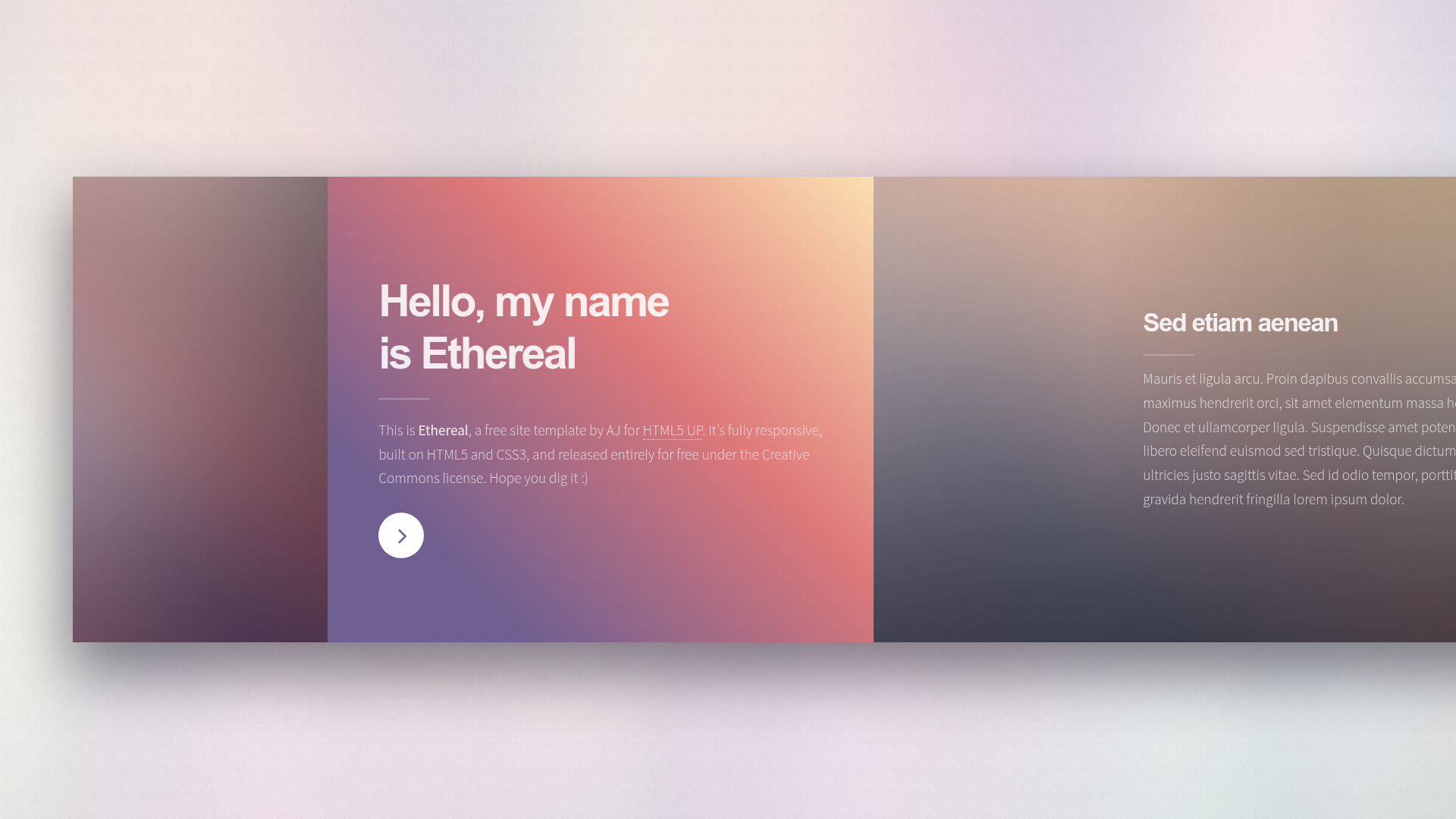
A Jekyll version of the 'Ethereal' theme by HTML5 UP, a side-scrolling responsive template.
About this template
Ethereal Jekyll Theme is a Jekyll port of HTML5 UP's Ethereal, a side-scrolling single-page template with a panel-based layout and lightbox gallery.
What is Ethereal Jekyll Theme?
Ethereal Jekyll Theme is a Jekyll version of the "Ethereal" theme originally created by HTML5 UP (ajlkn). It transforms the CSS/HTML template into a Jekyll theme, allowing you to generate a static site with side-scrolling navigation. The theme is distributed as a Ruby gem and is free under the Creative Commons Attribution 3.0 license. Input is your content structured into panels, banners, spotlights, and galleries; output is a responsive static website.
Key Features
- Panel-based layout — the page is composed of "panel" sections, each with optional size modifiers (small, medium, large) and color modifiers (color0 through color4 and alt variants).
- Multiple scrolling methods — four ways to scroll horizontally: click-and-drag with momentum, mouse wheel translated to horizontal, hover zones on left/right edges, and keyboard shortcuts (arrows, page up/down, home/end, spacebar).
- Span modifiers — flexible column widths from span-0-25 to span-10, expressed in rem units inside non-sized panels and percentage units inside sized panels.
- Banner and Spotlight panels — specialized panel variants that pair text content with an image, with orientation (left/right), image filters (filtered or tinted), and required data-position values (top left, top center, etc.).
- Lightbox gallery — a gallery element with support for grouped images and span-based sizing; groups wrap into dual rows when they exceed the group width.
- Responsive design — the original HTML5 UP template is fully responsive, and this Jekyll port retains that behavior.
- Built on standard web tech — uses jQuery, Sass, Skel, Font Awesome, and the normalizeWheel utility.
Who is it for?
- Jekyll developers — who want a ready-made side-scrolling theme with a clean structure to build a portfolio or personal site.
- Designers — who want to showcase visual work in a horizontal layout with a lightbox gallery for full-size images.
- Freelancers — who need a free, CCA-licensed theme for client projects without ongoing costs.
What can you do with Ethereal Jekyll Theme?
- Portfolio sites — present projects using banners, spotlights, and galleries, letting visitors scroll horizontally through case studies.
- Photography showcases — display full-bleed images with a lightbox gallery, using image position modifiers to control focal points.
- One-page personal sites — combine intro panels with columns for about, projects, and contact information in a single, horizontally scrollable page.
How does it work?
The theme uses a fixed-width panel system to satisfy browser requirements for horizontal scrolling. Each panel is a section with optional child intro and inner elements; inner content can be divided into columns with span modifiers. The included JavaScript in main.js handles the four scroll-assist behaviors, while the Sass source lets you customize colors and sizes.
Pricing
Ethereal Jekyll Theme is free for personal and commercial use under the CCA 3.0 license. You can use it without paying for a license, but attribution to HTML5 UP is required as per the license terms.
FAQ
Is Ethereal Jekyll Theme free?
Yes. The theme is released under the Creative Commons Attribution 3.0 license, allowing free personal and commercial use with proper attribution. No payment is required.
Does this theme support a horizontal layout by default?
Yes, the entire page scrolls sideways, which is Ethereal's signature design. All panels are arranged horizontally, and the included JavaScript provides drag, wheel, edge-zone, and keyboard scrolling.
Can I customize the colors and sizes?
Yes, the theme includes Sass source files with color modifiers (color0 through color4 and alternate versions) and span modifiers for widths. You can edit the Sass to change the palette and sizing.
How do I embed a gallery?
Use the provided gallery structure in your markdown or HTML: wrap thumbnail links in a div with class "gallery", add span modifiers to each image, and optionally group images in a "group" div. Full-size images open in a lightbox.