Template details
Emergency Site Kit
A template for emergency information websites
About this template
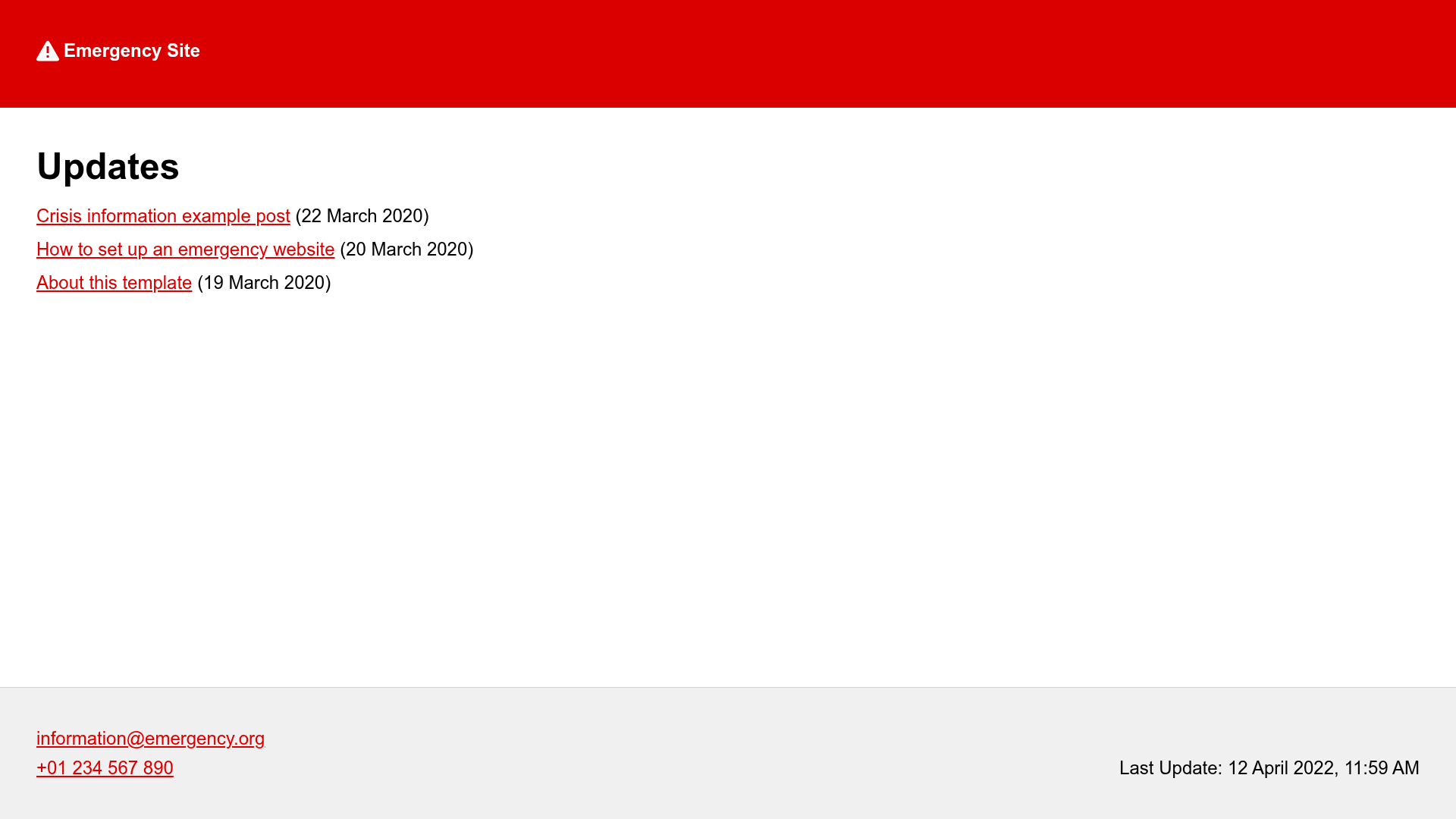
Emergency Site Kit is a starter kit for emergency information websites that generates static, low-bandwidth pages using Eleventy and Netlify CMS.
What is Emergency Site Kit?
Emergency Site Kit is an open-source template (WIP) for publishing critical information during emergencies. It takes markdown content and configuration values and produces a static website designed to withstand traffic spikes and work over damaged or poor mobile connections. The project is built on the rule of least power, using simple technologies for maximum resilience, and is maintained by Max Böck (mxb), as seen on the GitHub repository.
Key Features
- Eleventy static site generator — All pages are pre-built as static HTML files, so there is no server-side code to fail under load.
- First-roundtrip optimization — The template is optimized for the first connection roundtrip, with a single critical request and inlined CSS for faster rendering on slow networks.
- Netlify CMS for content editing — Editors can update the site through a browser-based admin interface without touching code.
- Service worker offline support — Once visited, the site can be served from cache, keeping critical information available even when connectivity drops.
- Environment-variable configuration — Site title, URL, description, language, color, email, and phone can be set via environment variables like META_TITLE or META_EMAIL.
- One-click Netlify deployment — Fork the repository and use the Deploy to Netlify button to go live without a manual build setup.
- Markdown content — Write and replace posts as markdown files in
src/posts, making content simple to manage and version-controllable.
Who is it for?
This template is aimed at organizations that need to publish critical information quickly during an emergency. Emergency management agencies can set up an official information page in minutes. Local government bodies can provide updates when their main CMS is overwhelmed. Teams without dedicated developers can use the no-code setup path to configure the site entirely through the Netlify admin interface.
What can you do with Emergency Site Kit?
- Emergency management teams: Publish status updates and safety instructions as markdown posts that are automatically built into static pages, then deploy to Netlify with one click.
- Local organizations: Customize the site name, description, language, and contact details using environment variables to match their region and audience.
- Developers in volunteer groups: Use the local development workflow with
npm startandnpm run buildto quickly modify the template and add new content.
How does Emergency Site Kit work?
To get started, you pick the setup path that matches your skills: the no-code path uses Netlify's admin interface to configure and write content, while the advanced path uses npm and the command line with a local development server. Either way, content is stored as markdown files, and the Eleventy build generates a production-ready static site that you can deploy to Netlify.
FAQ
How do I change the site title?
Set the META_TITLE environment variable to your desired title, either in a local .env file or through the Netlify admin interface. The default title is "Emergency Site".
Can I use this template without knowing how to code?
Yes. The template offers a no-code setup path that guides you through forking the repository and deploying to Netlify, then lets you edit content via Netlify CMS in the browser.
Does the site work offline?
Yes. The template includes a service worker that caches pages after the first visit, so the site remains accessible even when the network connection is lost.
What is the rule of least power?
It is a design principle favoring the simplest technologies that solve the problem. This project uses static HTML files, which are easy to serve at high volume and work on the most basic connections.
Is the template free to use?
The template is an open-source starter kit on GitHub, so it is free to use, modify, and deploy. The optional Netlify deployment uses Netlify's free tier for one-click hosting.