Template details
Statsig Flags SDK Example
Next.js template demonstrating Statsig feature flags with the Flags SDK, including gates, experiments, and the Vercel Flags Explorer.
About this template
The Statsig Flags SDK Example is a Vercel-deployable Next.js template that shows how to integrate Statsig feature management with the Flags SDK and the @flags-sdk/statsig adapter. It uses two feature gates and one experiment configured in Statsig to control UI variations on a single page, and it ships with a documented setup workflow for developers.
What is the Statsig Flags SDK Example?
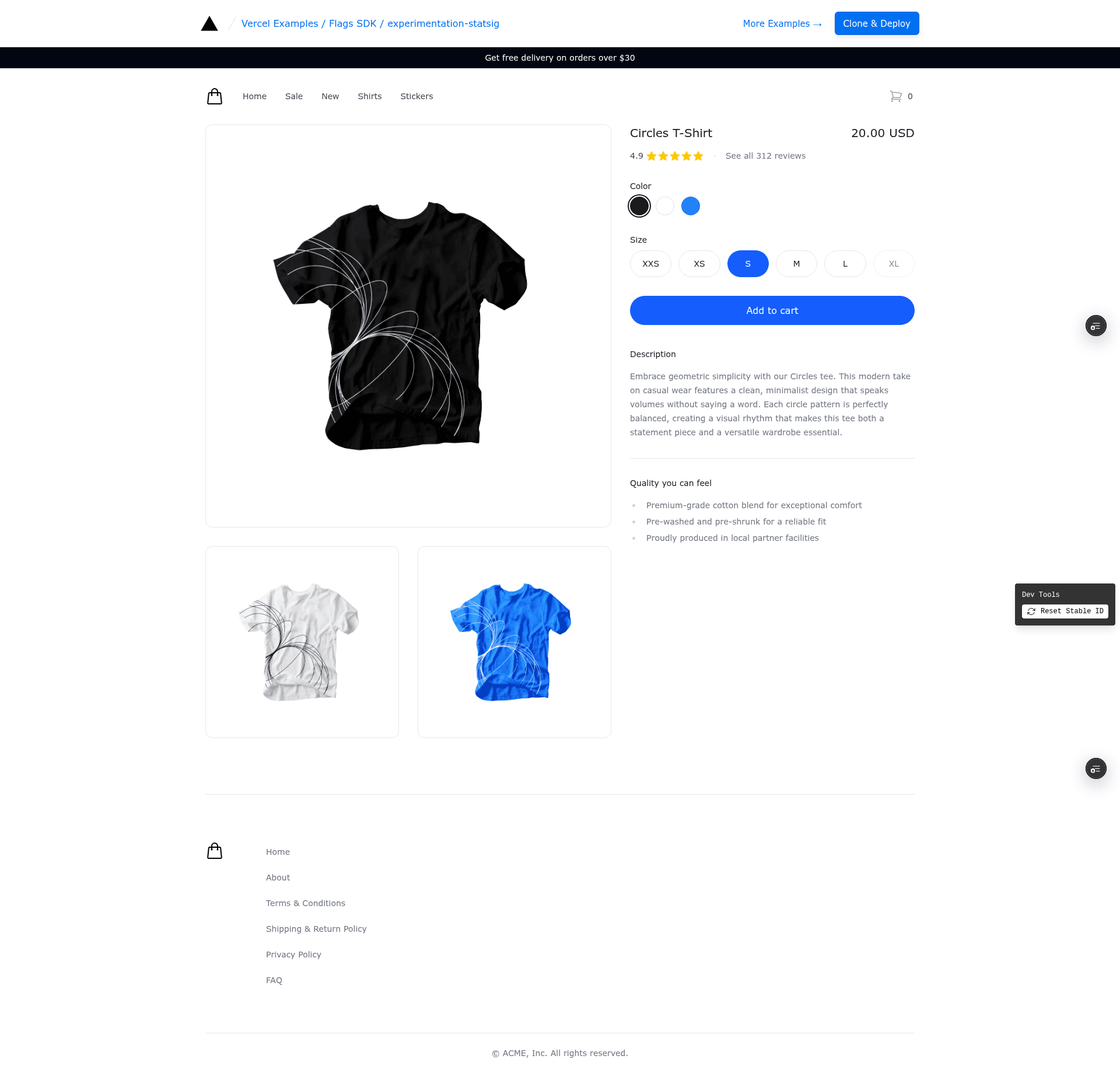
This template is a working reference app that wires the Flags SDK to Statsig's experimentation platform. It takes two feature gates (summer_sale and free_delivery) and one experiment (proceed_to_checkout) as inputs, and renders their outcomes as two banners and a checkout button color on the page. The template runs on Vercel, is part of Vercel's official examples collection, and can be deployed in one click from the Vercel Marketplace.
What makes it stand out?
- Flags SDK integration — Uses the official Flags SDK with the @flags-sdk/statsig adapter to read feature flags from Statsig.
- Two feature gates — The Summer Sale gate (id
summer_sale) and Free Shipping gate (idfree_delivery) each control a banner, configured to show 50% of the time. - One experiment — The Proceed to Checkout experiment (id
proceed_to_checkout) sets a color parameter (blue, green, or red) for different test groups. - Stable ID targeting — Gates and experiments target the Stable ID, so visitors see consistent variations until the ID is reset; the template provides Dev Tools to reset it.
- Vercel Flags Explorer — Through the Vercel Toolbar, developers can override flag values in real time and see additional metadata when the optional Statsig API keys are set.
- One-click deployment — Deploy directly to Vercel from the marketplace with the
FLAGS_SECRETenvironment variable preconfigured. - Local development workflow — Includes steps to link the project, pull env vars, and create the gates and experiments in the Statsig Console.
Who is it for?
- Developers building Next.js apps on Vercel who want a working reference for adding feature flags from Statsig without building integration from scratch.
- Experimentation engineers who need to see how Vercel's Flags SDK maps to Statsig feature gates and experiments, including the use of stable IDs for anonymous users.
- Teams adopting Vercel's Flags Explorer who want a ready-made app that demonstrates overriding flags via the toolbar and pulling metadata from Statsig's API.
What can you do with it?
- Feature-flag demos: Show controlled A/B banner visibility by adjusting the gate percentages in Statsig and reloading the page.
- Experimentation setup: Configure the Proceed to Checkout experiment with multiple test groups and a custom color parameter to see how flag-driven UI changes work.
- Toolbar testing: Use the Flags Explorer in the Vercel Toolbar to create overrides and instantly test all banner/button variations without changing code.
How does it work?
The page reads the values of the summer_sale and free_delivery gates and the proceed_to_checkout experiment at request time via the Flags SDK. The flags are fetched using the @flags-sdk/statsig adapter, and the Flags Explorer adds an in-app toolbar when the FLAGS_SECRET environment variable is set, allowing overrides. The README documents a five-step setup: deploy, link the project, pull environment variables, create the gates and experiments in the Statsig Console, and configure their percentages and groups.
FAQ
What environment variables does this template require?
The template requires a FLAGS_SECRET variable, which must be 32 random bytes base64-encoded; it is used by the Flags Explorer to securely overwrite feature flags. Two optional variables, STATSIG_CONSOLE_API_KEY and STATSIG_PROJECT_ID, make the Explorer fetch additional metadata from the Statsig API.
Which Statsig feature gates and experiments does it use?
It uses two feature gates named Summer Sale and Free Shipping (ids summer_sale and free_delivery), each targeting the Stable ID with a 50% show rule, and one experiment named Proceed to Checkout (id proceed_to_checkout) with groups Control, Test, and Test #2, and a color parameter set to blue, green, or red.
How do I test different variations?
You can open the Dev Tools at the bottom of the page to reset your stable id and reload, which gives you a new random variation. If you have deployed your own version and configured the gates, you can also use the Flags Explorer in the Vercel Toolbar to create overrides and force specific variations.
Does this template use User ID or Stable ID?
It uses Stable ID when configuring the gates and experiments in Statsig, as instructed in the README. This means anonymous visitors get consistent variations based on a stable identifier until it is reset.