Template details
SakuraChiyo
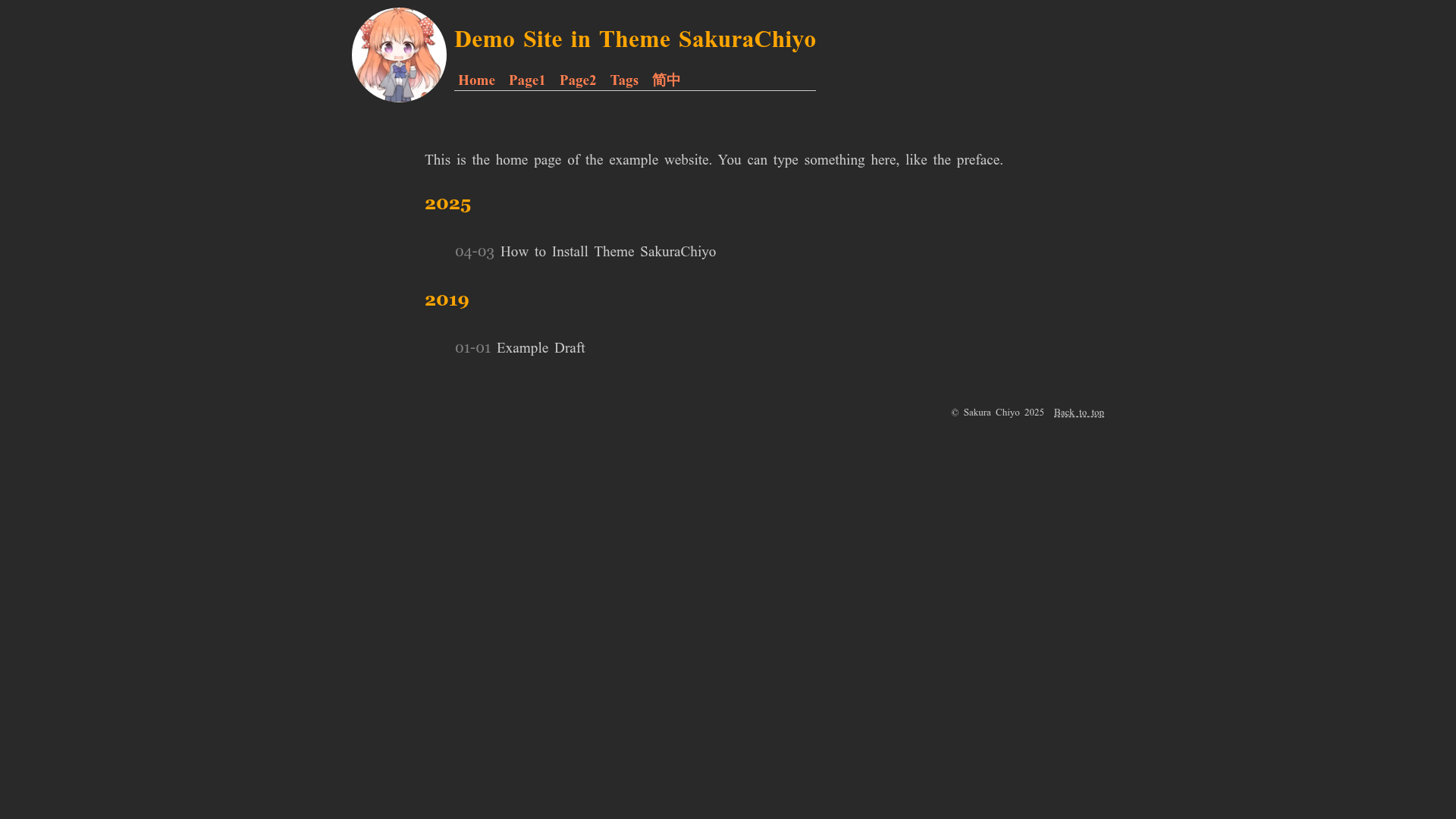
A fast, mini, clean Hugo theme with a colour scheme inspired by Sakura Chiyo.
About this template
SakuraChiyo is a fast, mini, clean Hugo theme created by realyezhihao, named after a character from the anime Monthly Girls' Nozaki-kun, and designed for simple personal websites and blogs.
What is SakuraChiyo?
SakuraChiyo is an open-source Hugo theme that gives your static site a light, minimalist look with a colour scheme inspired by the anime character Sakura Chiyo. The theme is built on the Hugo static site generator and requires Hugo v0.143.0 or higher. It is the first theme its developer, realyezhihao, designed from scratch, and it is hosted publicly on GitHub. As input, it takes your Hugo project content; as output, it renders a complete static website.
Key Features
- Fast and mini — The author describes the theme as fast and mini, keeping the codebase small for quick page loads.
- Clean design — The layout follows a minimal aesthetic focused on readability.
- Sakura Chiyo colour scheme — Colours are applied in the style of the character, giving the site a distinctive look.
- Example site with tutorial — A live demo is available at https://realyezhihao.github.io/hugo-SakuraChiyo/, and it includes a simple tutorial for setup.
- Hugo integration — Works with Hugo v0.143.0+ and uses Hugo's templating to generate static pages.
- Open source — Source code is available on GitHub under the realyezhihao profile.
Who is it for?
SakuraChiyo is aimed at Hugo users who want a lightweight, no-frills blog theme. It's a good fit for individual bloggers who care about page speed and a clean reading experience. The bundled tutorial also makes it helpful for newcomers who are learning how to build a Hugo site from scratch. Anime fans, especially those who like Monthly Girls' Nozaki-kun, may enjoy the themed colour palette.
What can you do with SakuraChiyo?
- Personal bloggers — Set up a fast, clean blog with a unique colour scheme in a single afternoon.
- Hugo beginners — Follow the tutorial on the example site to understand how a minimal Hugo theme works.
- Developers — Use the compact theme as a starting point for custom Hugo projects without adding unnecessary features.
How does SakuraChiyo work?
Start with a Hugo site that meets the minimum version requirement, then clone or copy the SakuraChiyo theme into your Hugo project's themes directory. The example site includes a simple tutorial that walks through the basic installation and configuration steps. Hugo then builds your markdown content into static HTML using the theme's templates.
Pricing
SakuraChiyo is free and open source. The GitHub repository carries no paid tier or purchase requirement.
FAQ
Is SakuraChiyo free to use?
Yes, the theme is open source on GitHub, so it can be downloaded and used for free. No payment is required.
What Hugo version do I need?
The theme requires Hugo v0.143.0 or newer. Older versions may not work correctly.
Does the theme include documentation?
The example site at https://realyezhihao.github.io/hugo-SakuraChiyo/ contains a simple tutorial covering basic setup.
What is the colour scheme based on?
It is inspired by Sakura Chiyo, a character from the anime Monthly Girls' Nozaki-kun, and the theme applies its colours "in the way of" that character.
Where can I get the theme?
The source code is publicly available at https://github.com/realyezhihao/hugo-SakuraChiyo.