Template details
eve Chat Template
A Next.js chat template for eve with password-only starter mode and optional production auth, Neon persistence, and Upstash rate limiting.
About this template
eve Chat Template
eve Chat Template is a Next.js boilerplate for building a chat application powered by eve, the AI agent platform from Vercel Labs, that runs in a password-protected starter mode out of the box and can be upgraded to a multi-user production app with Sign in with Vercel, Neon, and Upstash.
What is the eve Chat Template?
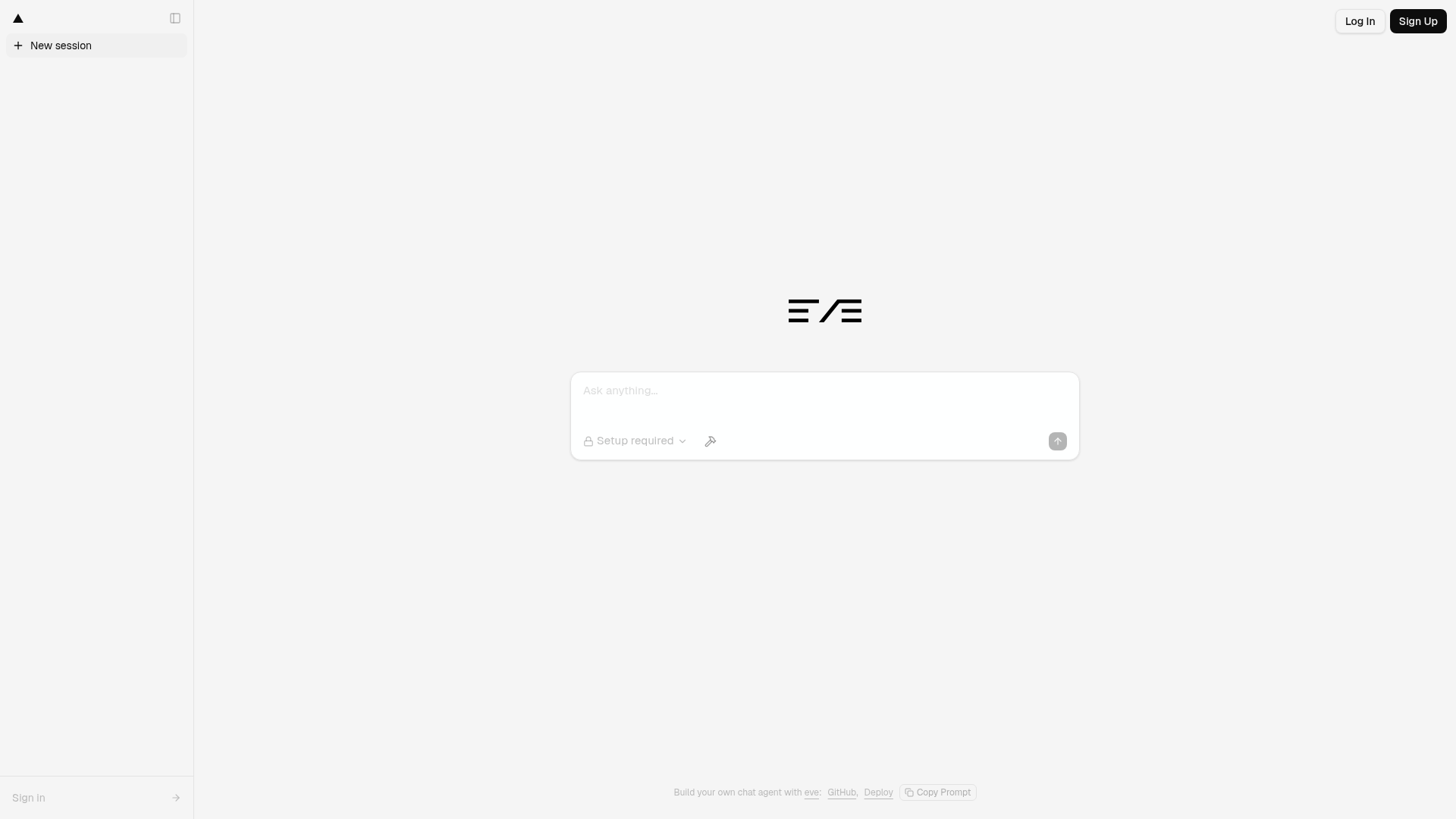
The eve Chat Template is a boilerplate that gives you a text chat interface connected to an eve agent through same-origin routes under /eve/v1. It takes a user's text prompt as input and returns streamed assistant responses rendered with Streamdown, including reasoning and tool calls. The template runs on Next.js and is maintained by Vercel Labs. It supports three deployment modes: a starter mode that only needs a shared password, a production mode that uses Sign in with Vercel plus Neon and Upstash, and a local development mode that uses a local identity without additional services.
Key Features
- Three deployment modes — Starter mode requires only an
EVE_CHAT_PASSWORDenvironment variable; production mode activates when Neon, Upstash, and Sign in with Vercel variables are all present; local development runs withpnpm devand no extra services. - Authentication — Starter mode uses a shared password with a secure session cookie; production mode uses Better Auth with Sign in with Vercel.
- Chat persistence — Starter mode stores chats and eve session cursors in browser localStorage; production mode stores conversations in a Neon database, enabling cross-device history.
- Rate limiting — Production mode adds Upstash Redis for rate limiting, configured through
UPSTASH_REDIS_REST_URLand related variables. - Database schema — Includes a Drizzle schema and migrations under
lib/dbfor production mode; run them withpnpm db:migrate. - Vercel Connect integrations — Optional Slack channel route at
/eve/v1/slackand Notion, Linear, and Sentry MCP connections, enabled by installing connectors with the Vercel CLI. - UI components — Uses shadcn/Tailwind components for messages, tools, HITL prompts, and the composer; the composer's connections menu only appears when at least one MCP connector is configured.
- Session recovery — Stores eve stream events and session state so visiting
/chat/[id]resumes the same durable conversation after a refresh.
Who should use the eve Chat Template?
Developers who want to ship an eve-powered chatbot quickly will find this template useful because it provides working auth, persistence, and UI out of the box. Teams that need a production chat application with multi-user login and cross-device history can upgrade from the password-only starter to the full Neon and Upstash setup. Product builders who want the agent to act on external tools can attach Notion, Linear, or Sentry connectors without writing custom integration code.
What can you do with the eve Chat Template?
- Solo developers: deploy a password-protected chat assistant with the one-click Vercel deploy button, entering a strong password as the only environment variable, then open the app and start chatting.
- Product teams: run the
./scripts/setup.shscript to provision Neon and Upstash, register Sign in with Vercel, pull environment variables, and run migrations for a multi-user deployment. - Tool integrators: use
vercel connect createto add a Slack channel trigger or MCP connections for Notion, Linear, and Sentry, then let the eve agent call those tools during conversations.
How does the eve Chat Template work?
The template detects which deployment mode to use based on the environment variables present. In starter mode, the app only needs EVE_CHAT_PASSWORD; the browser stores chats and session cursors in localStorage, so chats are tied to that browser and not shared. Production mode takes precedence when the complete Neon, Upstash, and Sign in with Vercel environment is present, and the app fails closed if neither mode is fully configured. For local development, running pnpm dev with no extra configuration uses the local development identity.
FAQ
What is the difference between starter and production mode?
Starter mode uses a shared password for access and stores chats in browser localStorage, while production mode uses Sign in with Vercel for per-user authentication and Neon for cross-device chat persistence. Production mode also adds Upstash Redis rate limiting. The app automatically switches to production when all required environment variables are set.
Does the eve Chat Template include file uploads?
No. The template intentionally does not include file uploads, Vercel Blob, guest mode, NextAuth/Auth.js, or AI Elements. The feature set is focused on text chat with eve agents, session persistence, and optional tool connections.
How do I add Slack integration?
You can create a Slack connector with vercel connect create slack --name eve-chat-template --triggers and attach it to your project. The template includes a channel route at /eve/v1/slack. For manual setup, put the connector UID in the SLACK_CONNECTOR environment variable.