Template details
Fal Image Generator
An open-source AI image generation app template built with Next.js, the AI SDK by Vercel, and Fal.
About this template
Fal Image Generator is an open-source AI image generation app template built by the Vercel team that combines Next.js 15, the Vercel AI SDK, and Fal to turn text prompts into images.
What is Fal Image Generator?
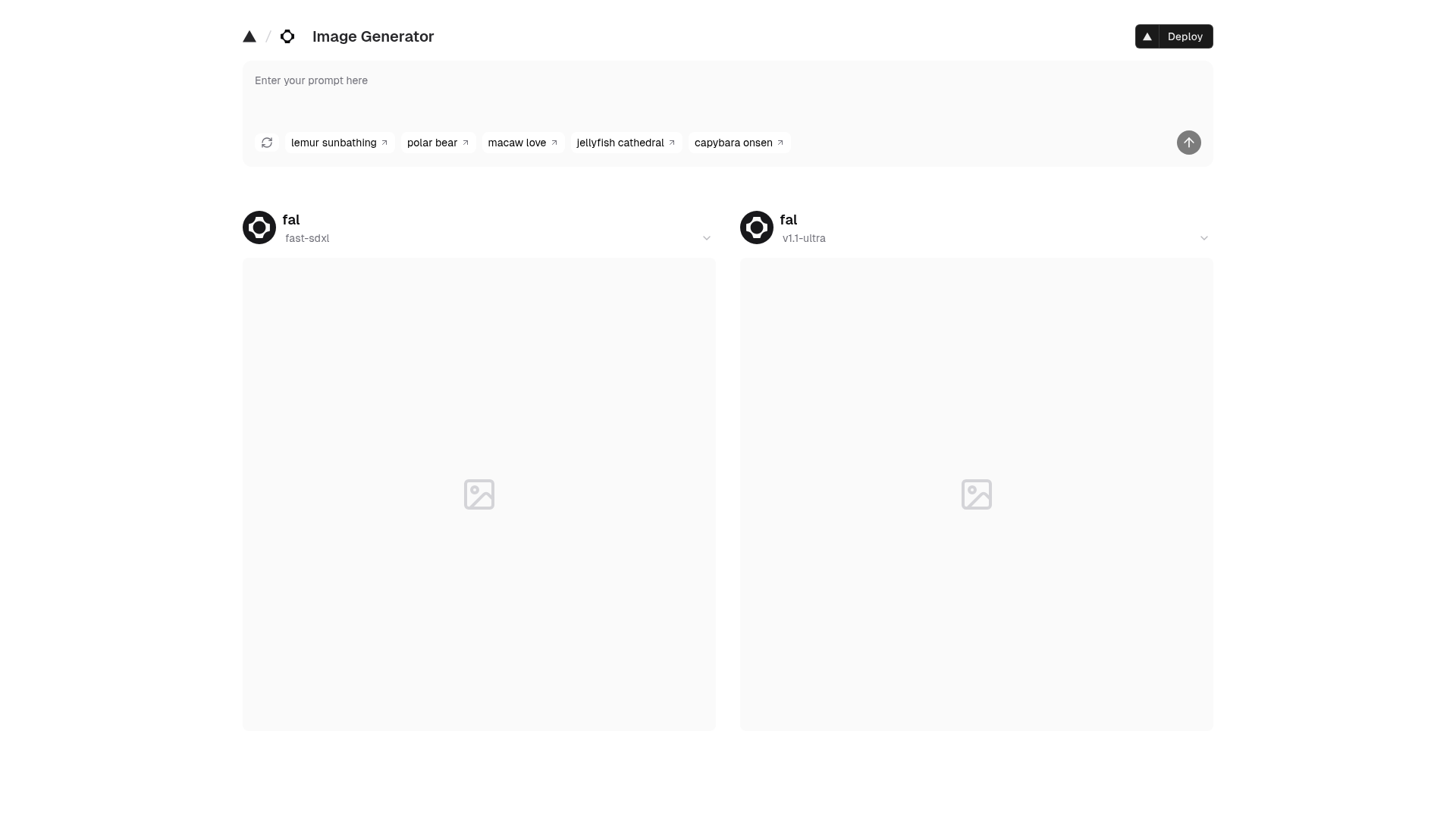
Fal Image Generator is a boilerplate application template that implements a complete image generation frontend and API route using the AI SDK's generateImage function. It takes a text prompt as its only required input and returns images from Fal models, with a single prompt able to target multiple models at once. The template is built on the Next.js App Router (version 15) and is maintained by Vercel with community contributions. It is designed to be deployed directly to Vercel or run locally with environment variables pulled from a linked Vercel project.
Key Features
- Multi-provider image generation — Uses the AI SDK's generateImage reference implementation, so switching between AI providers requires only a few lines of code.
- Single-input multi-model generation — One text prompt generates images across several models in parallel from the same input field.
- shadcn/ui and Tailwind CSS — The interface is built with shadcn/ui components styled by Tailwind CSS for a modern, responsive layout.
- Next.js 15 App Router — Built on the latest stable Next.js release with file-based routing and server components.
- One-click Vercel deployment — The repository link includes a deploy button that clones the template and pre-configures the Fal integration on Vercel.
- Open-source and extendable — Hosted on GitHub under Vercel Labs, with contributions accepted via issues and pull requests.
Who is it for?
- Next.js developers who want a minimal, working example of server-side AI image generation to adapt into their own products.
- AI startup founders who need to validate an image-generation idea quickly without bootstrapping provider connections.
- Hackathon participants who want to prototype a prompt-to-image web app in under an hour using the provided local setup steps.
What can you do with it?
- Quickly launch a prompt-to-image website — Deploy to Vercel with the one-click button and start taking text prompts from visitors immediately.
- Compare Fal models side by side — Use the single input to run the same prompt across multiple models and see outputs together.
- Learn the AI SDK's image API — Study the generateImage usage pattern to understand how to integrate other image providers later.
- Customize the UI with shadcn/ui — Modify the Tailwind-styled components to match a custom brand or add new controls.
How does it work?
The app accepts a text prompt in a single input field and passes it to the AI SDK's generateImage function, which forwards it to Fal and returns the generated images to the UI. Running locally involves cloning the repository, installing dependencies, installing the Vercel CLI, linking the project with vercel link, pulling environment variables with vercel env pull, and starting the dev server with npm run dev — the app then runs on localhost:3000.
FAQ
Is Fal Image Generator free?
The template itself is open-source and free to use. It uses Fal for image generation, and Fal's pricing and free-tier availability apply to the actual image generation API calls.
What stack does it use?
The template uses Next.js 15 (App Router), the Vercel AI SDK, Tailwind CSS, and shadcn/ui. It relies on Fal as the image generation provider.
Can I deploy it to Vercel?
Yes, the repository includes a one-click "Deploy with Vercel" button that clones the project and sets up the Fal integration automatically on Vercel.
How do I run it locally?
Clone the repo, run npm install, install the Vercel CLI globally, run vercel link to connect to your Vercel project, pull environment variables with vercel env pull, then run npm run dev and open localhost:3000.