Template details
Hugo Iris
Dark, responsive Hugo theme for portfolios and blogs with slides, multilingual, and SEO features.
About this template
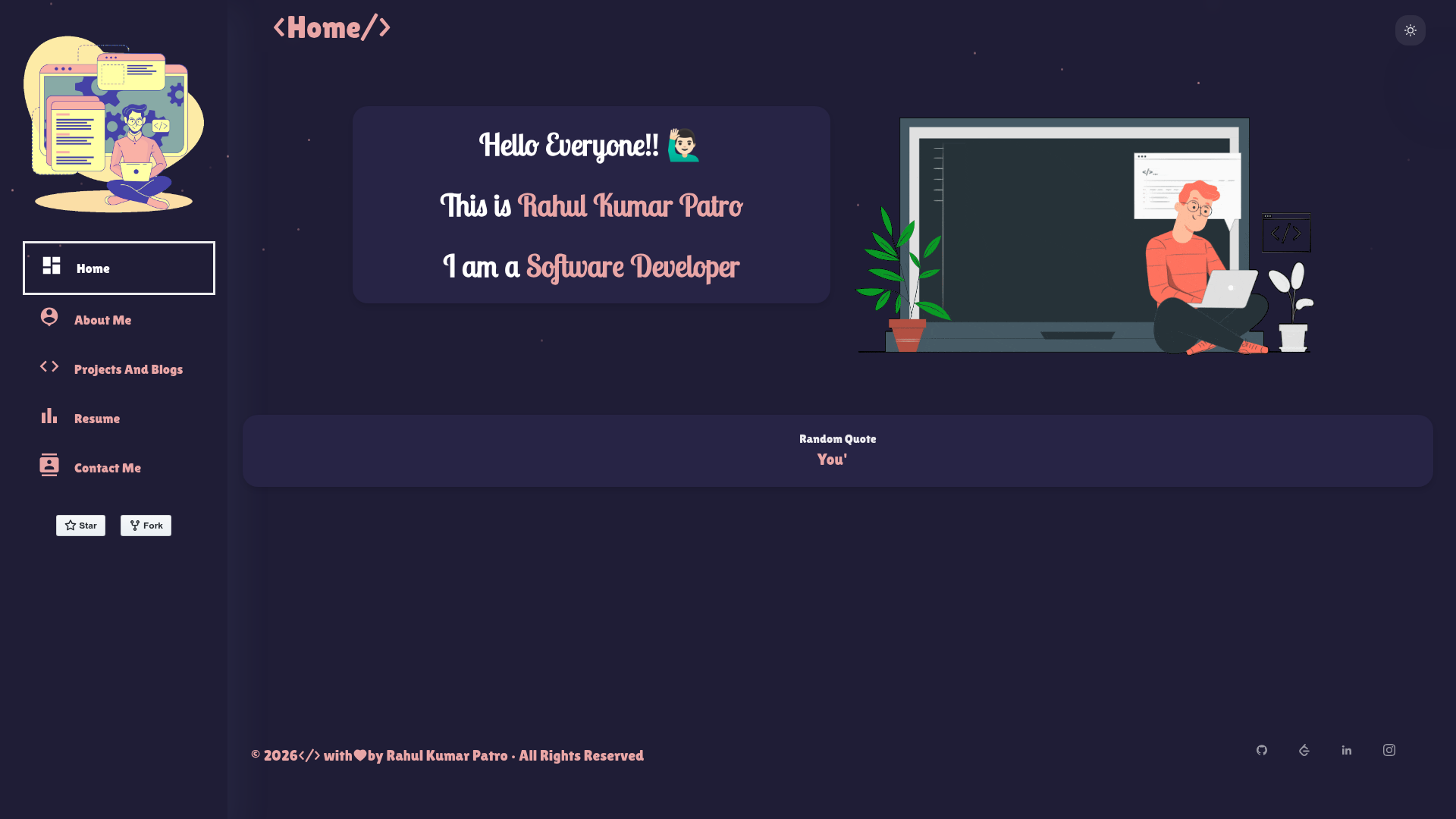
Hugo Iris is a Hugo theme for portfolio and blog sites that generates static pages with a dark theme, Markdown-based slide decks, and multilingual support, built by peaceiris and listed in the Hugo Themes directory.
What is Hugo Iris?
Hugo Iris is an open-source Hugo theme maintained by peaceiris, designed to produce portfolio and blog websites from Markdown content. It runs on the Hugo static site generator, using Hugo Modules for dependency management, which means the theme requires Go, Node.js, and npm on the development machine. The theme takes Markdown posts and archetype-based slide pages as input and outputs a fully static, responsive site. It is licensed under the MIT License and can be installed by adding the module and running hugo mod get.
Key Features
- Hugo module architecture — The theme is distributed as a Hugo Module, so installation, updates, and dependency resolution are handled via Go and
hugo mod. - Bulma CSS framework — The theme's layout is built with the Bulma CSS framework, which is credited in the project's Special Thanks section and gives you responsive utility classes and a consistent grid.
- Dark theme — The default design is dark and adapts to screen sizes with responsive breakpoints.
- Multilingual support — Use Hugo's i18n files to serve the same content in multiple languages.
- Built-in SEO — Includes Google Analytics, Open Graph Protocol, JSON-LD structured data, and canonical URL tags on every page.
- Content features — Pages support breadcrumbs, syntax highlighting, GitHub-style and Obsidian-style blockquote alerts, a table of contents, a random post list, and Disqus comments.
- Math and diagrams — MathJax renders mathematical notation and mermaid generates flowcharts, sequence diagrams, and more from text via shortcodes.
- reveal.js slides — A dedicated slide archetype (
hugo new --kind slide) creates presentation decks in Markdown. - Image pipeline — Responsive images with WebP output when using the Hugo extended edition.
- Handy shortcodes — Custom shortcodes include
circle,button,mermaid,repo,github-sponsors-list,table,diff, andmath.
Who is it for?
- Portfolio owners wanting a fast, dark site to display projects, with the
reposhortcode pulling GitHub repository cards directly into pages. - Bloggers who need a multilingual blog with SEO, analytics, syntax highlighting, and a built-in table of contents.
- Technical presenters who want to author slide decks in Markdown and embed live-rendered math or diagrams—ideal for conference talks and classroom material.
- Open-source maintainers who want to thank sponsors by embedding a GitHub sponsors list.
What can you do with Hugo Iris?
- Developers: Build a personal portfolio that showcases GitHub repositories by running the fetch script to save repository JSON data, then using the
reposhortcode to render a styled card. - Bloggers/technical writers: Publish content with a random post list for discovery, breadcrumb navigation, and a clean reading experience with Disqus comment threads.
- Educators: Create slide decks from Markdown with
hugo new --kind slide, then present them using reveal.js transitions; embed MathJax equations or mermaid sequence diagrams directly in the slides. - Community builders: Add a GitHub sponsors list to your page with one shortcode, so readers can easily find your supporters.
How does Hugo Iris work?
The README documents a setup flow: install Hugo extended, Go, Node.js, and npm; download the setup script; run it to scaffold a new Hugo project; run npm ci to install dependencies; then start hugo server for local development. Deployment options include Netlify (one-click deploy) and GitHub Pages using the peaceiris GitHub Actions. Theme updates use hugo mod get -u github.com/peaceiris/hugo-theme-iris, followed by hugo mod tidy and hugo mod verify.
FAQ
Does Hugo Iris require Hugo extended?
The theme supports WebP image output, and the README recommends using the Hugo extended version. Standard builds without extended will work for most features, but image optimization via WebP specifically needs the extended edition.
How do I create a slide page?
Run hugo new --kind slide posts/new-slide.md. The theme includes the slide archetype, and the content is rendered as a reveal.js presentation.
How do I update the theme?
Update the module by running hugo mod get -u github.com/peaceiris/hugo-theme-iris, then tidy and verify with hugo mod tidy && hugo mod verify.
Is Hugo Iris free?
Yes, the theme is open-source and licensed under the MIT License.
What shortcodes are available?
The theme ships with circle, button, mermaid, repo, github-sponsors-list, table, diff, and math shortcodes, plus automatic styling for standard Markdown tables.