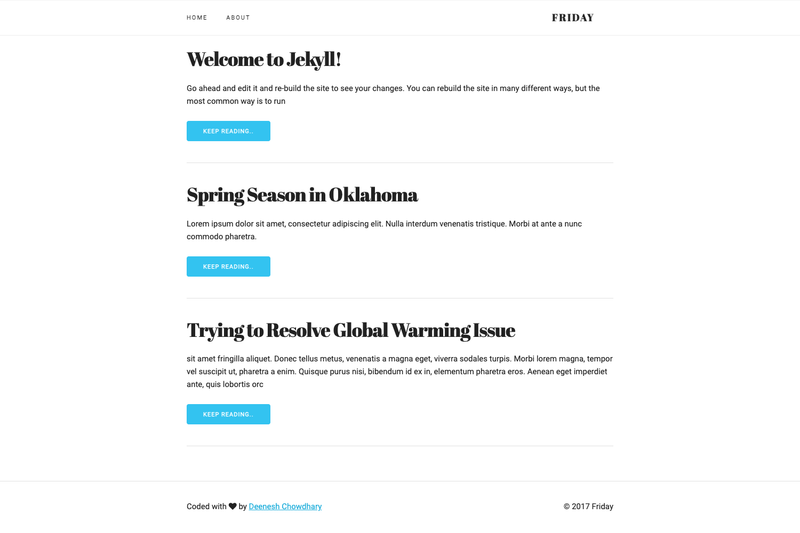
Friday is an open-source Jekyll theme built on HTML5 and integrated with Font Awesome icons, designed to create a minimal, responsive personal website or blog. It takes a standard Jekyll project and produces a static site, with content and site-wide settings controlled through the _config.yml file. The theme is hosted on GitHub with a live demo at deeneshchowdhary.github.io/Friday, and it is released under the MIT License.
What is Friday Theme?
Friday is a lightweight Jekyll theme that provides a full Jekyll environment, so users can clone the repository and immediately build a static website. The theme's input is a set of Markdown content files and a _config.yml configuration, and its output is a generated static site. The repository's topics include 'font-awesome', 'html5', 'jekyll-theme', and 'skeleton', indicating the use of the Font Awesome icon set and HTML5 markup, with 'skeleton' referencing the Skeleton CSS boilerplate.
Key Features
- Open source (MIT) — The theme is free to use, modify, and distribute, with the license available at opensource.org/licenses/MIT.
- Full Jekyll environment — A complete Jekyll setup is included; running
jekyll serve --watchbuilds the site locally and automatically rebuilds on source changes. - Configurable via _config.yml — Site-wide fields such as title, description, and author are edited in a single configuration file.
- Font Awesome icons — The theme includes the Font Awesome icon set for scalable vector icons.
- HTML5 markup — Uses modern HTML5 semantic elements for structure and accessibility.
- Live demo — A working preview is available at deeneshchowdhary.github.io/Friday.
- Skeleton CSS boilerplate — The repository topic 'skeleton' indicates the use of the lightweight Skeleton responsive grid, keeping the layout minimal and mobile-friendly.
Who is it for?
- Personal bloggers — Set up a clean, minimal blog by editing _config.yml and adding Markdown posts.
- Developers — Use it as a simple Jekyll starter to understand how layouts, includes, and configuration fit together.
- Portfolio owners — Showcase projects and writing with a responsive, text-focused layout that loads quickly.
What can you do with Friday Theme?
- Start a personal website: Customize the site metadata in _config.yml, write posts in Markdown, and run Jekyll to generate a static site.
- Test Jekyll locally: Use the bundled environment with
jekyll serve --watchto preview changes in real time. - Learn Jekyll structure: Study a minimal, MIT-licensed theme to see how a Jekyll project is organized and extended.
How does it work?
To get started, edit the necessary fields in _config.yml to reflect your site, then run jekyll serve --watch in your command line. Jekyll builds the site and serves it in the browser, watching source files for changes so you can preview updates live.
FAQ
Is Friday Theme free?
Yes, Friday Theme is open source under the MIT License, which permits free commercial and personal use with attribution.
How do I customize the theme?
Edit the _config.yml file to change site-wide fields like title, description, and author information. Content is added as Markdown files in the appropriate Jekyll directories.
Do I need Jekyll installed?
Yes, because the theme includes a full Jekyll environment, you need Jekyll installed to run the build. The command jekyll serve --watch both builds and serves the site locally.