Template details
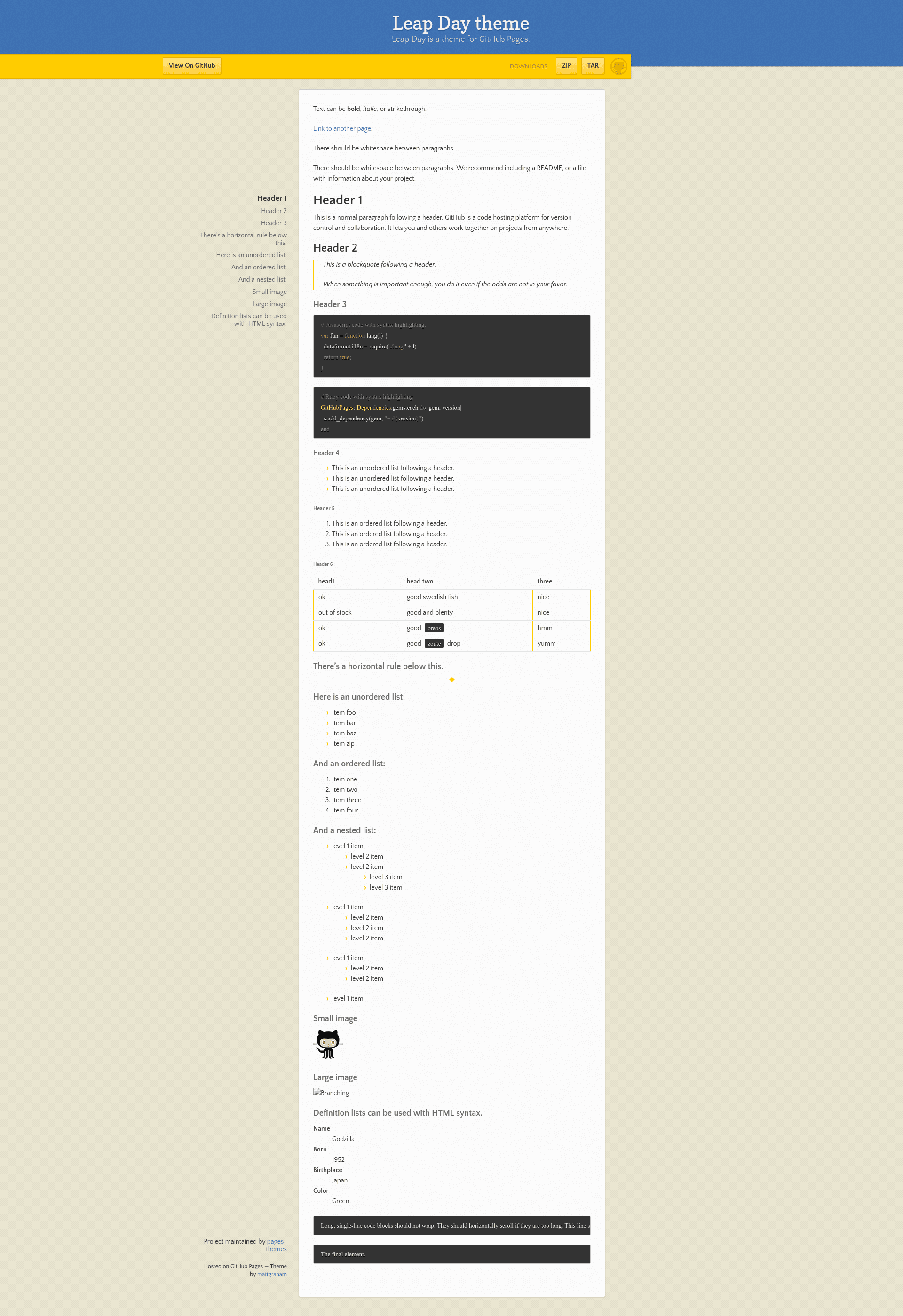
Leap Day
Leap day is a Jekyll theme for GitHub Pages
About this template
Leap day is a Jekyll theme for GitHub Pages that lets you publish a simple, clean static site by adding a single remote_theme line to your Jekyll configuration.
What is Leap day?
Leap day is a Jekyll theme maintained by the GitHub Pages team (the pages-themes organization). It takes a Jekyll site's _config.yml as input and produces a static website served on GitHub Pages, using the default layout and styles included with the theme. The theme is open source and distributed as a Ruby gem (jekyll-theme-leap-day), with versioned releases such as v0.2.0 referenced via the remote_theme directive.
Key Features
- Remote theme installation — Add
remote_theme: pages-themes/leap-day@v0.2.0to_config.yml; no need to clone or fork the theme repository. - Configuration variables — Set
titleanddescriptionin_config.yml; optionally enableshow_downloads(true/false) and add agoogle_analyticstracking ID. - Custom stylesheet — Override or extend styles by creating
assets/css/style.scssin your site and importing the theme with an@importline, then adding your own Sass or CSS. - Custom layouts — Copy the theme's
_layouts/default.htmlinto your own_layoutsfolder to modify the HTML structure, or add files to_includesfor partial changes like a custom favicon. - Google Analytics support — Insert your own analytics snippet by creating
_includes/head-custom-google-analytics.htmlin your Jekyll site. - Overridable GitHub URLs — Replace default repository or download URLs by specifying fields under a
github:key in_config.yml, as shown in the theme's documentation. - Local preview — Clone the repository, run
script/bootstrapto install dependencies, thenbundle exec jekyll serveto preview the theme atlocalhost:4000. - Test suite — Run
script/cibuildto verify a site using the theme builds successfully.
Who should use Leap day?
- GitHub Pages beginners — Get a working website up in minutes by adding the theme to a fresh Jekyll site, without writing any HTML or CSS.
- Open-source project maintainers — Set up a project documentation or landing page on GitHub Pages that links to the repository and shows a download link.
- Personal bloggers — Use the simple title and description configuration to publish a clean, content-focused blog with minimal setup.
What can you do with Leap day?
- Launch a personal site — Configure your title and description, write posts in Markdown, and publish to GitHub Pages with automatic builds.
- Build a project page — Use
show_downloads: trueto display a download button pointing to your project's zip archive, and override GitHub URLs as needed. - Customize the design — Extend the theme with your own stylesheet or replace the default layout to change the header, footer, and other page elements.
How does Leap day work?
- Add
remote_theme: pages-themes/leap-day@v0.2.0to your site's_config.yml, and includejekyll-remote-themein your plugins list. - Push the site to a GitHub repository and enable GitHub Pages in the repository settings; GitHub builds the site using the theme.
- If you want a preview locally, add
gem "github-pages", group: :jekyll_pluginsto your Gemfile, then runbundle installandbundle exec jekyll serve.
FAQ
Is Leap day free?
Yes, Leap day is an open-source theme released under the pages-themes organization. You can use it on any GitHub Pages site without cost, and the source code is available on GitHub.
How do I install Leap day?
Add remote_theme: pages-themes/leap-day@v0.2.0 to your _config.yml and make sure jekyll-remote-theme is in your plugins list. GitHub Pages will automatically apply the theme when you push your site.
Can I customize Leap day's colors and fonts?
Yes. You can create a file at assets/css/style.scss in your site, import the theme's styles with an @import statement, and add your own CSS or Sass overrides after that import. You can also change the theme's Sass variables by setting them before the import line.
Does Leap day support Google Analytics?
Yes. The theme reads a google_analytics variable from _config.yml, and you can provide a custom analytics snippet by creating _includes/head-custom-google-analytics.html in your Jekyll site.
Can I change the download URL shown by the theme?
Yes. The theme uses GitHub-provided URLs, but you can override them by adding a github: section in _config.yml. For example, set github.zip_url to point to a custom download link.