Template details
Galileo Theme
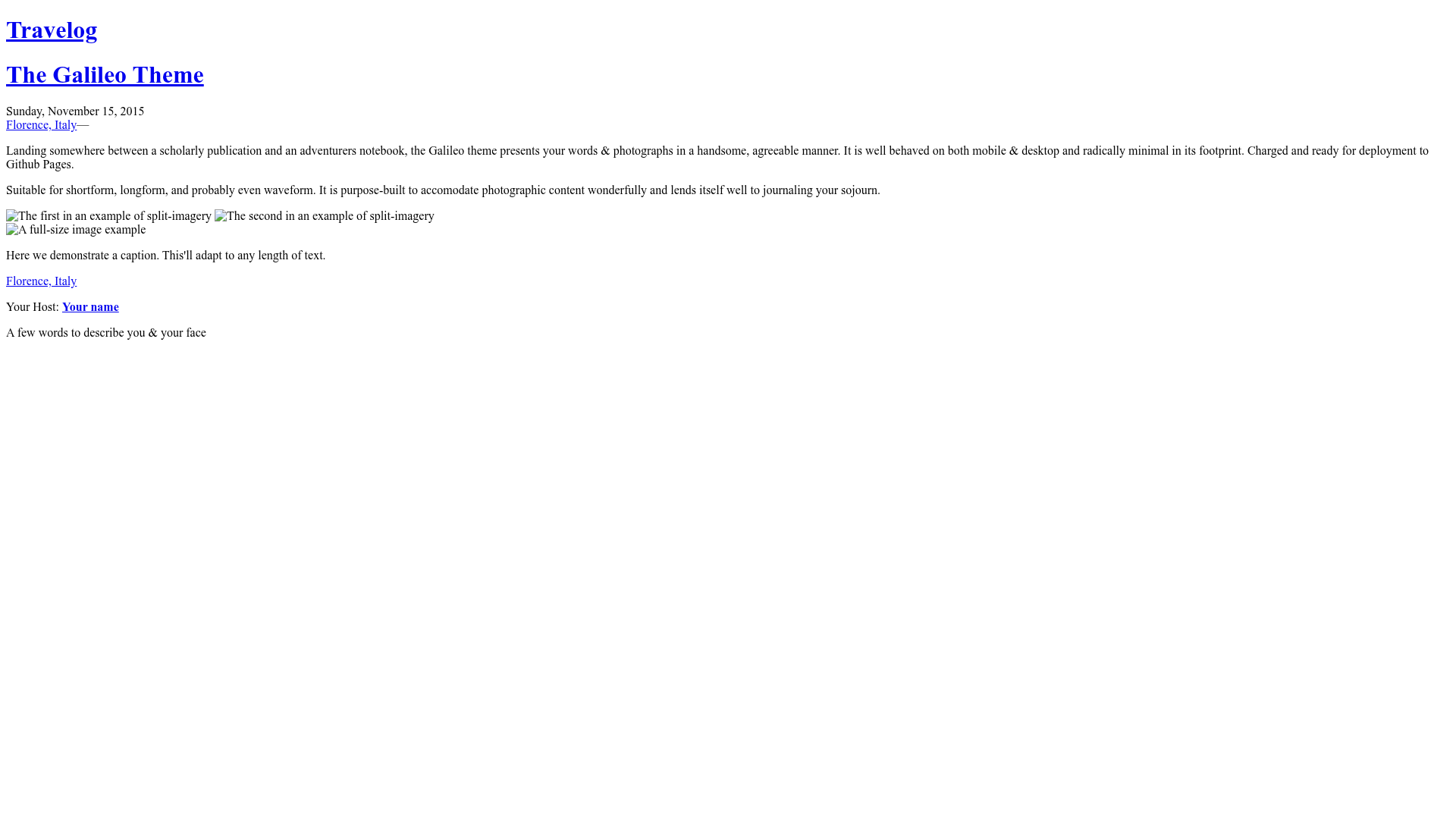
A minimal Jekyll theme that blends scholarly publication styling with an adventurer's notebook, ready for GitHub Pages.
About this template
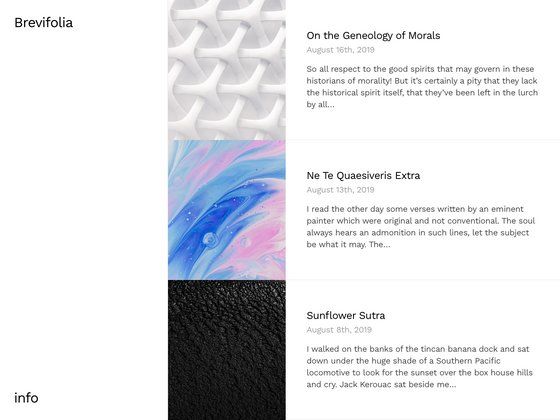
Galileo Theme is a Jekyll template that presents words and photographs in a minimal, scholarly style and is designed for simple deployment to GitHub Pages.
What is Galileo Theme?
Galileo Theme is a free, open-source Jekyll blog theme created by Rowan Oulton. It takes Markdown content and a Jekyll configuration file, and outputs a responsive, static website that works on both mobile and desktop. The theme is intentionally minimal in footprint and is prepped for one-command deployment on GitHub Pages.
Key Features
- Responsive layout — The theme behaves well on mobile and desktop screens without any separate mobile configuration.
- Photography-friendly design — The visual style sits between a scholarly publication and an adventurer's notebook, with a layout suited to pairing text and photographs.
- Typekit font integration — Ships with Adobe Caslon Pro and LTC Bodoni 175 loaded via Typekit, using a configurable Kit ID; you can leave the ID blank and specify substitute fonts in the SCSS files.
- Jekyll configuration — Site-wide customization happens in _config.yml, including author, social links, and the Typekit ID.
- GitHub Pages ready — The theme is built specifically for easy deployment to GitHub Pages, with no extra build steps needed.
- MIT licensed — You can use and modify it freely; the author asks to hear about your use on Twitter.
Who is it for?
- Bloggers who want a minimal but characterful writing space that reads like a printed publication.
- Photographers who want to present images alongside short narrative text in a clean, media-friendly layout.
- Developers who use Jekyll and need a ready-made theme they can fork, customize, and push to GitHub Pages.
What can you do with it?
- Personal blogging: Publish essays, notes, or travel stories in Markdown and generate a static site locally with
jekyll serve. - Photo blog: Curate photographs with captions and narrative text, presented in a format reminiscent of an explorer's journal.
- GitHub Pages portfolio: Host the site for free under your GitHub Pages domain by forking the repository and enabling Pages.
How does Galileo Theme work?
Start by installing Jekyll with gem install jekyll, then fork the official repository and clone your fork locally. Run jekyll serve -w and preview the site at http://localhost:4000; when you're happy, push the repository to GitHub and enable GitHub Pages for automatic publishing.
Pricing
Galileo Theme is free and open source under the MIT license. There are no paid tiers or subscription requirements.
FAQ
Is Galileo Theme free?
Yes, the theme is released under the MIT license, so you can use, modify, and redistribute it freely, including for commercial projects. The only request from the author is that you let him know what you build with it.
Does Galileo Theme work with GitHub Pages?
Yes, it is built for GitHub Pages. You can fork the repository, run Jekyll locally to preview, then push to GitHub and enable Pages for your repository. No additional plugins or build scripts are required.
What fonts does Galileo Theme use?
The theme loads Adobe Caslon Pro and LTC Bodoni 175 from Typekit. You need to publish your own Typekit kit and enter its ID in the Jekyll config. If you leave the ID blank, the theme falls back to substitute fonts you define in the SCSS files.
How do I customise the Galileo Theme?
Most customisation happens in _config.yml, where you set site metadata and the Typekit Kit ID. Typography substitutes go in the screen.scss file. The theme's CSS is minimal, so you can also edit the SCSS directly to change colors, spacing, and layout.
Can I use the theme without Jekyll?
No, the theme is specifically built for Jekyll. It requires Jekyll to process the Markdown content and SCSS files into a static site. You'll need to install Jekyll first, then you can preview and build the theme locally.