Template details
Gatsby Clean Portfolio
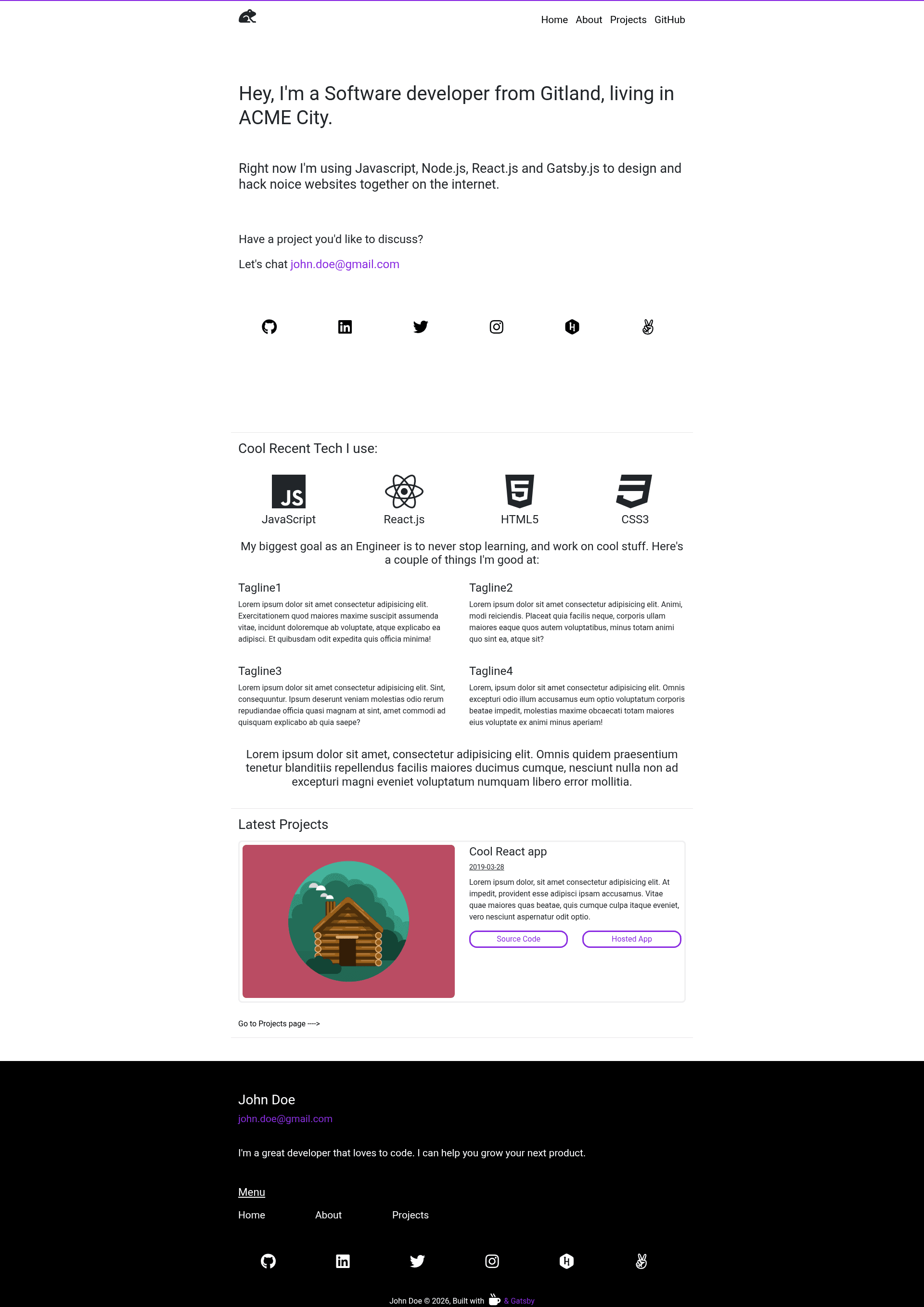
Clean portfolio starter for Gatsby.js with preconfigured files, live reload, GraphiQL, and one-click Netlify deployment.
About this template
Gatsby Clean Portfolio is a Gatsby.js starter boilerplate that scaffolds a clean portfolio website, packaging the core Gatsby configuration files and a one-command setup through the Gatsby CLI.
What is Gatsby Clean Portfolio?
Gatsby Clean Portfolio is an open-source starter template for building a personal portfolio site with Gatsby.js, the React-based static site generator. It takes a project name as input via the gatsby new command and produces a fully configured Gatsby project with a src directory, configuration files, and a homepage at src/pages/index.js. The starter was published by GitHub user ugglr and is described as the official clean portfolio starter for Gatsby.js.
Key Features
- Gatsby.js framework — Built on Gatsby, which compiles React components into static HTML at build time for fast page loads.
- Preconfigured project files — The scaffold includes
gatsby-config.jsfor site metadata and plugins,gatsby-node.jsfor Node API customization,gatsby-browser.jsfor browser APIs, andgatsby-ssr.jsfor server-side rendering APIs. - Standard source layout — A
srcdirectory holds all front-end code you see in the browser, with the main homepage located atsrc/pages/index.js. - Code formatting with Prettier — A
.prettierrcfile is included to keep code style consistent across contributors. - Git readiness — A
.gitignorefile prevents tracking of dependencies and generated files. - Built-in GraphiQL — During development, a data explorer is available at
http://localhost:8000/___graphqlfor query testing. - Live editing — Saving changes to
src/pages/index.jsupdates the browser in real time through Gatsby's hot reloading. - One-click deployment — The README includes a Deploy to Netlify button that connects the repository directly to Netlify.
Who is it for?
- Web developers who want a minimal, clean starting point for a portfolio without configuring Gatsby from scratch.
- Gatsby learners who need a small project to study how Gatsby's file structure and configuration files work together.
- Freelancers and creatives who want a simple portfolio site and are comfortable editing React components.
What can you do with it?
- Launch a local dev server: Run
gatsby developto start a server athttp://localhost:8000and preview your changes instantly. - Customize the homepage: Edit
src/pages/index.jsto replace placeholder content with your own projects, biography, and contact details. - Experiment with GraphQL: Use the GraphiQL interface at
http://localhost:8000/___graphqlto explore data available in the project. - Deploy to Netlify: Use the Deploy to Netlify button in the README to publish the site with a linked repository.
How does it work?
The starter is installed with the Gatsby CLI command gatsby new my-portfolio-starter https://github.com/ugglr/gatsby-clean-portfolio, which clones the template and installs npm dependencies. After running gatsby develop, the site is served locally and files like src/pages/index.js can be edited with live reload. The project uses npm via package.json and package-lock.json.
FAQ
Is Gatsby Clean Portfolio free to use?
Yes, the starter is open source and licensed under the MIT license, as stated in the included LICENSE file.
What does the Gatsby CLI do for this starter?
The gatsby new command creates a new directory with the starter's files and installs all dependencies, giving you a runnable Gatsby project immediately.
Which configuration files does the starter include?
It includes gatsby-config.js, gatsby-node.js, gatsby-browser.js, and gatsby-ssr.js, along with .prettierrc, .gitignore, package.json, and package-lock.json.
Where do I edit the homepage content?
The main homepage is at src/pages/index.js inside the src directory; edits to this file are reflected in the browser in real time.
Can I deploy this to Netlify?
Yes, the README provides a Deploy to Netlify button that sets up a new site from the repository for quick deployment.