Template details
Hugo Uilite Portfolio
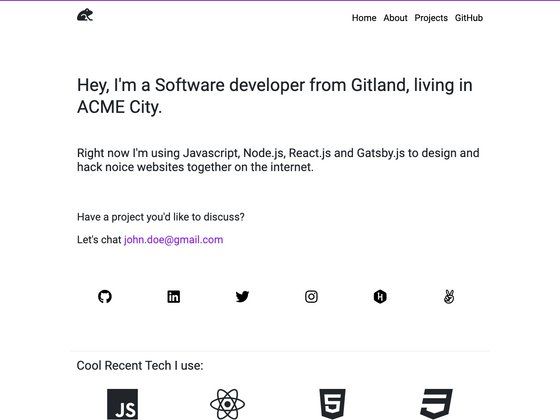
Hugo portfolio theme with skills, experience timeline, services, contact form, and optional blog in the Pro version.
About this template
Hugo Uilite is a Hugo-based portfolio theme designed for designers and developers who want a good-looking portfolio website without much effort, offering a free version with core sections and a Pro version that adds a blog, work gallery, and support.
What is Hugo Uilite?
Hugo Uilite is a portfolio theme built on the Hugo static site generator, produced by UICard. It takes standard Hugo content directories and configuration and outputs a static portfolio website with a skills section, experience timeline, service section, contact form, and social links. The free version covers essentials; the Pro version expands it with a blog, work/portfolio showcase, Disqus comments, documentation, and direct support.
Key Features
- Skills section — Display a list of competencies in a dedicated section on the homepage.
- Experience timeline — Present work history or career milestones in a chronological timeline layout.
- Service section — Outline the services you offer, suitable for freelancers or agencies.
- Contact form via Formspree — Register on Formspree, create a project and form, then add your form endpoint to
data/config.jsonto receive messages. - Social links — Link out to social profiles from the theme's built-in social icons.
- Good SEO — The theme is built with search-engine-friendly structure out of the box.
- Blog (Pro) — Publish articles and posts with the Pro version's blog module.
- Work/portfolio (Pro) — Showcase projects in a dedicated gallery in the Pro version.
- Disqus (Pro) — Enable Disqus comments on your posts in the Pro version.
- Documentation and support (Pro) — Pro buyers get setup documentation and support from UICard.
The theme is built with Hugo and HTML5, and configuration such as the Formspree endpoint lives in a data/config.json file. It is distributed through UICard's website and demo sites are available for both the free and Pro versions.
Who is it for?
- Designers — need a clean portfolio to display visual work and a timeline of experience.
- Developers — can set up a technical portfolio and, with the Pro version, add a blog to share articles.
- Freelancers — use the service section and contact form to present offerings and collect inquiries.
- Agencies — can list services and team experience; the Pro work gallery shows client case studies.
What can you do with Hugo Uilite?
- Freelance designers: publish a portfolio with skills, experience timeline, and a Formspree-powered contact form to capture client leads.
- Developer bloggers: upgrade to Pro to add a blog and Disqus comments, turning the site into a content hub alongside the portfolio.
- Small agencies: use the service section and work/portfolio page to present offerings and past projects to prospective clients.
How does Hugo Uilite work?
The theme runs on Hugo, so you build a static site by running Hugo's build command after installing the theme. To activate the contact form, register on Formspree, create a project and a form, then paste the form endpoint into data/config.json. Content for skills, experience, services, and social links is managed through Hugo's content and config files.
Pricing
Hugo Uilite uses a freemium model. The free version includes skills, experience timeline, service section, contact form, social links, and SEO. The Pro version adds blog, work/portfolio, Disqus, documentation, and support, and is sold through UICard's website. No specific price is listed on the repository page.
FAQ
Is Hugo Uilite free?
Yes, there is a free version that includes the core portfolio sections: skills, experience timeline, service section, contact form, social links, and good SEO. For additional features like the blog, work gallery, Disqus, documentation, and support, you need the paid Pro version.
How do I set up the contact form?
The contact form uses Formspree. First register on Formspree, then create a project and a form there. After that, add your form endpoint to the data/config.json file in the theme. Once that's done, form submissions route to Formspree.
What does the Pro version include?
The Pro version adds a blog, a work/portfolio showcase, Disqus comment integration, documentation, and support. The free version does not include these features, so you'll need to upgrade if you want a blog or a portfolio gallery inline.
Is the theme easy to customize?
Hugo Uilite is a Hugo theme, so customization happens through Hugo's standard content files and the theme's data/config.json for settings like the Formspree endpoint. The free repository is accessible for developers who want to modify templates.