Template details
Gatsby Firebase Hosting Starter
Gatsby starter with Firebase hosting configuration and Cloud Build deploy pipeline for automated Gatsby deploys.
About this template
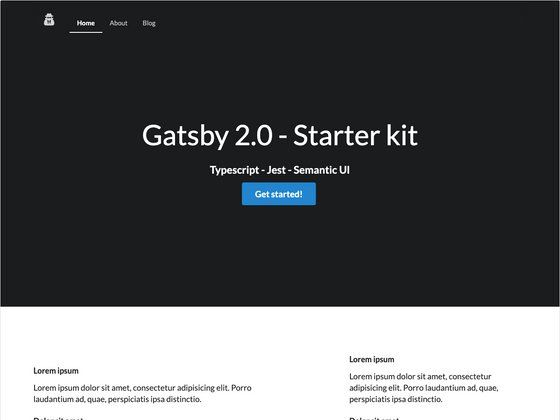
The Gatsby Firebase Hosting Starter is a boilerplate template for building a Gatsby React site and deploying it to Firebase Hosting through Google Cloud Build. It is an official starter from the Gatsby team, designed to give you a preconfigured Gatsby project plus the Firebase and Cloud Build files needed for continuous deployment.
What is the Gatsby Firebase Hosting Starter?
The starter provides a working Gatsby site with all the default configuration files, then layers on Firebase Hosting configuration and Google Cloud Build pipelines. As input it takes a new Gatsby project created via the Gatsby CLI; as output it produces a deployable static site hosted on Firebase, with a Cloud Build setup that runs ESLint, Jest tests, a Gatsby build, and firebase deploy on every source change. The starter is maintained by the Gatsby organization and licensed under the MIT license.
What makes the Gatsby Firebase Hosting Starter stand out?
- Firebase hosting configuration — Includes
firebase.jsonand a.firebasercfile for project aliases, so you can map the starter to your Firebase project. - Cloud Build deploy pipeline — Two build config files:
cloudbuild.deploy.yamlfor the main deploy andfirebase/cloudbuild.yamlthat containerizes the Firebase CLI for Google Cloud Build. - Preconfigured Gatsby files — Ships with
gatsby-config.js,gatsby-browser.js,gatsby-node.js, andgatsby-ssr.jsso you can control site metadata, browser APIs, Node APIs, and server-side rendering. - Jest unit testing setup — A
/testsdirectory with Jest configuration following the Gatsby unit testing documentation. - ESLint and lint-staged — A
/configdirectory contains ESLint recommended settings from Gatsby docs, and lint-staged runs linting on staged files via a precommit hook. - Development experience — Running
gatsby developstarts a hot-reloading server athttp://localhost:8000and exposes GraphiQL athttp://localhost:8000/___graphql. - Remote git trigger deployment — After Cloud Build is configured, you can create a build trigger that deploys whenever your remote Git repository (GitHub, Bitbucket, or Cloud Source) receives changes.
Who should use the Gatsby Firebase Hosting Starter?
- Gatsby developers who want a ready-made project structure with the official starter files and want to host the output on Firebase Hosting.
- Firebase users who already have a Firebase project and want to attach it to a Gatsby site with proper deploy configuration.
- Teams implementing CI/CD who need a prebuilt Cloud Build workflow that runs validation, unit tests, build, and deployment steps in sequence.
What can you do with the Gatsby Firebase Hosting Starter?
- Automate your deployments: Set up a Cloud Build trigger so that every push to your Git repository runs the build and deploys to Firebase automatically.
- Test and lint in the pipeline: Use the included
npm run validatestep (as defined incloudbuild.deploy.yaml) to run ESLint and Jest unit tests before deployment. - Switch to a different Firebase project: Use
firebase use --addto add project aliases and change the deployment target without editing config files by hand. - Extend the starter with a CMS, analytics, or other Gatsby plugins: Since it is a standard Gatsby project, you can install any Gatsby plugin and the Cloud Build pipeline will still work.
How does the Gatsby Firebase Hosting Starter work?
The setup flow is described in the README. First, you create a new Gatsby site with gatsby new my-firebase-hosting-starter https://github.com/gatsbyjs/gatsby-firebase-hosting-starter. Next, you log in to Firebase, list your projects, and associate the directory with one using firebase use --add. Then you create a Google Cloud project, enable the Cloud Build API, and submit an initial build with gcloud builds submit --config=./firebase/cloudbuild.yaml ./firebase/ to install and containerize the Firebase tool. Finally, you run a deploy build with gcloud builds submit --config=cloudbuild.deploy.yaml . --substitutions=_FIREBASE_DEPLOY_TOKEN="[FIREBASE_DEPLOY_TOKEN]" and set up a build trigger for automatic deploys.
Pros and cons
- Pro: Official Gatsby starter with a clean, documented setup, including ESLint, Jest, and a lint-staged precommit hook.
- Pro: Single command (
gatsby new) creates a complete project with all necessary configuration files. - Con: Requires both a Firebase account and a Google Cloud account, plus installation of the Firebase CLI and Google Cloud SDK.
- Con: The initial Cloud Build configuration requires a Firebase deploy token generated with
firebase login:ci.
Alternatives
- The default Gatsby starter, which does not include Firebase hosting or Cloud Build configuration.
- Other community-created Gatsby starters available in the Gatsby starter library, which can be filtered by features and integrations.
FAQ
Is the Gatsby Firebase Hosting Starter free?
The starter itself is MIT-licensed and free to use. It relies on Firebase Hosting and Google Cloud Build, both of which have their own free tiers and usage-based pricing that you should check on their respective Google documentation.
What do I need before starting?
You need a Firebase account and a Firebase project, the Firebase CLI installed, a Firebase deploy token created with firebase login:ci, a Google Cloud account, the Google Cloud SDK, and a remote Git repository containing your project code.
How do I deploy my Gatsby site to Firebase?
After associating the project with firebase use --add, you submit the Cloud Build deploy configuration with a command that replaces the placeholder deploy token with your own: gcloud builds submit --config=cloudbuild.deploy.yaml . --substitutions=_FIREBASE_DEPLOY_TOKEN="[FIREBASE_DEPLOY_TOKEN]".
Where can I see a GraphQL explorer for data?
When you run gatsby develop, the GraphiQL tool is available at http://localhost:8000/___graphql by default.
Can I use this starter with a different host?
While the starter is specifically configured for Firebase Hosting, the Gatsby source files are standard, so you could replace the Firebase-specific configuration with another host's setup. The included Cloud Build files, however, are written for Firebase deployment.