Template details
Gatsby Progressive Web App Starter
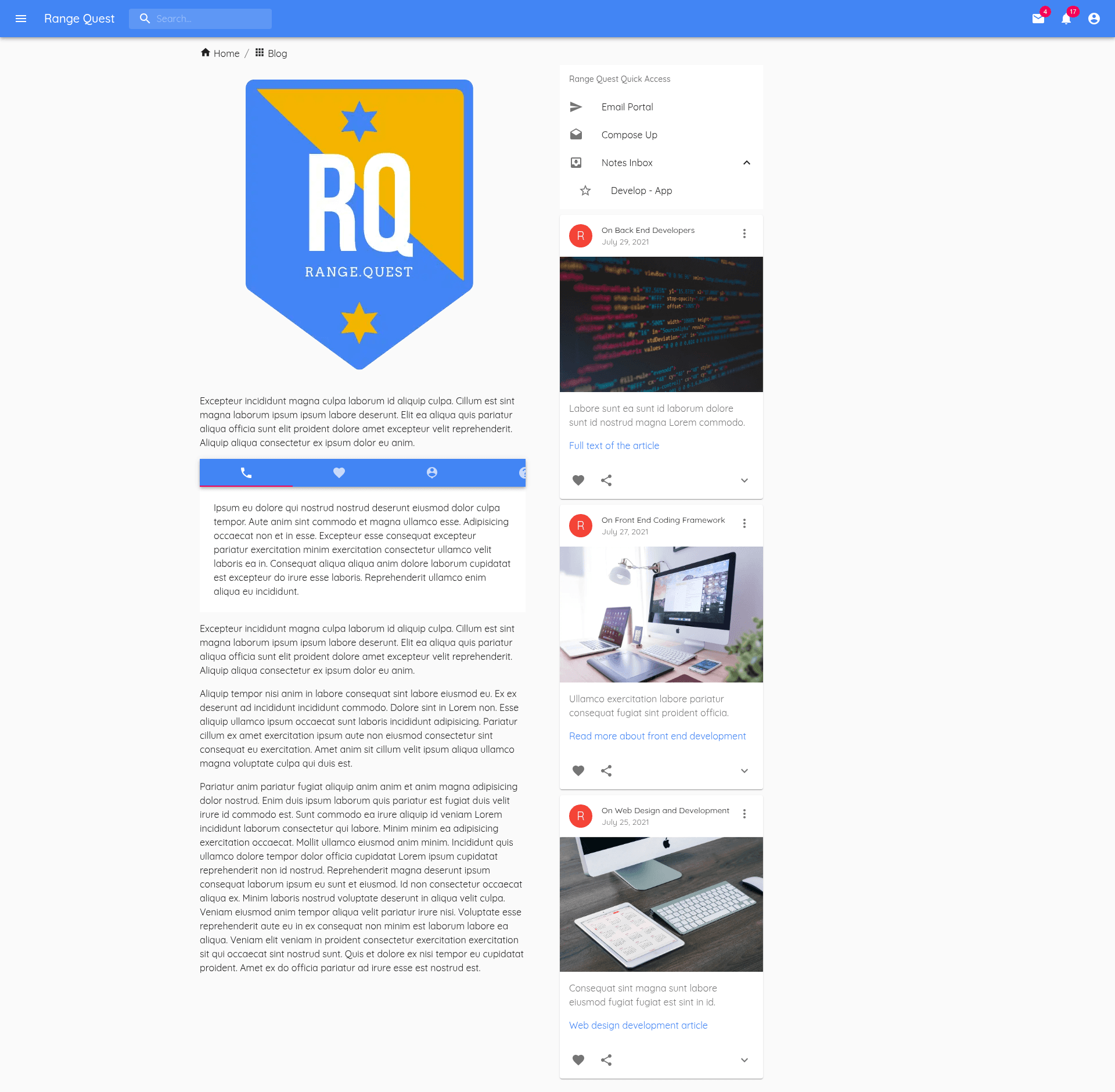
Gatsby Progressive Web App (PWA) starter using Material UI with service worker, offline page, and GitHub workflow to deploy to Firebase.
About this template
The Gatsby Progressive Web App Starter is a boilerplate for building installable, offline-capable websites with Gatsby, Material UI, and automated Firebase deployment via GitHub Actions.
What is the Gatsby Progressive Web App Starter?
The Gatsby Progressive Web App Starter is a GitHub template that scaffolds a Gatsby site with Progressive Web App features already configured. It takes a default Gatsby project structure and outputs a PWA-ready website with a service worker, offline page, app shortcuts, installability, and a GitHub Actions workflow that deploys the built site to Firebase Hosting. The starter runs on Gatsby, a React-based static site generator, and uses Material UI for component styling and theming. The template is available publicly at the rangequest/firebase-gatsby repository on GitHub.
Key Features
- Google Fonts Customization — The starter includes pre-configured Google Fonts integration, so you can change typography by editing a single theme file instead of wiring up font loading yourself.
- Material UI Theme Customization — Material UI is set up as the component library, with a theme file that lets you adjust colors, spacing, and component styles consistently across the site.
- SEO Module — A built-in SEO module supplies meta tags and structured data for pages, so you can add per-page titles, descriptions, and social sharing tags without extra plugins.
- Service Worker — A service worker is registered by default, enabling offline caching of assets and pages for repeat visits.
- Offline Page — When the device goes offline, users are served a dedicated offline page instead of a browser error.
- Installable App — The site meets PWA installability criteria, so users can add it to their home screen or desktop.
- App Shortcuts — App shortcuts are configured for the installed PWA, giving users quick access to specific actions or pages from the launcher.
- GitHub Workflow for Firebase — A pre-written GitHub Actions workflow builds the Gatsby site and deploys the result to Firebase Hosting on push, so you don't need a separate CI setup.
The starter also includes a live demo comparing the site before and after PWA implementation, and the README links to Lighthouse for validating PWA performance scores.
Who is it for?
- Frontend developers who want a ready-made PWA setup and want to avoid configuring service workers and manifests manually.
- Gatsby developers who want a Material UI theme customized out of the box and an SEO module already integrated.
- Firebase Hosting users who want a GitHub Actions workflow that deploys automatically on every push, without learning Firebase tools.
- Developers building offline-first web apps who need an offline page and caching behavior from day one.
What can you do with it?
- Developers who want an installable web app: clone the starter and run
gatsby newto get a PWA with service worker, offline page, and app shortcuts without writing the plumbing yourself. - Firebase Hosting users: push changes to GitHub and the included workflow builds and deploys the updated site to Firebase automatically.
- Anyone customizing a branded site: edit the Material UI theme and Google Fonts configuration to match your brand while keeping the PWA features intact.
How does the starter work?
The README's quick start walks through three steps. First, run gatsby new progressive-web-app https://github.com/rangequest/firebase-gatsby.git to create a new project from the template. Second, run gatsby develop to start a development server at http://localhost:8000; a second GraphiQL endpoint is available at http://localhost:8000/___graphql for querying Gatsby's data layer. Third, edit src/pages/index.js and see the browser hot-reload with your changes.
FAQ
Does the starter include a service worker?
Yes, the starter registers a service worker by default, which caches assets and pages so repeated visits work offline. A dedicated offline page is also included and appears when the user loses connectivity, so the site never shows a native browser error. This setup is part of the PWA checks validated with Lighthouse.
How do I deploy the site to Firebase?
The repository ships a GitHub Actions workflow that builds the Gatsby site and deploys it to Firebase Hosting. When you push commits to the GitHub repository, the workflow runs automatically, so you don't need to install the Firebase CLI or configure a separate CI service. You just need to connect the repository to a Firebase project.
What do I need to run the starter locally?
You need the Gatsby CLI and Node.js on your machine. Run the command gatsby new progressive-web-app https://github.com/rangequest/firebase-gatsby.git to create the project, change into the new directory, and run gatsby develop to start a local server at http://localhost:8000. The README also notes a GraphiQL editor at http://localhost:8000/___graphql for querying data.
Is this starter free to use?
The template is published as a public GitHub repository, so you can clone and modify it without paying the author. The only external services it depends on, Firebase Hosting and GitHub Actions, each have their own pricing models that are separate from the template.