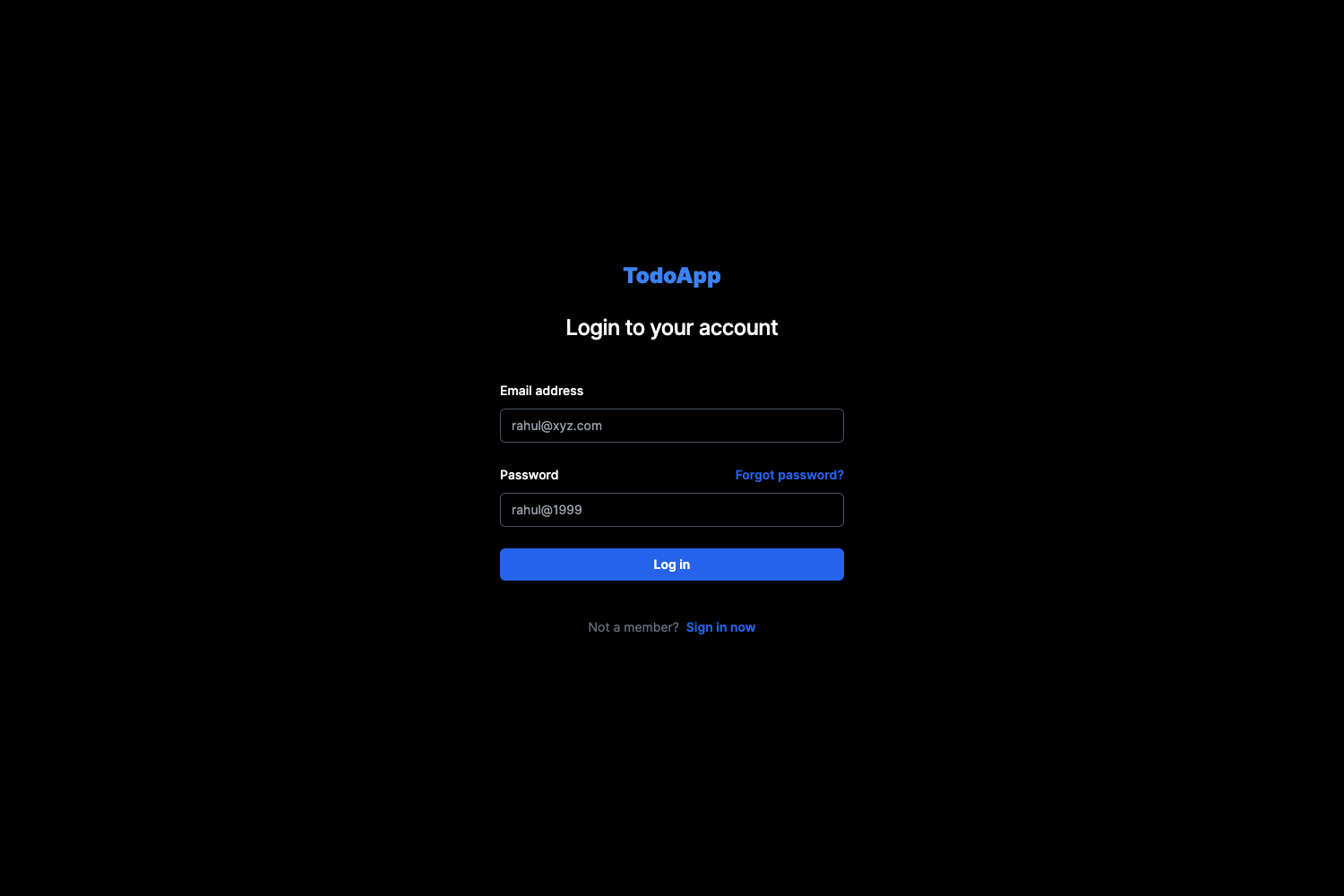
Template details
Gatsby Starter Krisp
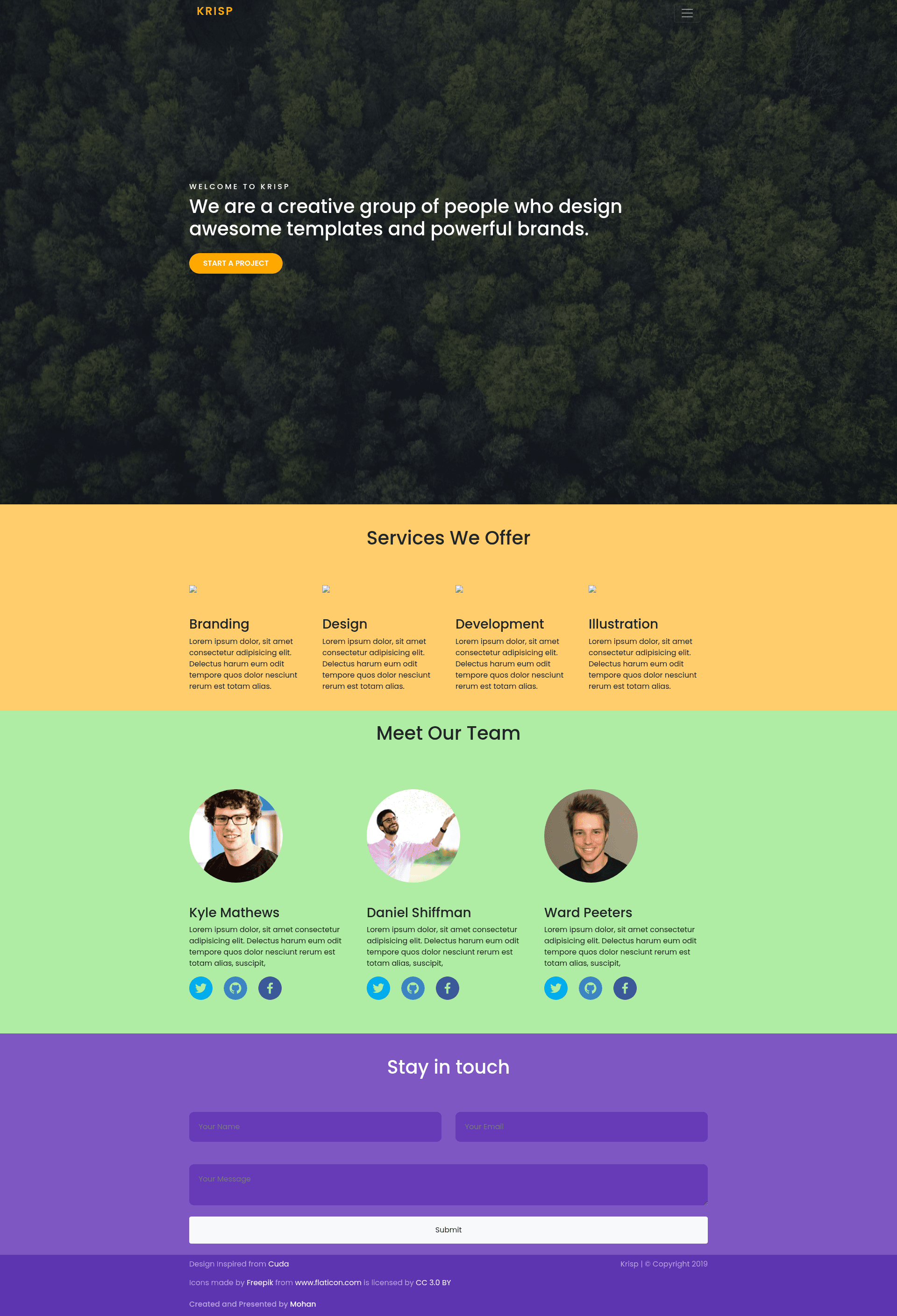
A minimal, clean, and responsive Gatsby starter for building fast static websites.
About this template
Gatsby Starter Krisp is a minimal, clean, responsive website boilerplate built with Gatsby, intended to give developers a pre-configured starting point for a fast static site.
What is Gatsby Starter Krisp?
Gatsby Starter Krisp is an open-source Gatsby starter for building static websites. It takes a blank project with standard Gatsby configuration files and outputs a site you can develop locally at localhost:8000 and deploy to static hosts like Netlify. The project is maintained by GitHub user mohanmonu777 and is licensed under the MIT license.
Key Features
- Gatsby static site generation — pages are pre-rendered as static HTML by Gatsby, which improves load times and SEO out of the box.
- Responsive layout — the starter is described as responsive, meaning the default styles adapt to phone, tablet, and desktop screen sizes.
- GraphiQL built in — during development, you can explore and query your site's data at localhost:8000/___graphql.
- Full Gatsby API access — includes gatsby-browser.js, gatsby-node.js, and gatsby-ssr.js so you can customize browser behavior, the build process, and server-side rendering.
- Prettier formatting — a .prettierrc file is included to keep code style consistent across contributors.
- One-click Netlify deployment — the README includes a deploy button that connects the repository directly to Netlify for instant static hosting.
- Standard project structure — the starter ships with the typical Gatsby folder layout: src for source code, package.json for dependencies, gatsby-config.js for metadata and plugins, and README.md for documentation.
Who is it for?
- Gatsby beginners — use the starter to learn how a Gatsby project is organized and to follow the official Gatsby tutorial with a real codebase.
- Freelance web developers — scaffold client sites quickly and then replace the starter content in src/pages/index.js with custom components.
- Developers who like opinionated defaults — the minimal setup lets you add only the plugins you need rather than removing extra features.
Use cases
- Personal portfolio sites: turn the starter into a one-page portfolio by editing the home page component and adding project sections.
- Landing pages: leverage the responsive base to build a marketing page, then deploy it to Netlify with the included button.
- Learning GraphQL: use the bundled GraphiQL interface at localhost:8000/___graphql to practice querying Gatsby's data layer.
How does it work?
The Quick start section in the README walks through the setup: first, run gatsby new your-site-name https://github.com/mohanmonu777/gatsby-starter-krisp.git to create the project. Then run gatsby develop inside the folder to start a development server on localhost:8000. Finally, edit src/pages/index.js, and the browser will hot-reload your changes.
Alternatives
- Gatsby Starter Default — the official Gatsby default starter, which this template's deploy button links to; it offers a similar minimal foundation with the same configuration file set.
Pricing
The starter is free to use and open source under the MIT license.
FAQ
Is Gatsby Starter Krisp free?
Yes, the project is licensed under the MIT license, so you can use it for personal or commercial projects without paying a fee.
How do I start a new site with this template?
Use the Gatsby CLI command gatsby new your-site-name https://github.com/mohanmonu777/gatsby-starter-krisp.git, then change into that directory and run gatsby develop.
What is the GraphiQL tool mentioned in the README?
GraphiQL is a graphical in-browser interface for querying Gatsby's data layer. It runs during development at localhost:8000/___graphql, letting you inspect the data available to your pages.
What files are included in the starter?
The starter includes standard Gatsby files: src for source code, gatsby-config.js, gatsby-browser.js, gatsby-node.js, gatsby-ssr.js, plus configuration for Prettier, a package.json for npm dependencies, and a README.
Does this starter include a CSS framework like Bootstrap?
No, the README does not mention any CSS framework. The starter is intentionally minimal, so you can add your own styling or a CSS framework as needed.