Template details
Gatsby Starter Material-UI Blog
Gatsby starter that uses a Material-UI blog theme, letting you set up a blog with minimal effort.
About this template
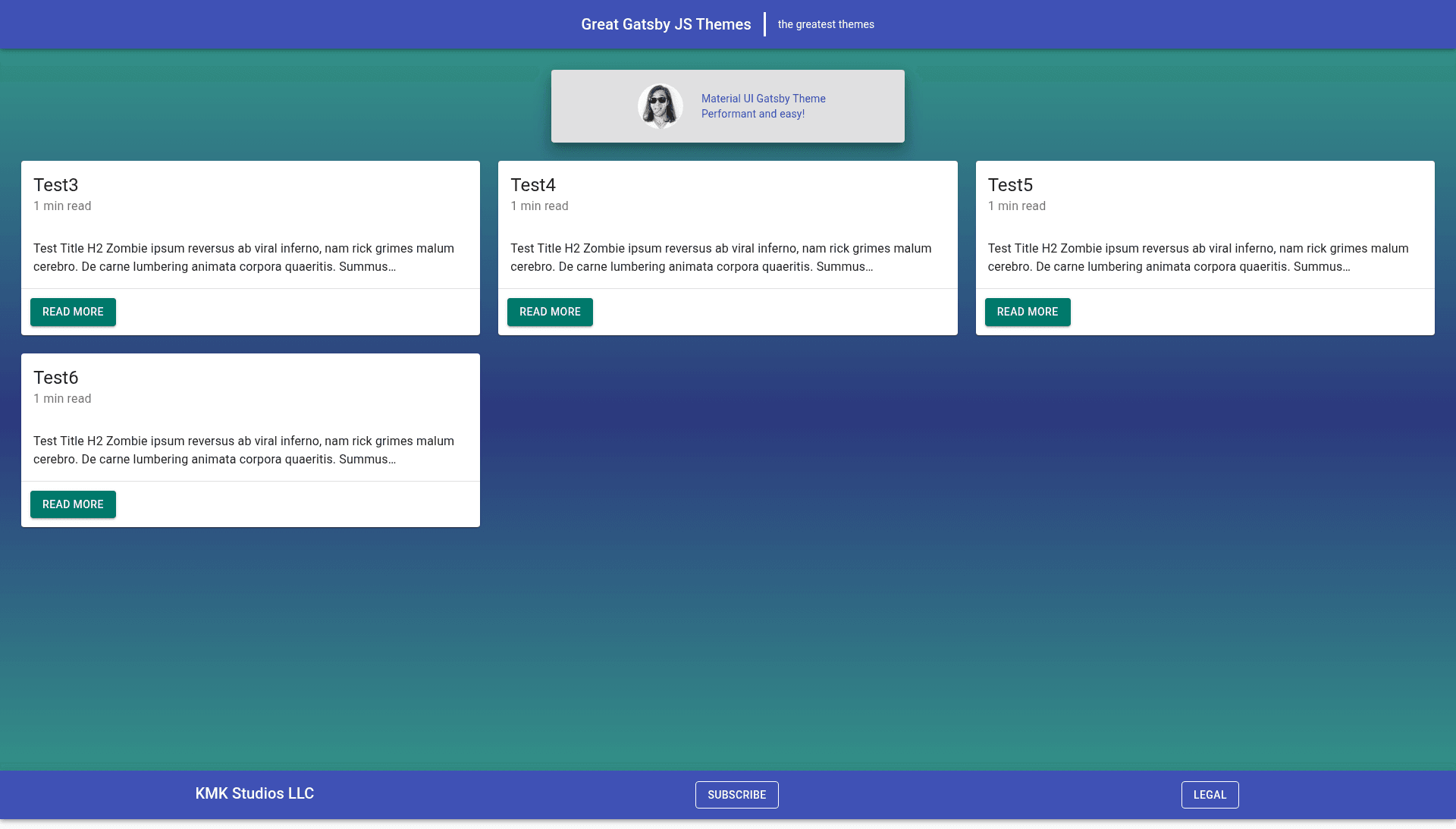
The Gatsby Starter Material-UI Blog is a Gatsby starter that pairs a Material-UI blog theme with a ready-to-run example, letting you set up a blog with minimal configuration. Created by Kaleb McKelvey and published under the Great Gatsby JS Themes organization, it wraps the @greatgatsbyjs/gatsby-theme-ggt-material-ui-blog theme and includes sample posts, a configurable gatsby-config.js, and a profile-image workflow.
What is the Gatsby Starter Material-UI Blog?
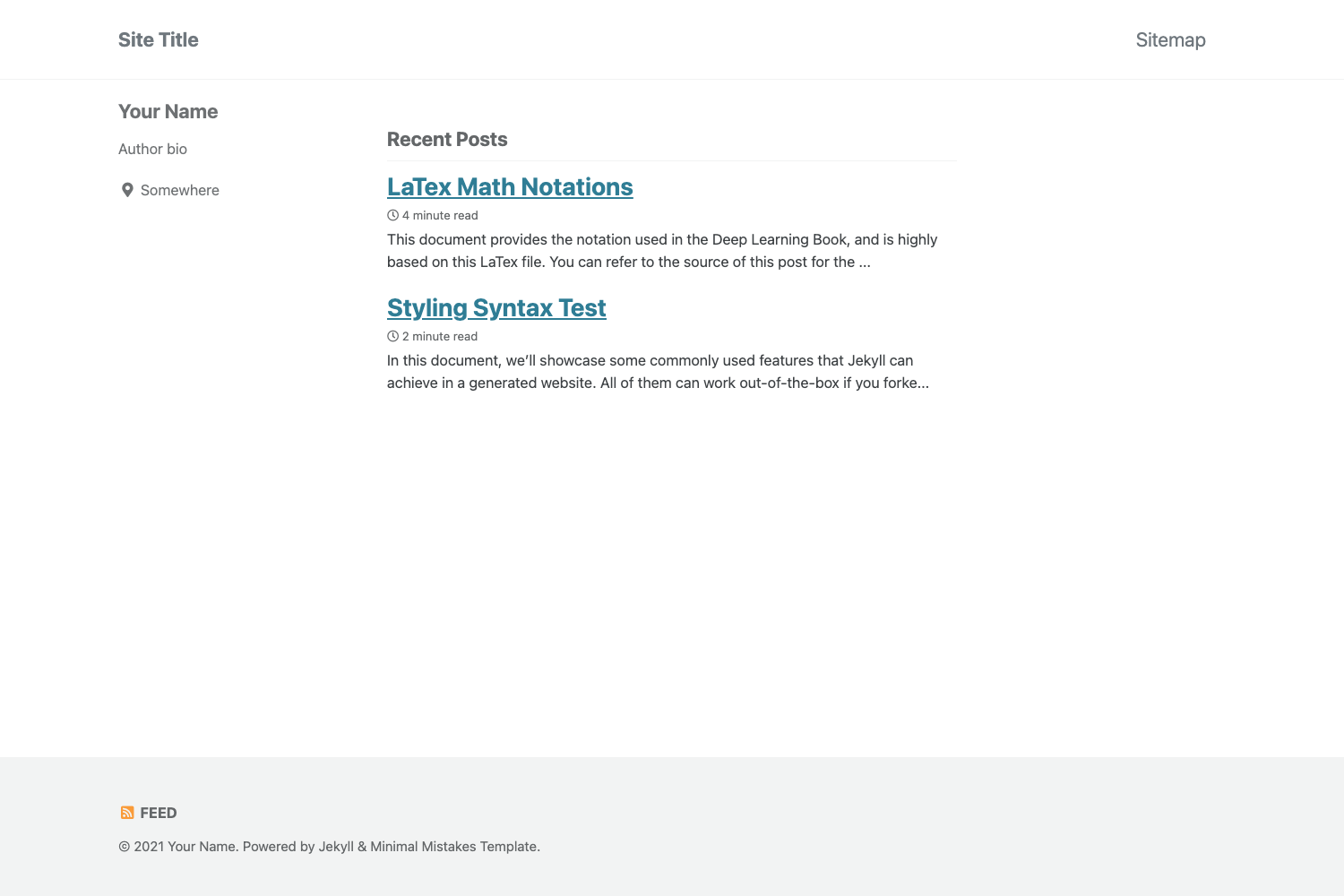
The Gatsby Starter Material-UI Blog is a project template for the Gatsby static site generator. It takes a gatsby-config.js file containing siteMetadata options and a content/blog directory with .md or .mdx post files, and outputs a fully styled static blog built with Material-UI components. The blog includes a homepage with post preview cards, a bio card, footer, RSS feed, sitemap, SEO metadata, Google Analytics integration, and a web app manifest for offline support. The starter is designed to make the accompanying Gatsby theme easy to adopt, and it provides a live example site on Netlify to preview the design.
Key Features
- Material-UI design system — The entire blog UI is built on Material-UI components, with primary and secondary colors configured through a theme object in siteMetadata.
- Markdown and MDX posts — Drop new .md or .mdx files into the content/blog directory and they instantly appear as post preview cards on the homepage.
- Component shadowing — Override any theme component by creating a file under src/@greatgatsbyjs/gatsby-theme-ggt-material-ui-blog/, such as a custom Bio component.
- SEO and analytics — Set an SEO keywords list and a Google Analytics tracking ID in siteMetadata to add search metadata and page tracking.
- RSS feed and sitemap — The theme generates an RSS feed at /rss.xml and a sitemap at /sitemap.xml, with both URLs configurable in siteMetadata.
- PWA manifest — Configure manifest fields including background color, theme color, and short name for installable, offline-capable blog behavior.
- Configurable bio card — The homepage bio section supports two lines of text, an avatar image, and a copyright string for the footer, all set from gatsby-config.js.
- Custom post formatting — Control the post date format and the Read More button text shown on each post preview card.
Who is the starter for?
Developers who want a Gatsby blog with Material-UI styling and are comfortable editing a gatsby-config.js file will get the most from this starter. Bloggers who prefer writing Markdown or MDX over working with a CMS can publish posts by simply adding files to content/blog. Gatsby theme users can use this starter as a reference implementation for component shadowing and theme option overrides.
What can you do with it?
- Indie bloggers: create a new blog by running one gatsby new command, then write posts as .md or .mdx files and configure branding through siteMetadata.
- Gatsby developers: practice component shadowing by overriding components like Bio and Footer with custom React components.
- Site owners: set up SEO keywords, Google Analytics, an RSS feed, a sitemap, and a PWA manifest without writing custom code.
How does the starter work?
After installing the Gatsby CLI, you run gatsby new my-new-blog with the starter repository URL, then gatsby develop serves the site at http://localhost:8000. The starter includes a sample content structure with three markdown posts and a gatsby-config.js that passes siteMetadata options to the theme plugin. During development, a GraphiQL explorer is available at http://localhost:8000/___graphql for querying site data.
FAQ
How do I create a new blog post?
Create a new .md or .mdx file in the content/blog directory of your project. The starter automatically picks it up and renders it as a post preview card on the homepage, with no additional configuration required.
How do I override the default Bio component?
Add a file to src/@greatgatsbyjs/gatsby-theme-ggt-material-ui-blog/Bio/index.js that exports a React component. Gatsby's component shadowing will replace the theme's default Bio component with your custom one.
How do I add a profile image to the homepage?
Use the avatarImgSrc option in siteMetadata to point to a hosted image, or create a static folder at your project root, place an image inside it, and reference that image's filename in the same option.
Can I change the Material-UI theme colors?
Yes. In gatsby-config.js, the theme object inside siteMetadata accepts primary and secondary color values, and these are passed to Material-UI to generate the site's color scheme.
What files do I need to edit to configure the blog?
Most configuration happens in gatsby-config.js inside the theme plugin's options. The starter also includes a content/blog directory for posts and a src directory for component shadowing overrides.