Template details
Yukina
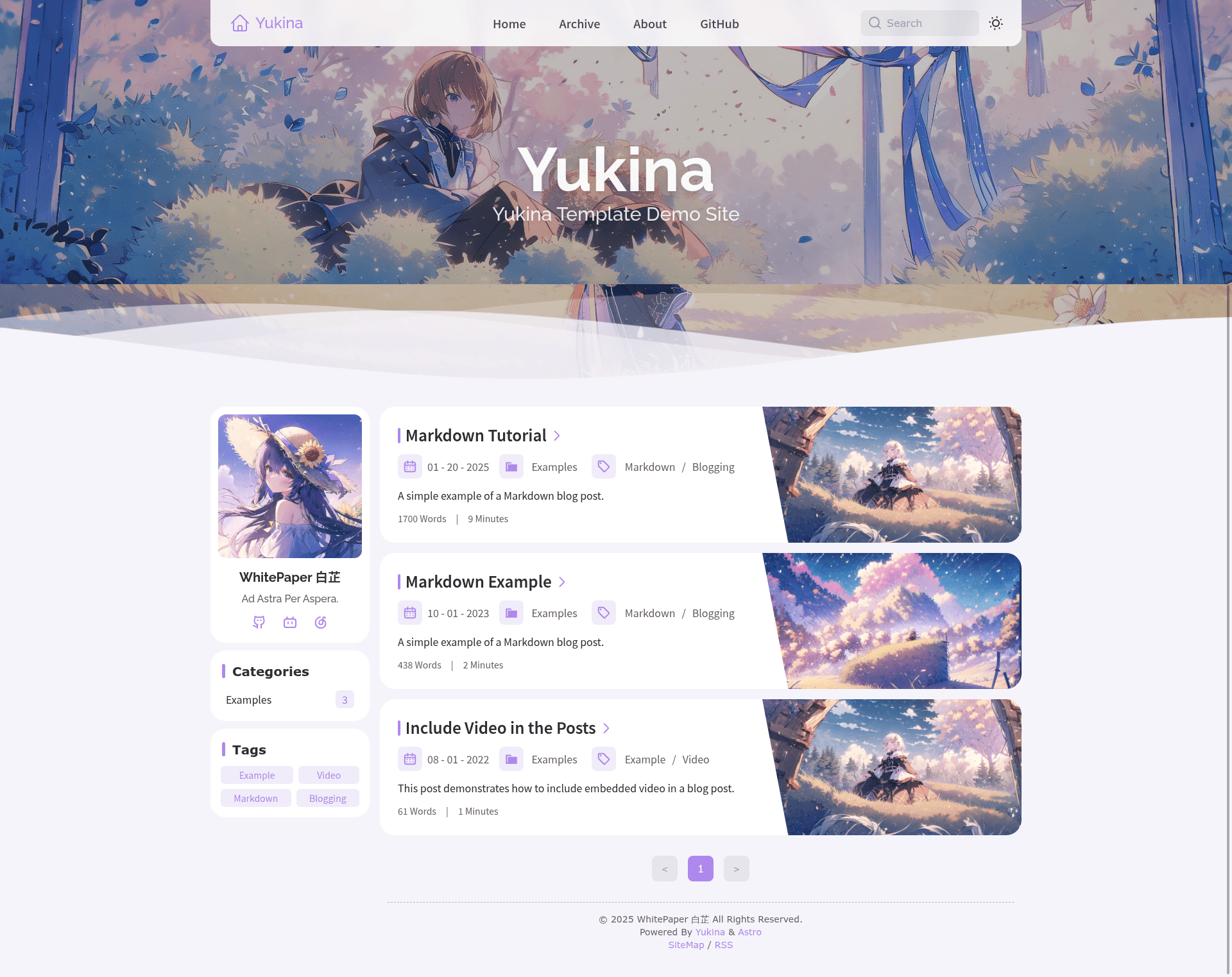
Yukina is a simple and elegant Astro blog template styled with Tailwind CSS, inspired by Fuwari and Hexo Shoka.
About this template
Yukina is an Astro-powered static blog template styled with Tailwind CSS, designed to turn Markdown-based content into a clean, elegant personal blog.
What is Yukina?
Yukina is a static blog template built on the Astro framework and styled with Tailwind CSS. It takes Markdown content as input and produces a fully static blog website that can be deployed to platforms like Vercel. The project is hosted on GitHub by WhitePaper233 and explicitly credits the Hexo Shoka theme for design ideas and the Astro Fuwari template for the main design ideas and some code implementations. The repository metadata describes it as a "Simple and Elegant Astro Blog Template."
Key Features
- Astro framework — The site is built with Astro, which generates static HTML output; the repository's topics include "astro" and "static-site".
- Tailwind CSS styling — Styling is handled with Tailwind CSS, a utility-first CSS framework; the topics list includes "tailwindcss".
- Search index build — The build workflow includes a step that builds a search index; running
pnpm buildfirst builds the search index and then the project. - Vercel demo — A live demo is hosted at yukina-blog.vercel.app, and the author's personal blog at whitepaper233.top runs the template (possibly not the latest version).
- Roadmap of planned features — The README's roadmap tracks features like adjustable colors, RSS/SiteMap, search, i18n, and mobile adaptation as in testing, with a Live2D character, a CLI/small CMS, Slidev components, and more Markdown components planned long-term.
- pnpm-based build — The build guide requires Node.js 22 or above, Corepack to enable pnpm, then
pnpm install,pnpm devfor development, andpnpm buildfor production output.
Who is it for?
- Personal bloggers — Those who want a minimal, elegant blog for publishing Markdown posts without managing a backend or database.
- Astro developers — Developers who know Astro and Tailwind can customize the template's components, animations, and roadmap features to build a unique static site.
- Design-focused writers — Writers who appreciate the visual style of Hexo Shoka and Fuwari will find this template's aesthetic familiar.
What can you do with Yukina?
- Launch a personal blog: Write posts in Markdown, build the site with
pnpm build, and deploy the static output to Vercel or another static host. - Prototype a static site: Use the template as a starting point for a content-focused site, then modify its styling and structure.
- Extend through the roadmap: Add features like search, RSS, i18n, adjustable colors, and, in the long term, a CLI and CMS for easier content management.
How does Yukina work?
The README outlines a step-by-step build process: install Node.js 22 or above, enable Corepack, install pnpm, run pnpm install to install dependencies, run pnpm build to build the search index and project, and use pnpm dev for a local development server. A pnpm preview command lets you preview the production build locally.
FAQ
Does Yukina require a server?
No. Yukina builds a static site with Astro, so the output is a set of static files that can be hosted on any static hosting service such as Vercel.
What Node.js version is required?
The build guide specifies Node.js version 22 or above, and uses Corepack to enable pnpm as the package manager.
Which features are in the roadmap?
The roadmap marks search functionality, RSS/SiteMap, i18n, adjustable colors, mobile adaptation, and animation optimization as in testing, while a Live2D character, a CLI/small CMS, and Slidev components are planned for the long term.