Template details
Dbyll
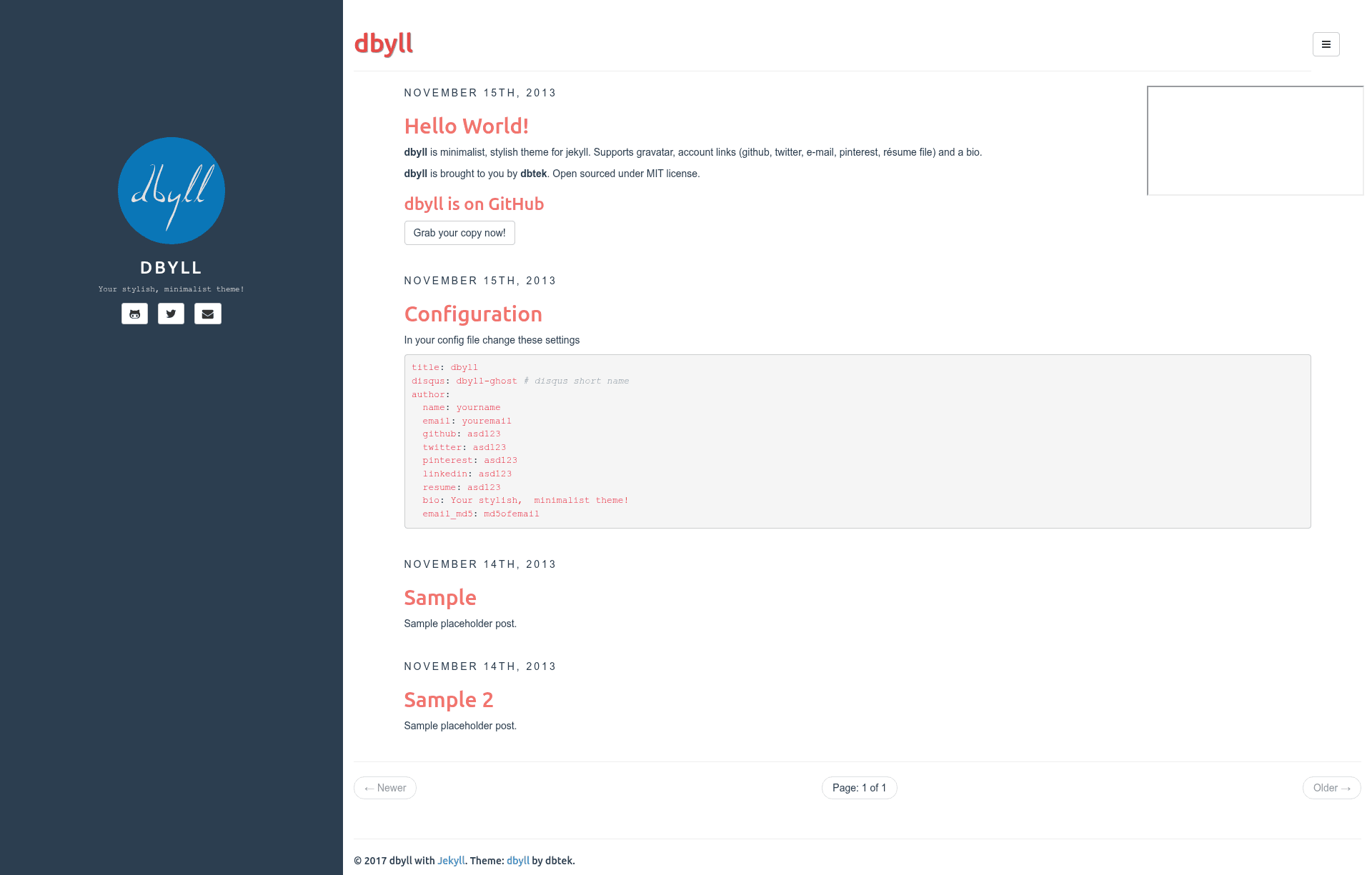
Dbyll is an open-source, minimalistic Jekyll theme with a responsive layout, tags/categories, and Disqus comments.
About this template
Dbyll is an open-source, minimalistic Jekyll theme for personal blogs, built with Bootstrap and featuring a responsive sidebar layout.
What is Dbyll?
Dbyll is a stylish, minimalistic theme for Jekyll, the Ruby-based static site generator. It transforms Markdown posts and pages into a responsive blog with a two-column layout, a sidebar for author bio and social links, and support for tags and categories. The theme is developed by dbtek and hosted on GitHub at https://github.com/dbtek/dbyll, where it has 556 stars. It is released under the MIT license, and a live demo is available at http://dbtek.github.io/dbyll/.
Key Features
- Responsive layout — The theme adapts to mobile and desktop viewports, with the sidebar collapsing on smaller screens.
- Tags and categories — Posts can be organized with both tags and categories, and listing pages are generated automatically.
- Author bio and social profile — The sidebar includes an author bio and social profile links, making it ideal for personal blogs.
- Bootstrap based — The layout uses the Bootstrap CSS framework, providing a mobile-first grid and consistent styling.
- Glyphicon and Font-Awesome Icons — Both icon sets are included, so you can choose between them for social icons and UI elements.
- Pagination — Built-in pagination splits post lists across multiple pages, improving navigation for archives.
- Syntax highlighting with Pygments — Code blocks are highlighted using the Pygments highlighter, a standard Jekyll integration.
- Disqus comments — Adds a Disqus comment thread to each post, enabling reader engagement.
- Custom sidebar background image — You can set a custom background image for the sidebar via configuration.
Who is it for?
Dbyll targets Jekyll users who want a minimal but polished blog theme without building one from scratch. It fits bloggers who need a straightforward publishing workflow, developers who want syntax-highlighted code in posts, and writers who want a clean sidebar for their bio. Because it is a Jekyll theme, it is best suited for people comfortable with static site generators.
What can you do with Dbyll?
- Personal blogs: Publish Markdown posts with tags, categories, pagination, and Disqus comments, all served as a static site.
- Portfolio sites: Use the sidebar for a bio and social links, and the main column for project descriptions or articles.
- Documentation sites: Leverage Pygments syntax highlighting to present code documentation and technical guides.
How does Dbyll work?
To install, clone or download the repository from GitHub. You need Ruby installed, then install bundler with gem install bundler, run bundle install in the repo root, and start a local server with bundle exec jekyll serve. The theme reads posts from the _posts directory and respects Jekyll's standard configuration.
FAQ
Is Dbyll free?
Yes, Dbyll is open source and licensed under MIT, so you can use, modify, and redistribute it freely.
Does Dbyll support comments?
Yes, it integrates Disqus comments, which can be enabled on individual posts.
What syntax highlighting does Dbyll use?
It uses Pygments, a syntax highlighter that is commonly used with Jekyll.
Is there a version for Ghost?
Yes, a separate port called Dbyll for Ghost is available at https://github.com/dbtek/dbyll-ghost.
What is the difference between Dbyll and Paper?
Paper is another Jekyll theme by the same author, designed with Material Design principles, while Dbyll is a more minimalistic, Bootstrap-based theme.