Template details
Gatsby Starter Unicorn
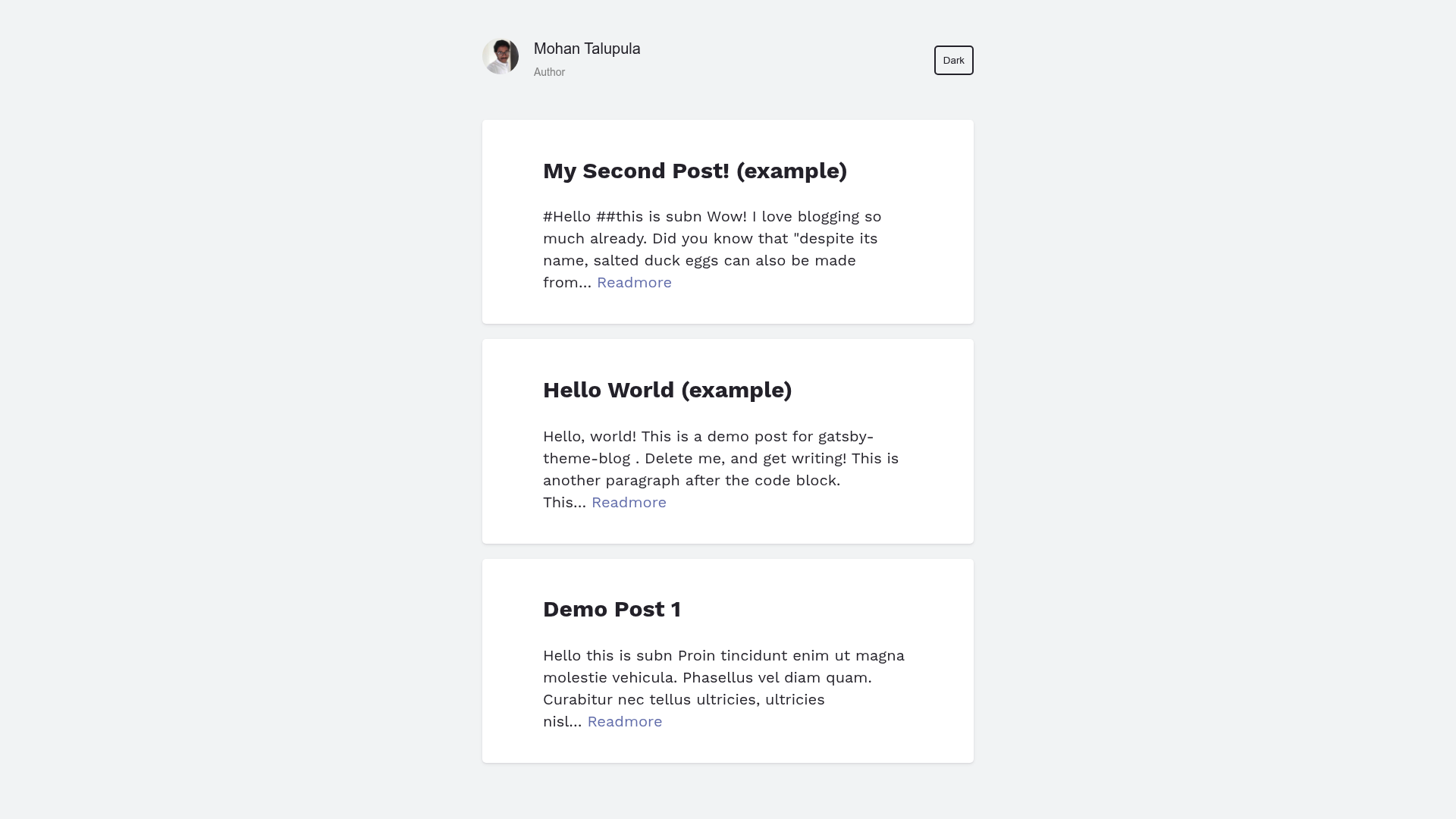
A Gatsby starter for creating a typography-focused blog using the Gatsby Theme Unicorn.
About this template
Gatsby Starter Unicorn is an official starter for the Gatsby Theme Unicorn, scaffolding a typography-focused blog site on the Gatsby framework.
What is Gatsby Starter Unicorn?
Gatsby Starter Unicorn is a GitHub repository by mohanmonu777 that serves as the official starting point for the Gatsby Theme Unicorn. It takes a standard Gatsby project structure and configures it to use the theme, so you get a blog with "awesome typography" immediately. The starter runs on Gatsby, the React-based static site generator, and outputs a static blog site that can be hosted anywhere. The README includes a demo at https://gatsby-starter-unicorn.netlify.com/ and links to the theme repository at https://github.com/mohanmonu777/gatsby_theme_unicorn.
Key Features
This starter packs the core Gatsby setup with the Unicorn theme, giving you a blog-ready base.
- Gatsby-based — Uses Gatsby, which generates fast static sites via React components.
- Gatsby Theme Unicorn integration — Connects to the theme that describes itself as "a Gatsby theme for creating a blog with awesome typography."
- One-command scaffolding — Create a new site with
gatsby new your-site-name https://github.com/mohanmonu777/gatsby_starter_unicorn.git. - Live development server —
gatsby developstarts a hot-reloading server at http://localhost:8000, plus GraphiQL at http://localhost:8000/___graphql for querying site data. - Netlify deployment button — The README includes a Deploy to Netlify button for one-click publishing (note: the button's target points to the default Gatsby starter repository).
- Standard Gatsby structure — Includes src, gatsby-config.js, package.json, and other default files, so the layout is familiar to Gatsby developers.
Who is it for?
This starter is aimed at anyone who wants a Gatsby blog without configuring a theme from scratch.
- Bloggers can use it to launch a typography-focused blog quickly.
- Gatsby developers can study how a starter wires up a theme and use it as a foundation for custom projects.
- Theme evaluators can test the Gatsby Theme Unicorn through its official starter before committing to it.
What can you do with it?
With this starter you can go from an empty repository to a working blog in a few commands.
- Launch a blog: Scaffold with the Gatsby CLI, run
gatsby develop, and see your blog on localhost:8000. - Explore site data: Use the built-in GraphiQL interface to experiment with content queries.
- Publish to Netlify: Use the provided deploy button to get a live URL (though it currently points to a different starter).
How does it work?
The quick start in the README walks through three steps: run gatsby new with the starter's URL, enter the project folder, and execute gatsby develop. The development server then serves the site on port 8000 with hot reload. Site metadata and plugins are configured in gatsby-config.js.
FAQ
How do I create a new site with Gatsby Starter Unicorn?
Use the command gatsby new your-site-name https://github.com/mohanmonu777/gatsby_starter_unicorn.git. This clones the starter, installs npm dependencies, and prepares a new Gatsby project ready for development.
What is Gatsby Theme Unicorn?
Gatsby Theme Unicorn is a companion theme developed by mohanmonu777 for creating blogs with strong typography. This starter is its official starting point, meaning it's the intended way to bootstrap a site with that theme.
Does the starter include a live demo?
Yes. The README links to a site demo at https://gatsby-starter-unicorn.netlify.com/, which shows what a site built from this starter looks like in production.
How do I customize the site?
Edit gatsby-config.js for site metadata and plugin settings, then modify the components and pages under src/. The development server hot-reloads, so changes are visible immediately in the browser.
Is this starter free to use?
The starter is a public GitHub repository and the README doesn't mention any pricing, so it's free to clone and use. For licensing terms, check the repository for a LICENSE file.