Template details
Gatsby Techie Portfolio
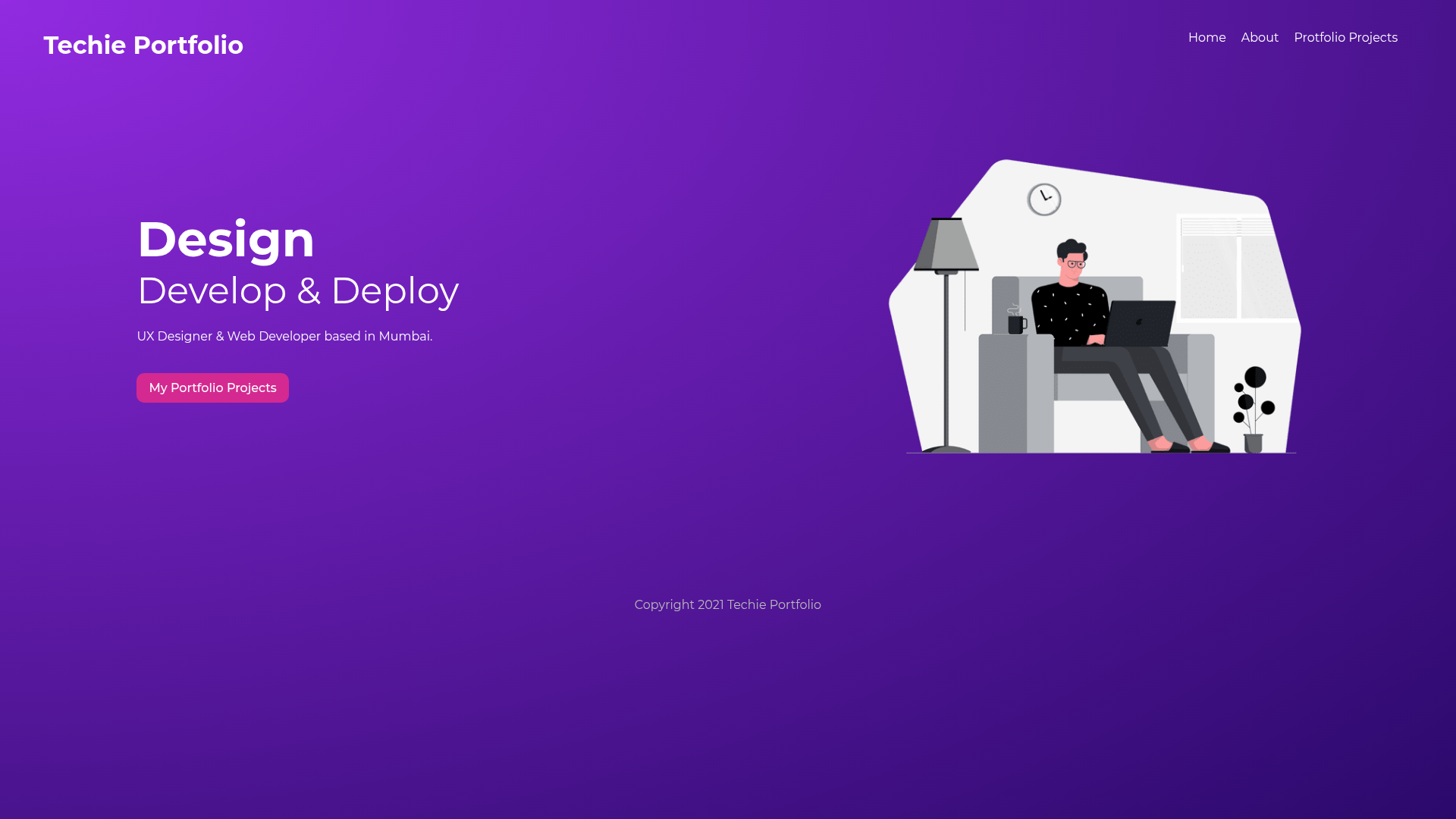
A Gatsby.js portfolio starter with GraphQL, Netlify deployment, and generated project detail pages.
About this template
Gatsby Techie Portfolio is a portfolio starter template built with Gatsby.js that generates a static site with a home page, a projects listing page, and individual project detail pages from markdown content. It is a creation of McTechie and is designed for deployment on Netlify, using GraphQL to query content during the build process.
What is the Gatsby Techie Portfolio?
Gatsby Techie Portfolio is a portfolio template for developers built on the Gatsby.js static site generator. It takes markdown as content input and outputs a multi-page static site including a landing page, a portfolio projects page, and project detail pages. The template is authored by McTechie and uses React components, Gatsby's GraphQL data layer, and the Gatsby Node API to generate pages at build time.
Key Features
- Gatsby Framework — Built on Gatsby.js, which uses React for rendering and produces optimized static HTML.
- GraphQL Content Mesh — Uses GraphQL queries, including page queries and the useStaticQuery hook, to fetch project data from markdown files.
- Gatsby Node API — Uses the createPages API in gatsby-node to programmatically generate project detail pages.
- Optimized Images and Metadata — Includes configuration for image optimization and SEO metadata management.
- Gatsby Plugins — Implements standard Gatsby plugins for tasks like image processing and markdown-to-HTML conversion, as confirmed by the markdown-to-html topic.
- Netlify Ready — Structured for immediate deployment on Netlify, which is listed as a key technology.
Who should use the Gatsby Techie Portfolio?
- Developers — looking for a clean, starter portfolio to showcase their coding projects and technical skills.
- Freelancers — who need a professional site with project case studies and details without building from scratch.
- Gatsby learners — who want a working example of Gatsby Config, plugins, GraphQL queries, and multi-page generation in one codebase.
What can you do with the Gatsby Techie Portfolio?
- Showcase projects: Display an overview of your projects on the portfolio projects page, with each project linked to its own detail page.
- Customize content: Edit markdown files to update project descriptions, images, and metadata; the GraphQL layer picks up changes at build time.
- Deploy to Netlify: Push the repository to Netlify for continuous deployment with no server-side configuration beyond the template defaults.
This template also covers core Gatsby concepts such as Gatsby Config, optimized images and metadata, the content mesh, page queries and the useStaticQuery hook, and Gatsby plugins, making it a useful learning resource.