Template details
Gatsby Wordpress Typescript Scss Blog
Opinionated Gatsby starter for WordPress blogs with TypeScript, SCSS, Ant Design, Staticman comments, PWA, and SEO.
About this template
Gatsby Wordpress Typescript Scss Blog is an opinionated starter template that generates a fast, progressive web app blog from a WordPress CMS using Gatsby, TypeScript, SCSS, and Ant Design.
What is Gatsby Wordpress Typescript Scss Blog?
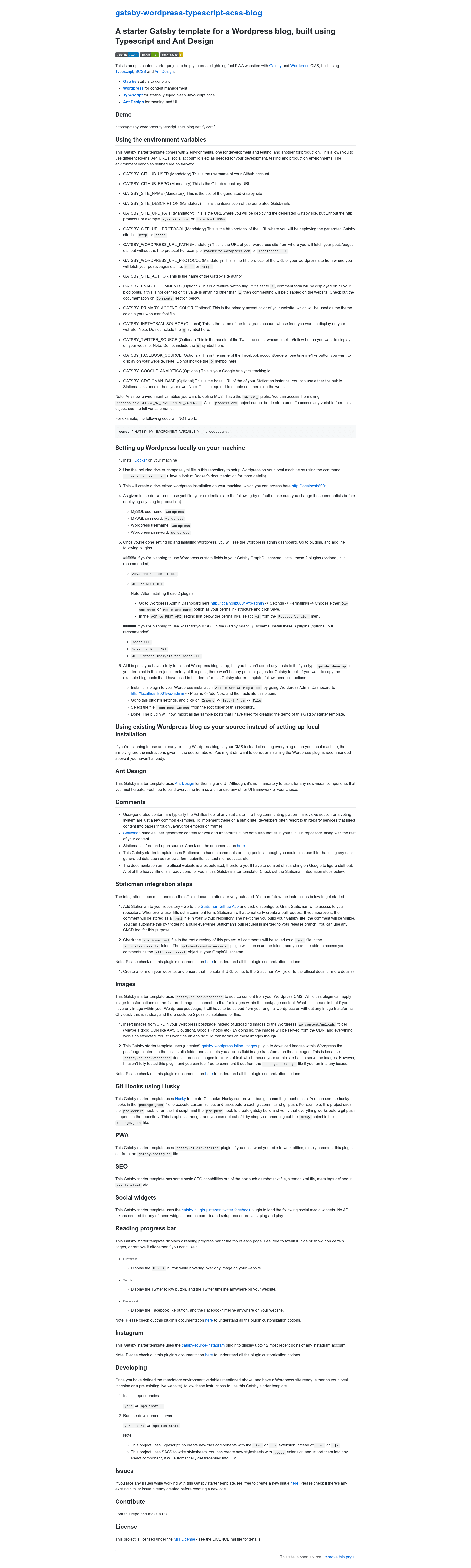
This starter connects a WordPress installation to a Gatsby static site, pulling posts and pages through gatsby-source-wordpress and outputting a TypeScript-based PWA with Ant Design components. It is authored by Sagar7993 and released under the MIT License. The template is designed to be deployed to Netlify — a live demo is available at gatsby-wordpress-typescript-scss-blog.netlify.com.
Key Features
- TypeScript and SCSS — All components are built with .tsx or .ts files and stylesheets use .scss, which are transpiled automatically during the Gatsby build.
- Ant Design UI — The starter ships with Ant Design for theming and UI components, though you are free to substitute any UI framework for new components.
- Staticman comments — User comments are converted into .yml files in the GitHub repository via Staticman, accessible through the
allCommentsYamlGraphQL object. - PWA offline support — Includes gatsby-plugin-offline so the generated site works offline; comment the plugin out to disable.
- SEO defaults — Provides robots.txt, sitemap.xml, and meta tags through react-helmet out of the box.
- Social media widgets — Uses gatsby-plugin-pinterest-twitter-facebook to add Pinterest, Twitter, and Facebook follow/like/timeline widgets with no API tokens.
- Instagram feed — Uses gatsby-source-instagram to display up to 12 recent posts from a specified Instagram account.
- Reading progress bar — Displays a reading progress bar at the top of each page, which can be tweaked or removed.
Who is it for?
- WordPress developers who want to build a headless frontend with Gatsby without leaving the WordPress admin for content editing.
- Developers wanting type safety who prefer TypeScript and Ant Design to create maintainable, styled components quickly.
- Blog owners needing comments who want a static site but still let readers comment through Staticman's pull-request workflow.
- Teams using Docker who want a reproducible local WordPress setup via the included docker-compose.yml.
What can you do with this template?
- Launch a blog quickly: Point the environment variables at any WordPress site and build a static PWA with SEO tags and offline support.
- Display social proof: Embed Instagram photos, a Twitter timeline, and Facebook widgets without registering API keys.
- Manage comments as code: Route reader comments through Staticman into GitHub pull requests, then merge them to publish on the next build.
How does this template work?
- Set the mandatory GATSBY_ environment variables (GitHub user/repo, site name/description, site URL path/protocol, WordPress URL path/protocol, etc.).
- Optionally run
docker-compose up -dto create a local WordPress instance at localhost:8001, then add recommended plugins like Advanced Custom Fields and Yoast SEO. - Run
yarnornpm install, thenyarn startornpm run startto launch the development server and start building.
Pros and cons
- Pros: TypeScript and SCSS for maintainable code, PWA offline support, built-in SEO, social widgets and Instagram feed, Dockerized WordPress for local dev.
- Cons: In-content images in WordPress posts are not processed by default; the template includes an untested gatsby-wordpress-inline-images plugin to work around this. The official Staticman documentation is outdated, so the README provides its own integration steps.
Pricing
Free. The starter is open source under the MIT License.
FAQ
Is this template free?
Yes, it is free and open source, released under the MIT License. You can use it for personal or commercial projects without cost.
What WordPress plugins are recommended?
The template recommends Advanced Custom Fields and ACF to REST API for custom fields, and Yoast SEO, Yoast to REST API, and ACF Content Analysis for Yoast SEO for SEO data. These are optional.
Can I use an existing WordPress blog?
Yes, simply set GATSBY_WORDPRESS_URL_PATH and GATSBY_WORDPRESS_URL_PROTOCOL to point to your existing WordPress site, and skip the local Docker setup.
How do comments work?
The template uses Staticman to handle comments. Readers submit a form, Staticman opens a pull request with the comment saved as a .yml file. When you merge the PR, the comment appears on the next site build.
Does the template process images inside WordPress content?
No, gatsby-source-wordpress only processes featured images. Images inside post/page content are served from the original WordPress URL unless you enable the untested gatsby-wordpress-inline-images plugin included in the project.