Template details
Eleventy WCAG Reporter
A starter pack for creating WCAG conformance reports with Eleventy
About this template
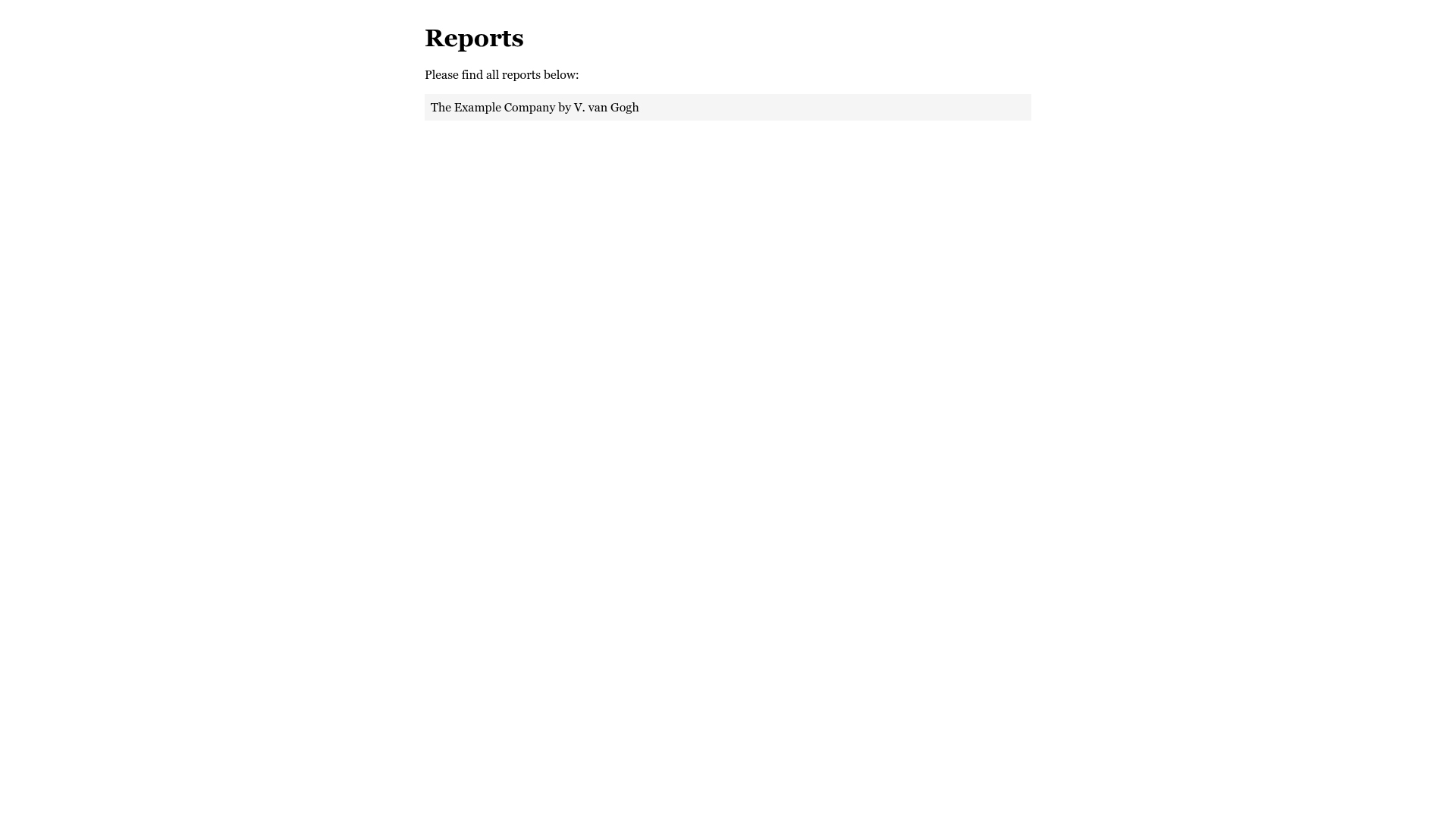
Eleventy WCAG Reporter is a boilerplate starter project for generating WCAG Evaluation Methodology (EM) conformance reports as static HTML using the Eleventy static site generator. It converts Markdown issue files into a structured report with scorecards, translations, and customizable layouts, aimed at accessibility auditors who need to document accessibility issues against WCAG success criteria.
What is the Eleventy WCAG Reporter?
Eleventy WCAG Reporter is a GitHub-hosted starter project that uses Eleventy (11ty) to combine Markdown files into a single static HTML accessibility report. Each issue is written as a Markdown document with YAML frontmatter that includes the WCAG success criterion, severity, difficulty, title, and sample identifier. The tool then builds those files into a report viewable in a browser, including an executive summary, a scorecard, and tables of results. The project is maintained by Hidde de Vries and the repository includes a Netlify deployment status badge, indicating it can be hosted on Netlify.
What makes the Eleventy WCAG Reporter stand out?
- Markdown-driven issue writing — Issues are plain Markdown files with YAML frontmatter, making it easy to version-control and collaborate via Git.
- Multilingual report generation — Reports are available in Brazilian Portuguese, Dutch, English, Finnish, German, and Latin American Spanish, with community contributions for more languages.
- Automatic score card — The report template calculates and outputs a score card based on the severity and success criteria of the issues.
- Reusable boilerplate content — Shared content files for sections like “About this report” and the executive summary live in
src/_shared-contentand can be edited once for all reports. - Success criterion deep links — A custom filter builds direct URLs to the WCAG QuickRef for each SC number, using a mapping in
sc_to_slug.json. - Shortcode for results table — A
sc_tableshortcode generates a table of issues filtered by target level (A, AA, AAA) and WCAG version. - Sample screenshot shortcode — The
sample_imageshortcode outputs either the sample-specific screenshot or a default fallback image. - Custom layout and styling — The report template, base HTML, and CSS are all written in Eleventy templates and can be modified under
src/_layoutsandsrc/_assets.
Who should use the Eleventy WCAG Reporter?
- Accessibility consultants — Deliver professional WCAG conformance reports to clients by structuring audit findings as Markdown files and generating a single HTML document.
- In-house web teams — Run periodic accessibility evaluations of their own sites and produce clear, scored reports for management and developers.
- Developers — Extend the template with new languages, custom styles, or additional shortcodes because it is built on standard Eleventy and Nunjucks.
- Auditing educators — Teach WCAG evaluation methodology by having students draft issues in Markdown and see them assembled into a complete report.
What can you do with the Eleventy WCAG Reporter?
- Generate reports in multiple languages — Set the language in the report folder’s
index.njkand the whole report, including labels and shared sections, is translated. - Group issues by severity and difficulty — Frontmatter values like
Low,Medium, andHighare displayed and grouped in the report output. - Reference samples with screenshots — Associate each issue with a sample ID (e.g.
sample-1) and thesample_imageshortcode will insert the relevant screenshot or a default. - Automate new report creation — Running
npm run add-reportprompts for a name and duplicates the example report folder, then you register it inreports.json.
How does the Eleventy WCAG Reporter work?
- Install Eleventy globally with
npm install -g @11ty/eleventy, then clone or fork the repository. - Run
npm installto install dependencies, thennpm run devoreleventy --serveto start a local server. - Create a report by copying the
examplefolder (or via theadd-reportscript) and adding its name toreports.json. - Provide report metadata like scope, baseline, and evaluators in the report folder’s
index.njk. - Write each issue as a Markdown file with YAML frontmatter (SC number, severity, difficulty, title, sample).
- Eleventy builds all Markdown and templates into one static HTML file, which you can view in the browser and deploy.
FAQ
How do I create a new report?
Run npm run add-report and enter a name. The script duplicates the example folder. Alternatively, copy the demo folder manually and add the folder name to reports.json.
Which languages are supported?
The report interface and shared content are translated into Brazilian Portuguese, Dutch, English, Finnish, German, and Latin American Spanish. The translation files are in src/_data/translations.json, and new languages are added through GitHub issues and pull requests.
Can I customize the report layout?
Yes. The report template is src/_layouts/report.njk, the surrounding HTML is src/_layouts/base.njk, and the styles are in src/_assets/report.css. You can change the logo, colors, typography, and content order.
How do I link to specific WCAG success criteria?
Use the built-in filter to turn an SC number like 1.1.1 into a WCAG QuickRef link. The filter requires the target WCAG version (e.g. 2.1) and the page language, and it uses a mapping in src/data/sc_to_slug.json.
Is the generated report a static file?
Yes. Eleventy outputs a static HTML file from all the Markdown and templates. There is no server-side rendering or database, so the report can be hosted on any static host, including Netlify.