Template details
Goblogs
Next JS Blog Slicing
About this template
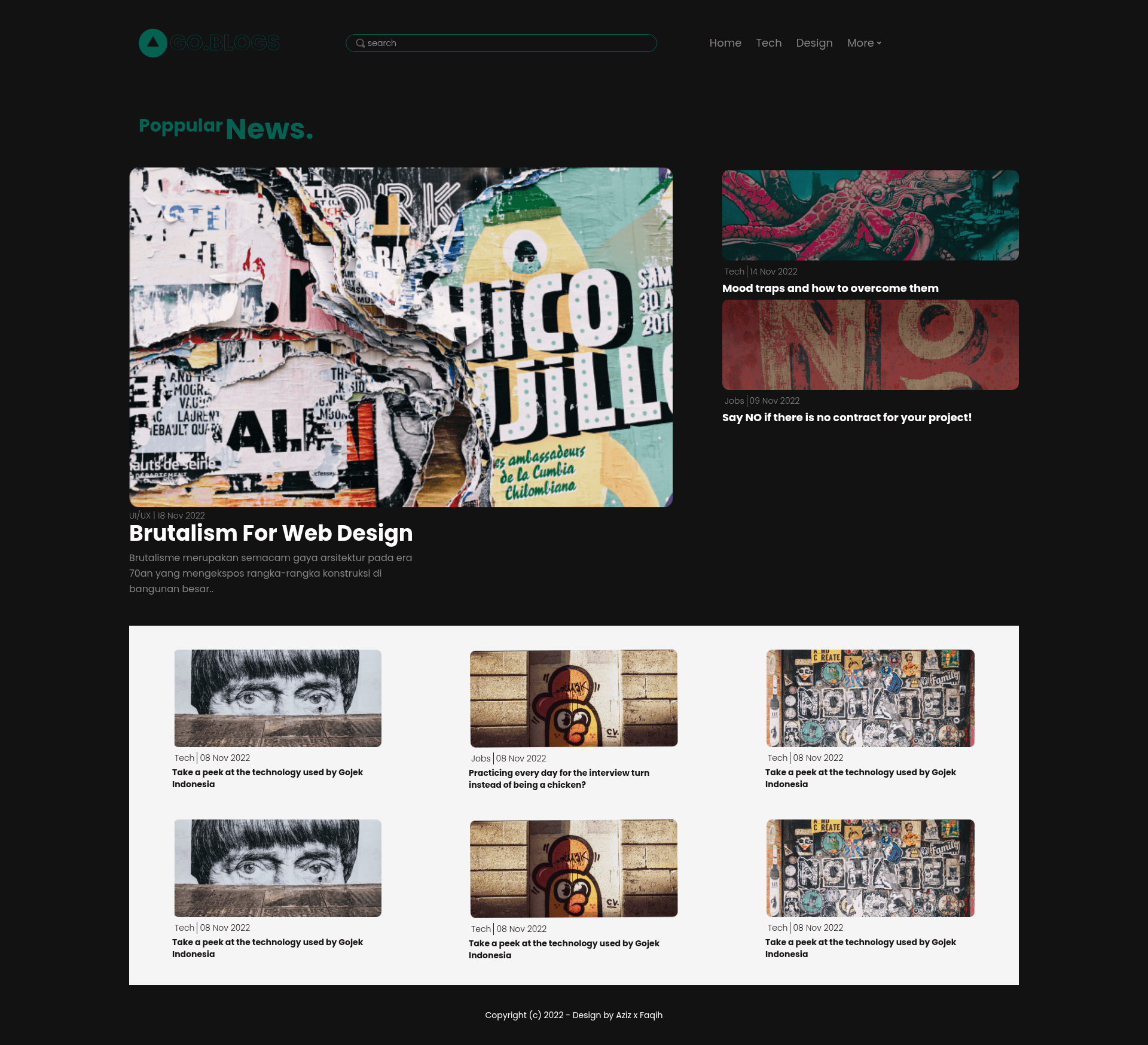
Goblogs is a Next.js blog template — a UI slicing of a Figma design into React and Tailwind CSS — that gives you a working blog site with API routes and a direct path to deployment on Vercel.
What is Goblogs?
Goblogs is a front-end project bootstrapped with create-next-app, so it includes the standard Next.js structure: a pages/index.js home page, a pages/api/hello.js API endpoint, and the pages/api directory which Next.js treats as API routes rather than React pages. The template's styling is built with Tailwind CSS, with PostCSS used for CSS processing, as indicated by the project metadata. Because the repository description calls it "Next JS Blog Slicing," the project is understood to be a coded reproduction of a blog design — likely from a Figma file — into a runnable Next.js site.
Key Features
- Next.js framework — Uses the React-based Next.js framework with file-system routing, API routes, and Fast Refresh during development.
- Tailwind CSS styling — Styling is implemented with Tailwind CSS, so you adjust the design by editing utility class names directly in your JSX.
- API routes — The
pages/apidirectory lets you create serverless API endpoints; a sample/api/helloendpoint is included. - Development server — Running
npm run devoryarn devstarts a local server athttp://localhost:3000that auto-updates as you edit your files. - Vercel deployment — The README links to the Vercel platform, so you can deploy the project with a single click from the Next.js creators.
- PostCSS configuration — The project uses PostCSS (a dependency automatically set up in
create-next-app), which works alongside Tailwind for CSS transformations.
Who is it for?
- Front-end developers who want a minimal blog template already wired with Tailwind CSS and API routes, so they can start writing content or building features immediately.
- Designers learning React who have a Figma blog design and want to see how it translates into Next.js components and Tailwind utility classes.
- Indie bloggers who want a clean, fast site that deploys to Vercel without configuring servers — just run
npm run dev, edit the page, and push.
What can you do with Goblogs?
- Personal blogs: use the template as the foundation for a personal blog, editing
pages/index.jsto add your own posts and layout. - Design-to-code practice: compare the Figma slicing to the final Tailwind classes to learn how design systems become React components.
- Testing Next.js features: experiment with API routes by adding new files to
pages/apiand calling them from your front end. - Quick deployment: connect the repository to Vercel and get a live blog URL without setting up a server or database.
How does Goblogs work?
The template runs like any standard Next.js app: clone the repository, install dependencies with npm install (or yarn), then start the development server with npm run dev. Open http://localhost:3000 to see the default page, edit pages/index.js to change content, and the browser refreshes automatically. When ready, follow the Vercel deployment link in the README to publish.
FAQ
Is Goblogs free?
The repository is public, so you can clone it directly and use it as a starting point. The README contains no mention of payment or a commercial license.
Does Goblogs use Tailwind CSS?
Yes. The repository topics list tailwind and tailwindcss, and the styling approach is based on Tailwind utility classes within the Next.js components.
What is "slicing" in the project description?
Slicing refers to converting a visual design — in this case a blog layout, likely from Figma — into HTML/CSS/React code. The topic figma and the word "slicing" in the description indicate the template is the coded result of such a process.
How do I run the development server?
Run npm run dev or yarn dev from the project root. Then open http://localhost:3000 in your browser to see the site. Any changes you make to pages/index.js will reload automatically.
Can I use API routes with this template?
Yes. Next.js maps every file in the pages/api directory to an API route. The template includes a default pages/api/hello.js endpoint you can test at http://localhost:3000/api/hello.