Template details
Harris Blog
Next.js static blog using Notion as CMS, with resume pages, SEO, and Vercel deployment.
About this template
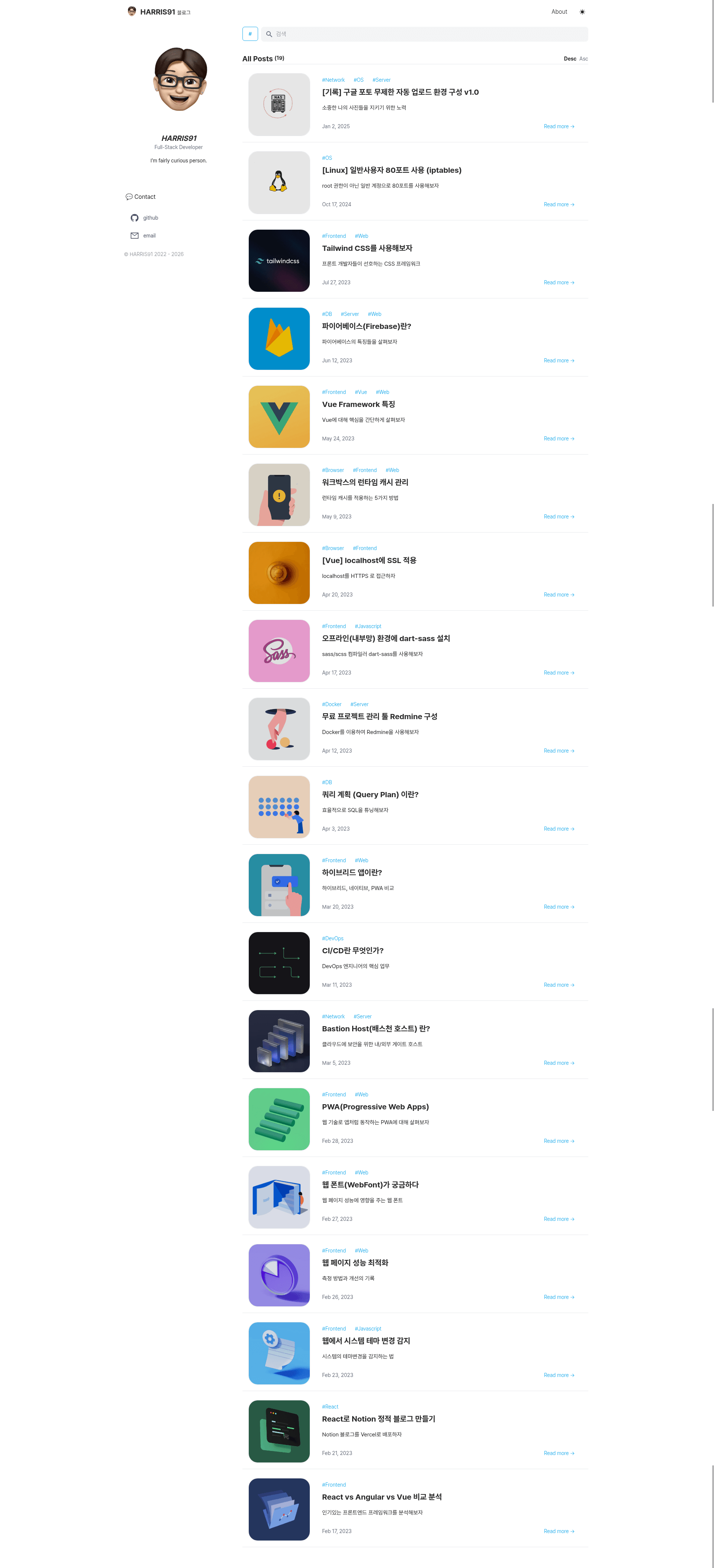
Harris Blog is a Next.js static blog template that uses Notion as its content management system, turning Notion pages into a blog and resume site deployed on Vercel.
What is Harris Blog?
Harris Blog is an MIT-licensed open-source static blog template built with Next.js and Tailwind CSS that uses Notion as its content management system. It takes a public Notion page ID as input and generates a static blog with post listings and a page-style layout for resumes or portfolios. The project runs on Vercel and is a customized fork of the morethan-log template, maintaining the same Notion-as-CMS workflow with additional configuration options.
What makes Harris Blog stand out?
Harris Blog lets you publish content entirely from Notion, so you never need to touch GitHub to add a post. The template is configured through a single site.config.js file, and it supports multiple plugins out of the box.
- Notion-based publishing — Write and edit posts in Notion; changes appear on the site automatically without committing to GitHub.
- Blog and page formats — Supports Notion database entries as blog posts and single-page layouts for resumes, portfolios, or landing pages.
- SEO-friendly output — Generates dynamic OG images for posts using the og-image-korean library and automatically creates a sitemap for search engines.
- Configurable profile — Edit site.config.js to change your name, bio, social links, and navigation without touching component code.
- Plugin integrations — Add Google Analytics via GOOGLE_MEASUREMENT_ID, Google Search Console via GOOGLE_SITE_VERIFICATION, and comments via GitHub Issues (Utterances) or Cusdis.
- Vercel deployment — Deploy with environment variables NOTION_PAGE_ID, GOOGLE_MEASUREMENT_ID, and GOOGLE_SITE_VERIFICATION.
- Modern tech stack — Built with Next.js, styled with Tailwind CSS and PostCSS, and designed for static site generation.
Who is it for?
Harris Blog suits developers, writers, and job seekers who want a fast static site without maintaining a separate CMS. Bloggers who already organize content in Notion can publish by sharing a page; developers who enjoy customizing config files get a clean Next.js codebase; and professionals can turn a Notion page into an online resume or portfolio with the same template.
What can you do with Harris Blog?
- Notion-first bloggers: Publish posts by adding entries to a Notion database; the site rebuilds and shows updates automatically.
- Job seekers: Duplicate the Notion template, fill in your experience, and deploy a page-style resume to Vercel at no cost.
- Developers: Extend the Next.js codebase, swap the Tailwind styling, or add new plugins through the site.config.js hooks.
How does Harris Blog work?
- Fork the repository and duplicate the provided Notion template.
- Share the Notion page to the web and copy the page ID from the URL.
- Clone the repo, customize site.config.js, and deploy to Vercel with the NOTION_PAGE_ID environment variable.
- The build fetches content from Notion and generates static pages with generated OG images and sitemap.
Pricing
Harris Blog is free and open source under the MIT License.
FAQ
Is Harris Blog free?
Yes, the project is MIT-licensed, so you can use, modify, and deploy it without paying a license fee.
Do I need to write code to post?
No. After deployment, you only edit Notion; the site picks up changes automatically. Code is only needed for initial setup or customization.
Can I use it for a resume page?
Yes. The template supports a page format that works for resumes, portfolios, and other single-page content.
What environment variables are required?
Only NOTION_PAGE_ID is required, taken from the Notion share URL. Google Analytics and Search Console IDs are optional.
Which comment systems are supported?
Comments can be enabled using GitHub Issues through Utterances or the Cusdis comment widget.