Template details
Hacker Theme
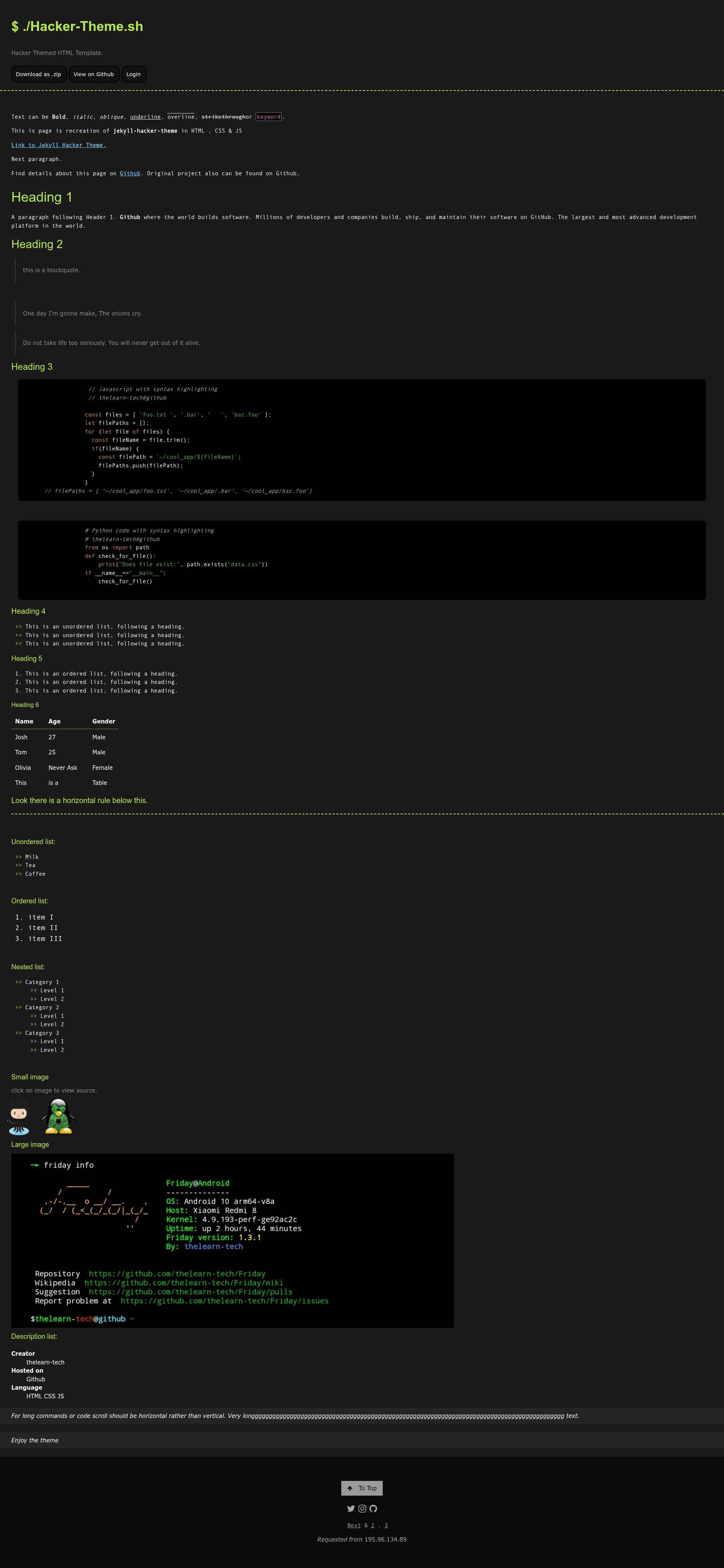
A plain HTML, CSS, and JavaScript recreation of the GitHub Hacker theme, hostable on any standard web server.
About this template
Hacker Theme is a plain HTML, CSS, and JavaScript web page template that recreates the GitHub Hacker theme so it can be hosted on any standard web server without Jekyll or Markdown.
What is Hacker Theme?
Hacker Theme is a static website template built entirely with HTML, CSS, and JavaScript. It is a faithful recreation of the GitHub Pages theme pages-themes/hacker, which originally required Markdown and Ruby/Jekyll for rendering. This project converts that theme into plain static files, removing the need for a build step or special server-side tooling. The template is version 1.0.2, actively maintained, and is listed as being for a dark theme, login page, and general website use.
Key Features
- Plain HTML/CSS/JS — No Markdown, no Jekyll, and no Ruby dependencies; the theme works on any standard web server that serves static files.
- Dark hacker aesthetic — Dark background with the classic Hacker theme look, suitable for terminal-style sites, login pages, and personal pages.
- Code highlighting — Uses Google's code-prettify to highlight code blocks on the page.
- Footer via W3.css — The footer styling is taken from the W3.CSS framework.
- Font Awesome 4.7.0 — Icons are pulled from the Font Awesome 4.7.0 CDN.
- Lato font — Text uses the Google Font Lato for a clean, modern look.
- Visitor IP display — The template includes a component that shows the visitor's IP address using the api.ipify.org service; the README cautions to read that service's policy before deployment and notes it will be switched to a manual setting.
- Simple download — Available via
git cloneor as a ZIP archive from the GitHub repository.
Who is it for?
Hacker Theme is aimed at web developers and hobbyists who want a ready-made dark theme without setting up a static site generator. Use it if you are deploying to plain web hosting, GitHub Pages with raw HTML, or any server where you cannot run Jekyll. It is also a good learning resource for people who want to study how a GitHub Pages theme is implemented in hand-written HTML, CSS, and JavaScript.
What can you do with Hacker Theme?
- Build a login page — The repository's topics include login-page, so you can adapt the dark theme into an authentication screen.
- Create a personal landing page — Use the hacker-style layout for a portfolio or project hub that stands out from conventional bright templates.
- Learn from the source — Study the plain HTML/CSS/JS structure to see how code-prettify and W3.css are integrated into a theme.
How does Hacker Theme work?
Download the repository, open the HTML files in your browser or upload them to your web server, and edit the content directly. There is no build process. The theme's JavaScript handles components like the IP address display, while code-prettify enhances code blocks on the page.
FAQ
Is Hacker Theme free?
Yes, it is absolutely free to use. The GitHub repository is public and available for download either through git clone or as a ZIP archive.
Does Hacker Theme require Jekyll?
No. Unlike the original GitHub Pages Hacker theme, this version is written in plain HTML, CSS, and JavaScript, so it runs on any standard web server without Jekyll or Markdown.
What external resources does Hacker Theme use?
It uses code-prettify for code highlighting, W3.css for the footer, Font Awesome 4.7.0 for icons, and Google's Lato font. It also calls api.ipify.org to display the visitor's IP address, though the README notes this will be switched to a manual setting.