Template details
Haml
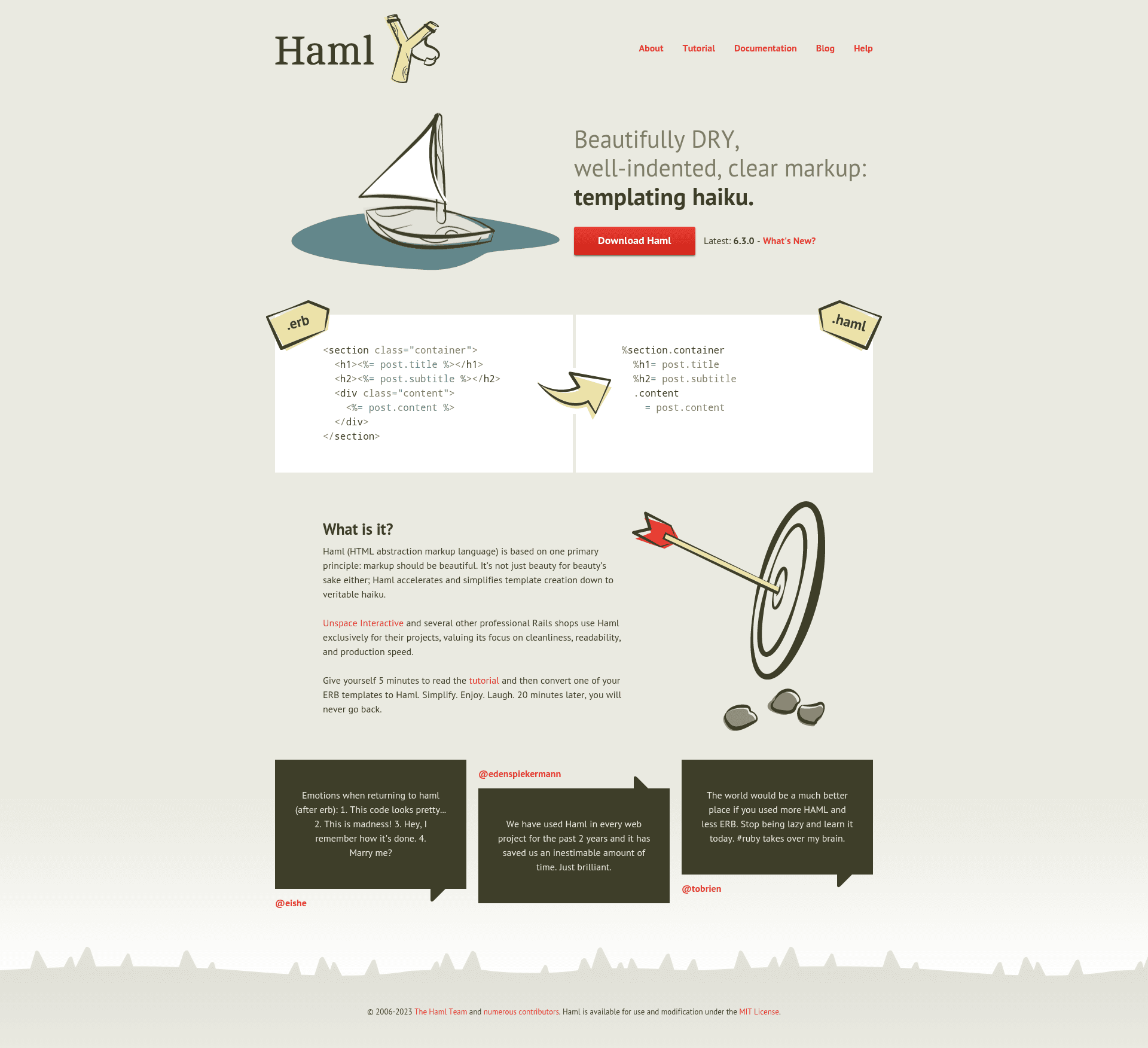
Haml is a Ruby templating engine that uses indentation-based syntax to generate HTML, eliminating the need for closing tags.
About this template
Haml is a Ruby templating engine that compiles indentation-based markup into standard HTML, eliminating the need for explicit closing tags.
What is Haml?
Haml (HTML Abstraction Markup Language) is a Ruby templating engine that takes .haml files as input and produces HTML as output. It is designed to eliminate redundancy in HTML by using indentation to represent document structure and providing shorthand for common elements. Haml runs on Ruby (currently supporting Ruby 3.2.0 and higher) and can be used from the command line or integrated into Ruby web frameworks like Rails. The project is maintained by Akira Matsuda, Matt Wildig, Tee Parham, and Takashi Kokubun, and was originally created by Hampton Catlin; it is licensed under the MIT License.
Key Features
- Automatic closing tags — Haml generates end-tags for every element automatically, so you only write the opening tag (e.g.,
%ul). - CSS-style shortcuts — class and id attributes can be added with
%tagname#id.classsyntax, and a tag without a name defaults to a<div>. - Indentation-based nesting — child elements are indented beneath their parents, and the structure of the document is reflected in the whitespace; indentation must be consistent (tabs or spaces, but not mixed).
- Embedded Ruby — the
=sign outputs the result of Ruby code, while-executes code without output, and control statements likeifandwhilework inside templates. - Two attribute syntaxes — attributes can be written either in Ruby-style hash form or HTML-style
attr='value'form. - Rails integration — adding
gem 'haml'to a Gemfile enables Haml in Rails, and the haml-rails gem can replace Rails's default ERB-based generators. - Command-line interface — the
haml render document.hamlcommand compiles a Haml file to HTML, andhaml --helpdocuments all options.
Who is it for?
Haml is aimed at Ruby web developers who want a more concise and readable alternative to ERB for generating HTML views. It is useful for Rails developers who want to switch their views from ERB to Haml, and for anyone working in a Ruby environment who needs to produce HTML templates programmatically. It also suits developers who prefer a strict indentation-based syntax similar to Python or Slim.
What can you do with Haml?
- Rails developers: Replace ERB templates with Haml by adding the gem, and use haml-rails to make generators produce .haml views.
- Command-line users: Compile .haml files directly to HTML with the
haml rendercommand for static site generation or quick prototyping. - Ruby developers: Embed Ruby logic in templates with
=and-to output dynamic content, loop over collections, and conditionally display markup.
How does Haml work?
Install the gem with gem install haml, then either run haml render document.haml to compile a file to HTML or use the Haml API programmatically as described in the YARD documentation. In a Rails app, you simply add gem 'haml' to the Gemfile and run bundle, and the framework hands .haml views automatically.
Pricing
Haml is free and open-source software distributed under the MIT License, so there is no cost to use it in personal or commercial projects.
Alternatives
ERB is Ruby's default templating engine, which embeds Ruby directly inside HTML tags. Slim is another concise HTML templating engine for Ruby that uses a similar indentation-based approach but with a different syntax.
FAQ
Is Haml free to use?
Yes. Haml is released under the MIT License, which permits free use, modification, and distribution, including in commercial projects.
How do I install Haml?
Run gem install haml to install the gem. For Rails projects, add gem 'haml' to your Gemfile and run bundle install.
Does Haml work with Rails?
Yes. Add gem 'haml' to your Gemfile and run bundle. To replace Rails's ERB-based generators with Haml, also add the haml-rails gem.
Can I embed Ruby code in Haml?
Yes. Use = to output the result of a Ruby expression and - to execute code without outputting it. Control statements such as if and while are also supported directly in templates.
What are Haml's indentation rules?
Indentation can be made of one or more tabs or spaces, but it must be consistent throughout a document. Tabs and spaces cannot be mixed, and the same number of tabs or spaces must be used for each nesting level.