Template details
VMail
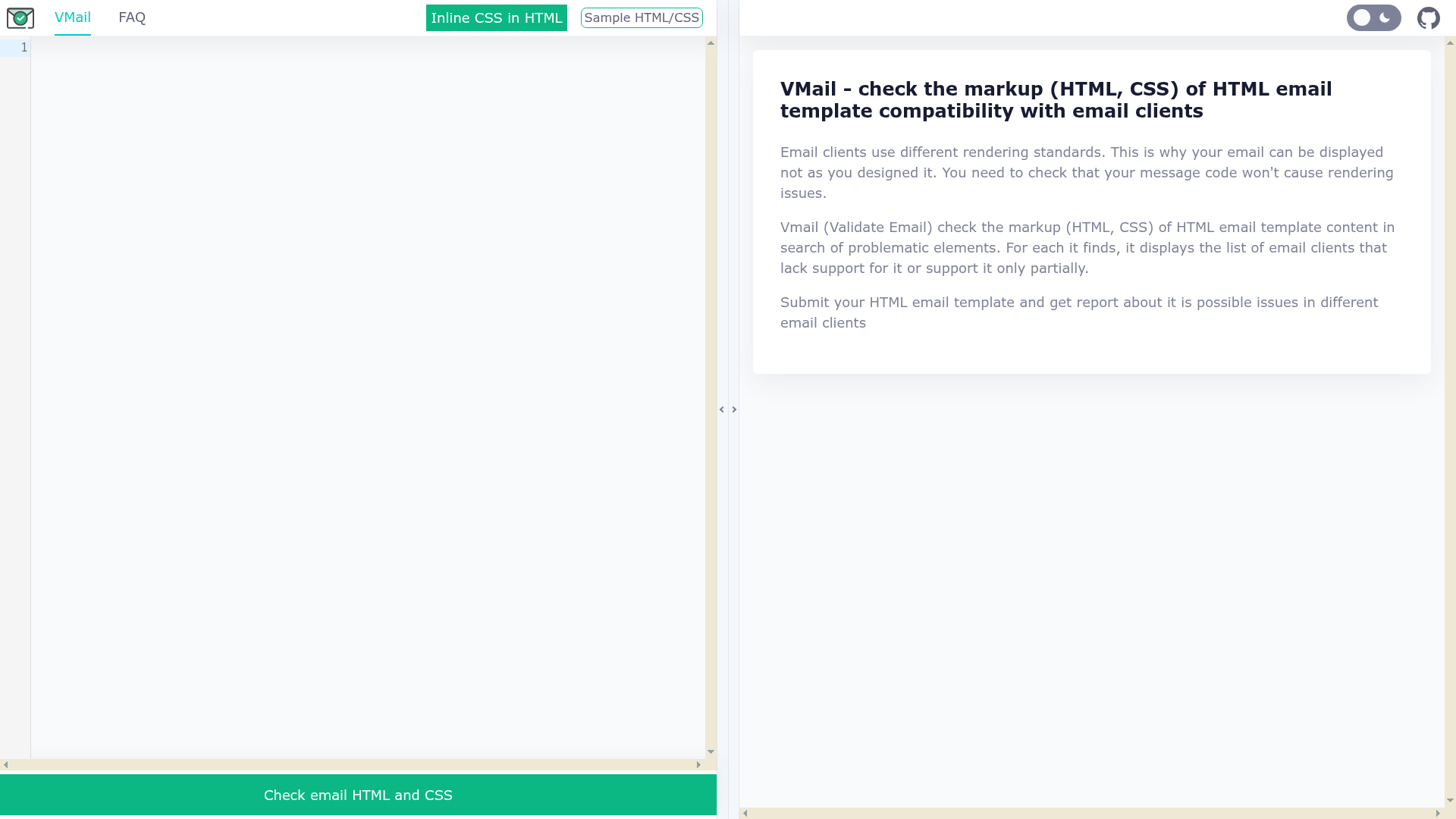
VMail - check the markup (HTML, CSS) of HTML email template compatibility with email clients
About this template
VMail is an open-source web tool that validates HTML email templates by scanning their markup for elements that specific email clients do not support or support only partially. It is a progressive web application (PWA) that runs entirely in the browser, with parsing done by WebAssembly modules compiled from Go source code.
What is VMail?
VMail (short for Validate Email) is a browser-based validator that takes the HTML and CSS of an email template as input and outputs a list of problematic elements, each paired with the email clients that lack support for it or support it only partially. It runs as a PWA and uses WebAssembly for fast client-side parsing. The project is hosted on GitHub, where its repository documents how to build the wasm parser and inliner modules, format Svelte components, and run Go benchmarks for the parser.
What makes VMail stand out?
- Client-specific compatibility reports — Instead of a generic pass/fail, VMail lists exactly which email clients (such as Gmail, Outlook, or Apple Mail) are affected by each detected issue, based on data from Caniemail.com.
- WebAssembly-based parser — The HTML and CSS parser is written in Go and compiled to wasm, so analysis happens in the browser without sending the email markup to a server.
- Progressive web app — The tool is installable and can work offline, making it convenient for email developers who need quick checks during template building.
- Modern Svelte 5 frontend — The UI is built with Svelte 5, along with Stimulus and Hotwire Turbo, as shown in the repository's topics and component structure.
- Open-source contribution workflow — Developers can fork the repository, install Ruby, Node.js, and Go dependencies, build the wasm modules with rake tasks, and submit pull requests.
- Benchmark support — The Go parser includes benchmark tests (go test -benchmem) so contributors can measure parsing performance.
Who should use VMail?
- Email template developers — Use VMail to verify that a template's HTML and CSS will render correctly across popular email clients before sending it to a testing service or campaign.
- Marketing and QA teams — Run the validator on campaign HTML to identify compatibility problems early, reducing the risk of broken emails for subscribers.
- Agency production teams — Integrate the check into their email build process to document why fallbacks are needed and to justify simplified markup to clients.
- Open-source contributors — Work on the VMail codebase to improve parsing accuracy, update compatibility data, or add new features via the standard fork-and-pull-request workflow.
Use cases
- Email developers: Validate a finished HTML email template and receive a list of unsupported CSS properties or HTML elements with the exact clients that will ignore them.
- QA teams: Run the validator on every new campaign template as a pre-send check to catch rendering issues before emails are deployed.
- Freelancers: Use the client-specific output to explain to clients why certain email designs need to be simplified or paired with fallback code.
How does VMail work?
VMail analyzes email markup through a multi-step process: it parses the HTML and CSS using a Go-based wasm module, then matches the parsed structure against compatibility data sourced from Caniemail.com. For every element that has incomplete support, it generates a report showing the affected clients, distinguishing no support from partial support. The entire analysis happens client-side in the PWA.
FAQ
Is VMail free?
VMail is an open-source project, and the hosted version at vmail.leopard.in.ua is publicly accessible without a paid plan. Because the code is available on GitHub, anyone can run their own instance or contribute to the project.
What input does VMail accept?
VMail accepts HTML email template markup containing HTML and CSS. The repository documentation shows that it builds both a wasm parser module and a wasm inliner module for processing, and the parsing happens in the browser via WebAssembly.
Does VMail require a server?
No, the parsing is done client-side using WebAssembly, so the email markup does not need to be uploaded to a server. This makes the tool fast and privacy-friendly for checking sensitive campaign content.
How does VMail get compatibility data?
VMail pulls support data from Caniemail.com, a community-driven database of email client support for HTML and CSS features. This data is used to determine which clients lack support for each detected element.
Can I contribute to VMail?
Yes, the repository describes a standard workflow: fork the repo, create a feature branch, commit changes, push, and open a pull request. The README also includes commands for building the wasm modules and running benchmarks.