Template details
Static Handlebars Brunch
Compile Handlebar templates to HTML with brunch
About this template
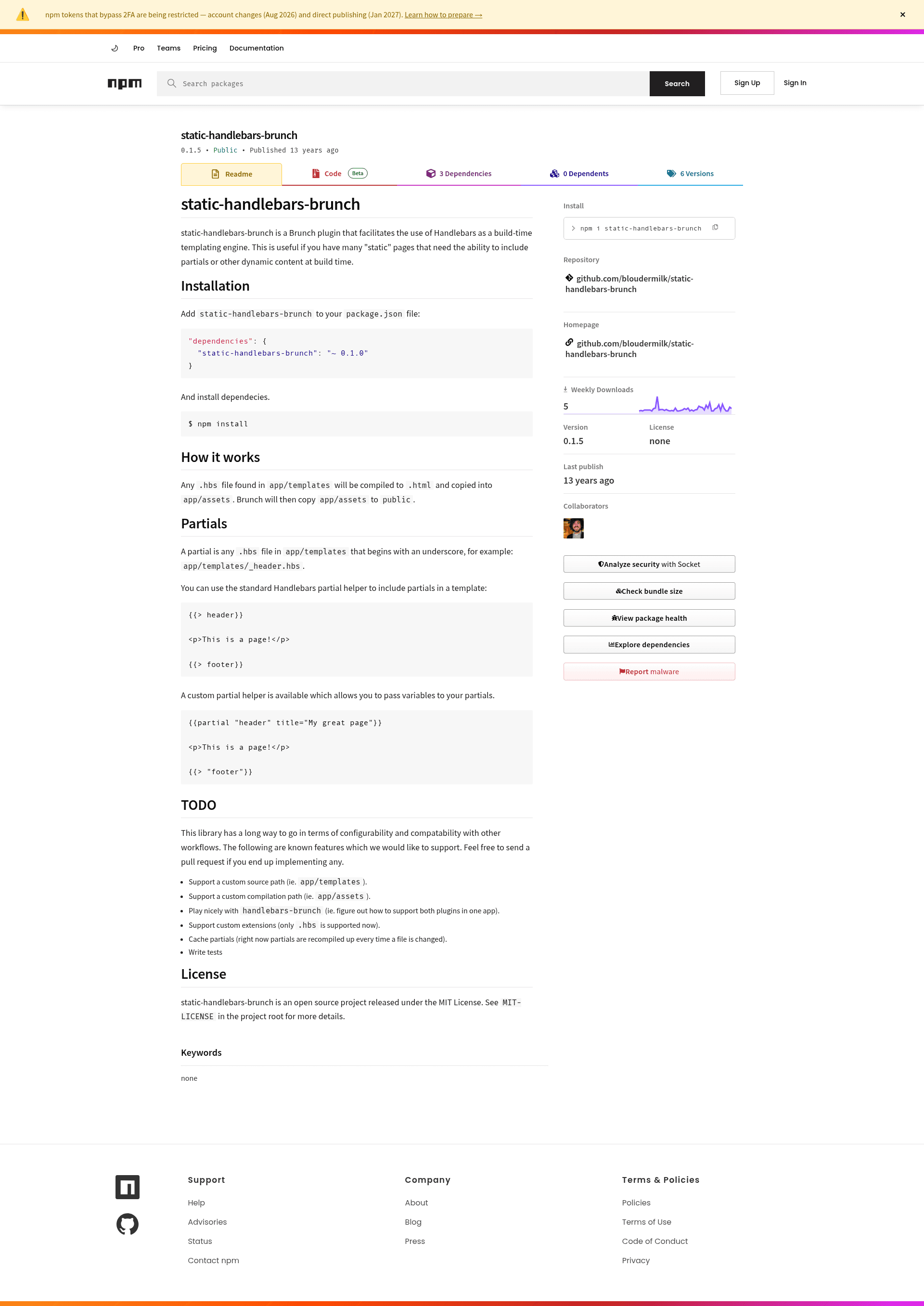
static-handlebars-brunch is a Brunch plugin that compiles Handlebars templates (.hbs files) into static HTML at build time, turning app/templates into rendered pages in public by way of app/assets.
What is static-handlebars-brunch?
static-handlebars-brunch is a build-time templating plugin for the Brunch static-site builder. It takes .hbs files from app/templates, compiles each one to an .html file, copies the results into app/assets, and lets Brunch then copy app/assets to public. The plugin is written in CoffeeScript and released under the MIT License; the repository description reads 'Compile Handlebar templates to HTML with brunch'.
How does static-handlebars-brunch work?
Any .hbs file placed in app/templates is compiled to .html and copied into app/assets; from there Brunch's normal pipeline copies app/assets into public. Partials are any .hbs file in app/templates whose filename starts with an underscore, such as app/templates/_header.hbs. Templates can include partials with the standard Handlebars helper {{> header}} or with the plugin's custom helper {{partial "header" title="My great page"}}, which lets you pass variables into the partial.
Key Features
- Build-time rendering — Converts
.hbsfiles to.htmlduring the Brunch build, so no Handlebars runtime is needed in the browser. - Underscore partials — Any
.hbsfile starting with an underscore inapp/templatesis treated as a partial and can be reused across pages. - Custom partial helper — The
partialhelper accepts named arguments, so a partial can receive per-invocation values liketitle="My great page". - Configurable output directory — Set
plugins.staticHandlebars.outputDirectoryin your Brunch config to change where compiled HTML files land; the default isapp/assets. - Project include file — The
includeFileconfig option loads a module that receives thehandlebarsobject and returns a context object, letting you add helpers and define template variables. - Simple NPM install — Install with
npm install --save static-handlebars-brunchand the plugin is added topackage.jsonautomatically.
Who is it for?
Brunch users who want to generate multiple static HTML pages without a JavaScript templating library at runtime. Developers who need shared partials, such as headers and footers, across many pages. Teams that want to inject build-time context into templates using a single configuration file.
What can you do with static-handlebars-brunch?
- Static site authors: Build a site where every page pulls in the same
_header.hbsand_footer.hbspartials, so a change to one partial rebuilds every page. - Landing page creators: Generate a set of standalone HTML pages from Handlebars templates, each with a unique
titlepassed through the custom partial helper. - Prototyping with Brunch: Use plain HTML output that can be opened directly in a browser or dropped onto any static host.
FAQ
How do I install static-handlebars-brunch?
Run npm install --save static-handlebars-brunch in your project. npm adds it to your package.json dependencies and installs the package automatically.
What files does static-handlebars-brunch compile?
Any .hbs file inside app/templates is compiled to .html. Partials are .hbs files whose names begin with an underscore, for example _header.hbs; they are not rendered as standalone pages.
Can I change where compiled HTML files go?
Yes. Set plugins.staticHandlebars.outputDirectory in your Brunch configuration to any directory you want; if you do not set it, the plugin writes to app/assets and Brunch copies that folder to public.
Can I pass variables to partials?
Yes, use the custom partial helper, e.g. {{partial "header" title="My great page"}}. The plugin's standard {{> header}} helper also works but does not accept arguments in the same way.
What is still missing?
The README's TODO list notes these not-yet-implemented features: custom source paths, compatibility with handlebars-brunch, custom file extensions, partial caching, and tests. Contributions are welcome via pull request.