Template details
Handling custom web fonts
Learn how to load custom web fonts without compromising performance.
About this template
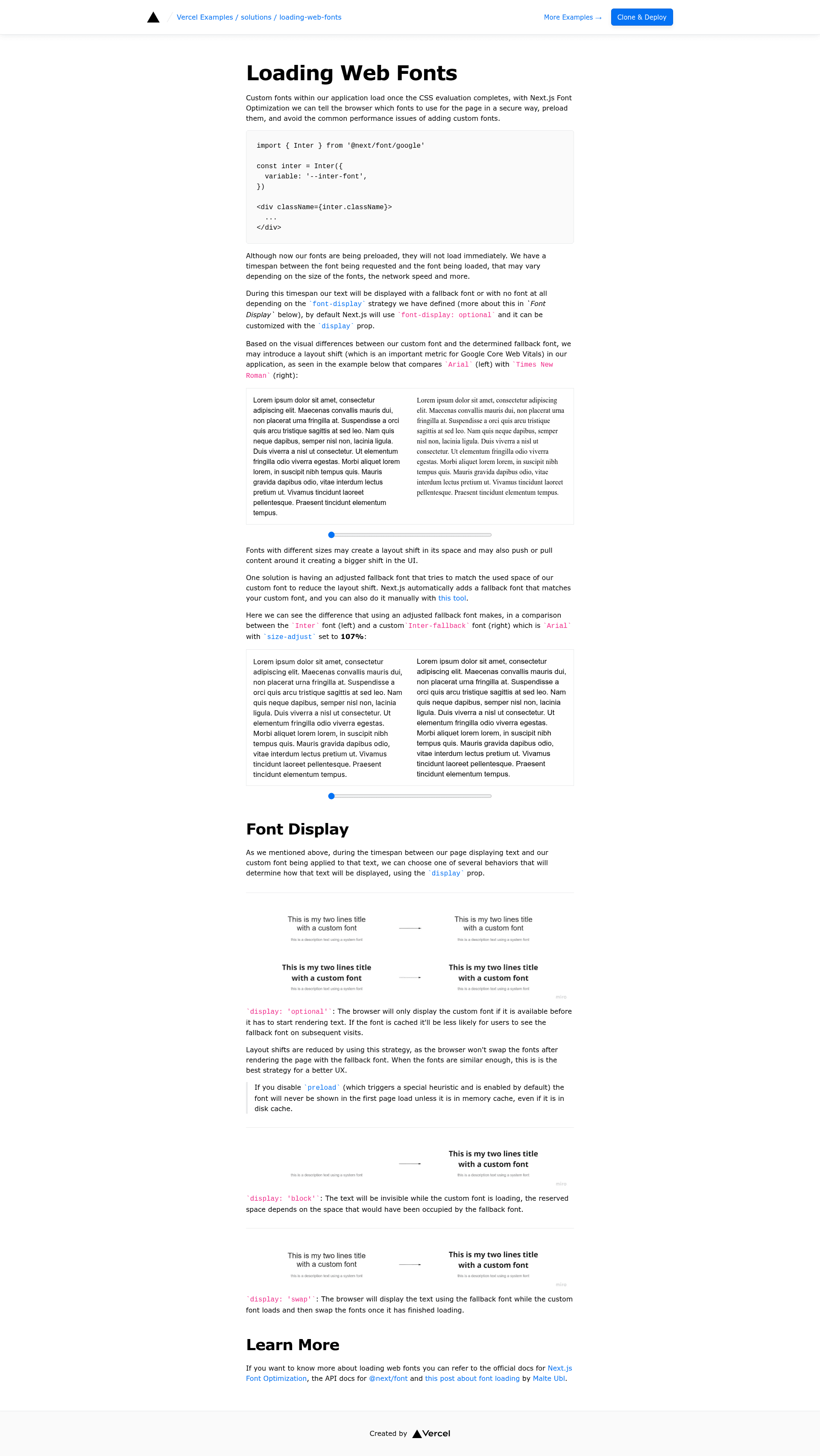
Handling custom web fonts is a Next.js example from Vercel's official examples repository that shows how to load custom web fonts without compromising performance. It is a boilerplate-style solution, not a marketing template, giving you a working Next.js project styled with Tailwind CSS that you can bootstrap or deploy as a starting point for exploring font-loading best practices.
What is Handling custom web fonts?
Handling custom web fonts is a Next.js example from Vercel's official examples repository that demonstrates a performance-safe way to load web fonts in a Next.js application. It takes no inputs beyond the project code itself, and it produces a deployable Next.js app that runs on Vercel. The project is part of Vercel's curated examples collection, which includes hundreds of patterns for building scalable applications; the repository currently has over 5,000 stars on GitHub.
What makes Handling custom web fonts stand out?
- Official Vercel example — Maintained in the vercel/examples GitHub repository, so the pattern reflects what Vercel recommends for Next.js font loading.
- One-click deploy — The readme includes a Deploy with Vercel button that clones the example into a new project named
loading-web-fonts, giving you a live URL immediately. - create-next-app bootstrap — You can scaffold the project locally with
pnpm create next-app --example https://github.com/vercel/examples/tree/main/solutions/loading-web-fonts, then runpnpm devto start development. - Tailwind CSS styling — The example uses Tailwind for its CSS, so the demo page is built with utility classes.
- Live demo — A running deployment is available at https://solutions-loading-web-fonts.vercel.app, letting you inspect the font-loading behavior in the network tab.
- Focused on performance — The stated purpose is loading custom fonts without compromising performance, which in Next.js typically translates to using the built-in font optimization rather than manual link tags.
Who is Handling custom web fonts for?
- Next.js developers who want a reference implementation for loading custom fonts in an App Router or pages project.
- Frontend performance specialists who need a minimal, working app to audit font-display behavior, payload size, and render-blocking impact.
- Learners using Vercel's examples who appreciate a small project they can deploy in one click and compare with other examples in the collection.
What can you do with Handling custom web fonts?
- Quickly test font-loading strategy: One-click deploy the example, open the live URL, and use browser DevTools to see how the font files are served and which display strategy is used.
- Learn by reading the source: Study the Next.js configuration and components to see how the example loads fonts without blocking first paint.
- Start a new project from it: Clone the example with create-next-app, swap in your own font files or font source, and build on the same performance-safe setup.
How does Handling custom web fonts work?
You can use either of two paths: click the Deploy with Vercel button to instantly create a Vercel project from the repository, or run pnpm create next-app --example https://github.com/vercel/examples/tree/main/solutions/loading-web-fonts locally and then pnpm dev. Both paths give you the same example code, and deployment to Vercel is handled by the platform once you connect your repository.
FAQ
Is Handling custom web fonts free?
Yes. It is a public example in Vercel's examples repository, freely available to view, clone, and deploy. There is no pricing or license gate mentioned on the page.
Where can I see a live demo?
The readme links to a deployment at https://solutions-loading-web-fonts.vercel.app. This demo runs on Vercel and reflects the current example code.
Does this example use Tailwind CSS?
Yes. The page metadata lists Tailwind as the CSS for the project, and the example is styled using Tailwind utility classes.
Can I use this example with pnpm?
Yes. The setup instructions explicitly use pnpm: pnpm create next-app --example <repo-url> and pnpm dev. Other package managers may work, but pnpm is the one documented.