Template details
Hanyunseong Log
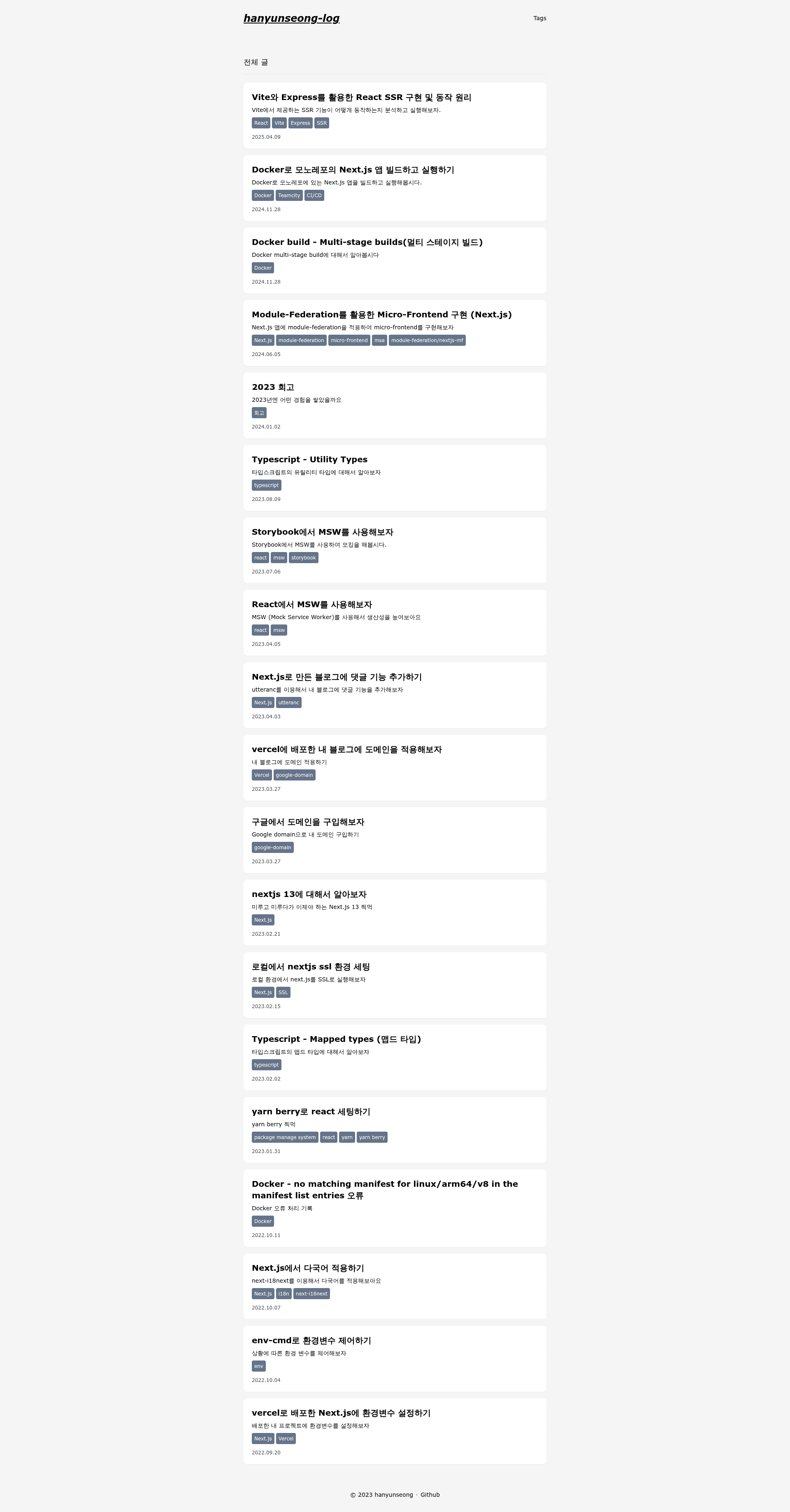
Next.js static blog template using markdown files with GitHub-based publishing, utterances comments, and auto sitemap.
About this template
Hanyunseong Log is a Next.js static blog template that turns Markdown posts stored in a GitHub repository into a deployable blog with automatic sitemap generation.
What is Hanyunseong Log?
Hanyunseong Log is a static blog template built on Next.js that renders posts from Markdown files kept directly in the source repository. It takes Markdown files with YAML frontmatter as input and produces a statically generated blog site that can be hosted on any platform supporting Next.js. The template is authored by hanyunseong and is released under the MIT license.
Key Features
- Markdown-based publishing — Write posts in Markdown with frontmatter; committing and pushing to GitHub triggers the static site build, so there is no separate CMS.
- Utterances comments — The blog integrates utterances, which stores discussion threads as GitHub Issues, so no comment backend is required.
- Automatic sitemap — The build automatically creates a sitemap, helping search engines index the blog.
- Centralized configuration — Blog identity and SEO metadata are customized in
config/index.ts, a single TypeScript file. - Google Analytics support — Set the
NEXT_PUBLIC_GOOGLE_ANALYTICSenvironment variable to your measurement ID to enable analytics. - Structured post frontmatter — Each Markdown post can declare title, description, date, published status, slug, and tags, giving the template metadata to drive listing pages and URLs.
- Open-source and free — The template is distributed under MIT, meaning it can be freely reused and modified.
Who is it for?
- Developers who want a personal blog — Fork the repository, edit
config/index.ts, and start writing Markdown posts without setting up a database or admin panel. - Git users who prefer version-controlled content — Since posts are plain Markdown files, the entire blog content lives in Git and can be reviewed, branched, and rolled back like code.
- SEO-focused hobby bloggers — Automatic sitemap generation and configurable SEO metadata reduce the need for manual search-engine setup.
Use cases
- Personal blogging: Publish technical articles or journal entries by adding a Markdown file with frontmatter and pushing to GitHub.
- GitHub-hosted content site: Because posts are plain Markdown files, you can keep your entire content in version control and use the blog as a lightweight publication layer.
- Future portfolio or resume site: The roadmap lists About, Resume, and Portfolios pages as upcoming, but they are not yet implemented.
How does it work?
The README's getting-started flow is: star the repository, fork it, then modify the configuration to personal information. After that, posts are written as Markdown files with frontmatter; the Next.js build turns them into static pages. The NEXT_PUBLIC_GOOGLE_ANALYTICS environment variable is the one environment variable documented in the README.
Pros and cons
- Pros: Minimal setup, free MIT license, and a Git-based workflow that avoids a content management system.
- Cons: The template currently lacks an About page, Resume/Portfolios, and a plugin system, all of which are listed as upcoming features.
FAQ
Is Hanyunseong Log free?
Yes, the project is open source under the MIT license, so you can use, copy, and modify it without paying a license fee.
How do I change the blog name and SEO settings?
Open config/index.ts and edit the relevant fields. The README states that this file controls blog and SEO information.
What comment system does it use?
It uses utterances, a widget that loads comments from GitHub Issues. Readers need a GitHub account to comment, and discussion data is stored in the repository's issue tracker.
Does it need a backend server?
No. The site is static after the Next.js build. Comments via utterances work through GitHub's public API, and form submissions are not needed.
How do I publish a new post?
Create a Markdown file with frontmatter containing title, description, date, published flag, slug, and tags, then commit and push it to the repository. The build process will include it in the blog.