Template details
Hugo Theme Tailwind
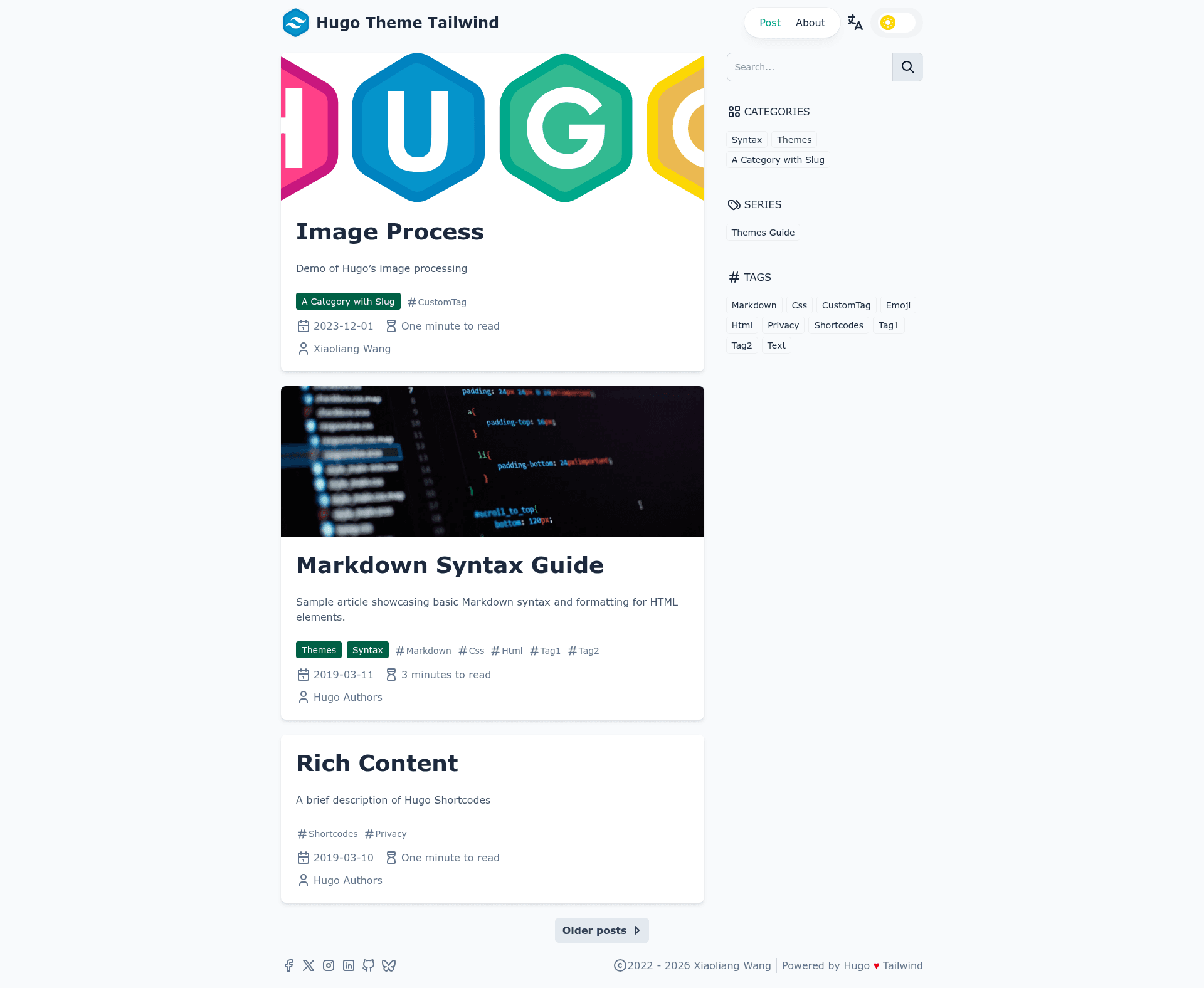
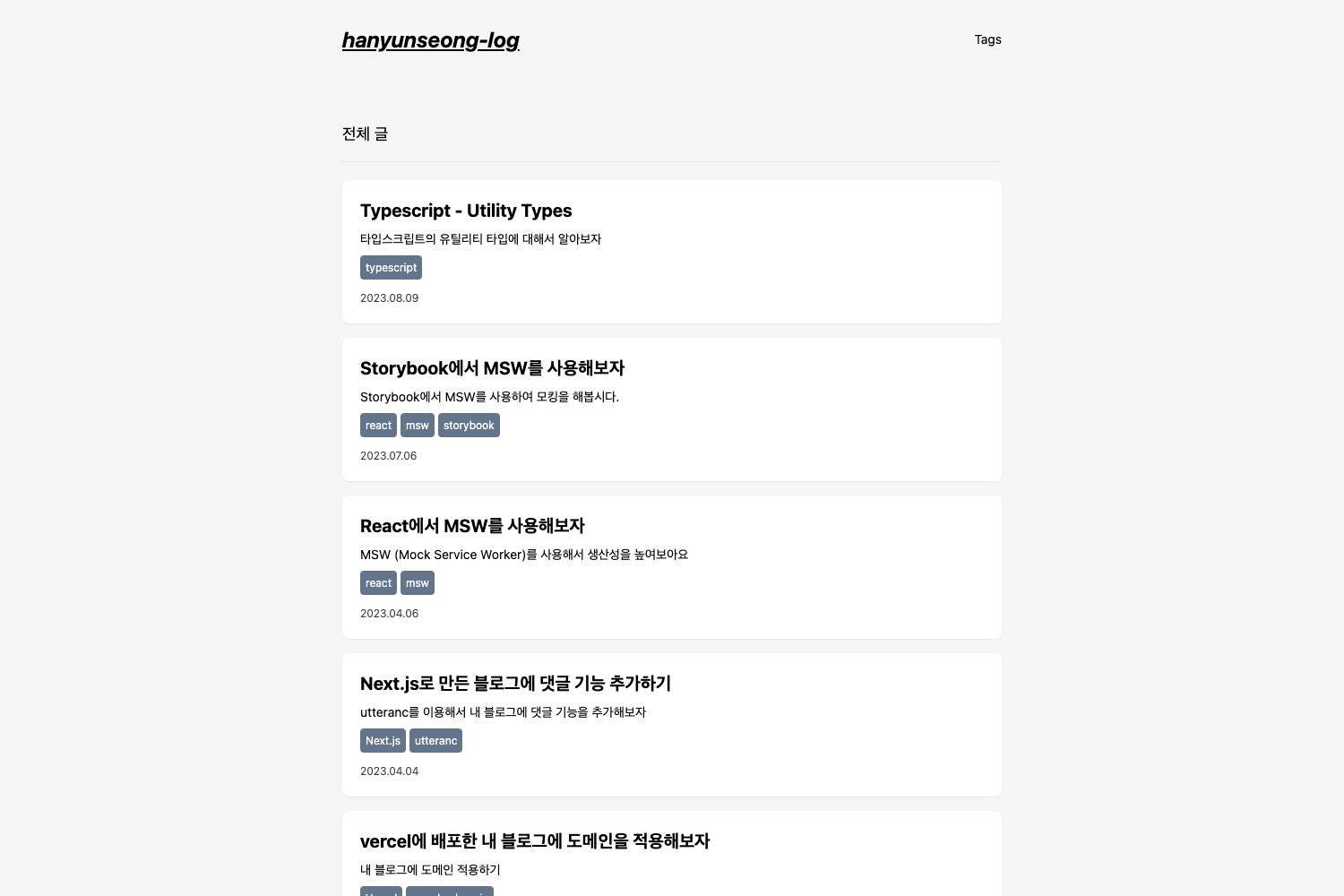
A clean card-based Hugo blog theme built with Tailwind CSS, featuring dark mode, search, and multilingual support.
About this template
Hugo Theme Tailwind is a free, open-source Hugo theme built with Tailwind CSS that produces fast-loading, card-based blog layouts with dark mode, client-side search, and structured data out of the box.
What is Hugo Theme Tailwind?
The theme is a Hugo theme maintained by tomowang, published on GitHub under the MIT license. It takes a standard Hugo site with markdown content in directories like content/posts and renders a responsive, multilingual static site using Tailwind CSS for styling. The theme integrates Google Analytics, Disqus and Giscus comments, and includes a live demo at hugo-theme-tailwind.tomo.dev. It is designed primarily for bloggers who want a clean, fast-loading blog without writing custom CSS or JavaScript.
Key Features
- Dark mode — Switch between light and dark appearance manually or follow the system preference via the
prefers-color-schemesetting, toggled by users. - Client-side search — Uses Fuse.js for fuzzy search and mark.js for highlighting results, so readers can search the blog without a backend.
- Comments integration — Supports both Disqus and Giscus comment systems, configured through
hugo.toml. - Google Analytics — Set your Analytics ID in the config to enable tracking, a simple addition for site traffic measurement.
- SVG icons from Tabler — The theme includes Tabler Icons (like brand icons) and lets you add more by placing SVG files in the assets folder.
- Multilingual content — Built-in i18n support lets you serve the same site in multiple languages.
- Lazy-loaded images — Default image processing generates
srcsetand lazy-loading attributes to speed up page loads. - JSON-LD structured data — Enable the
jsonLDparameter to add schema.org article markup for better SEO. - PWA support — Optional simple progressive web app manifest, toggled with
params.pwa. - Extra shortcodes — Includes shortcodes for bilibili videos, asciinema recordings, and n8n demo embeds, extending Hugo's default capabilities.
Who is it for?
- Individual bloggers — Set up a personal blog quickly with a card layout, dark mode, and search, all without writing custom front-end code.
- Hugo developers — Use it as a base theme and extend it by overriding
custom_head.htmlandcustom_footer.htmlpartials or by modifying Tailwind styles withpnpm dev. - Multilingual site owners — Publish content in multiple languages with built-in i18n support and a language switcher.
What can you do with Hugo Theme Tailwind?
- Launch a fast blog — Create a Hugo site, add this theme via git submodule or Hugo module, and configure
hugo.tomlwith your site title, menu, and taxonomies to get a ready-to-publish blog. - Add engagement features — Plug in Disqus or Giscus for comments, Google Analytics for traffic insight, and social media links from the footer configuration.
- Customize the look — Change the logo, footer copyright, and taxonomy icons through
params.header,params.footer, andparams.taxonomies.icons, or write your own Tailwind styles by runningpnpm installandpnpm dev.
How does Hugo Theme Tailwind work?
- Install the theme by adding it as a git submodule (
git submodule add https://github.com/tomowang/hugo-theme-tailwind.git themes/tailwind) or by importing it as a Hugo module. - Configure basic settings in
hugo.toml— base URL, title, theme name, content type, menus, and taxonomies. - Run a standard Hugo build command to generate a static site with the Tailwind styles already compiled; the theme also provides
pnpm devfor local development and live reload.
FAQ
Is Hugo Theme Tailwind free?
Yes, the theme is released under the MIT license, so it's free to use, modify, and redistribute, including in commercial projects.
How do I enable dark mode?
Dark mode is enabled by default. Visitors can toggle between light and dark appearance manually, or the theme can follow the operating system preference automatically. No extra configuration is required.
Does the theme include search?
Yes, client-side search is built in using Fuse.js for matching and mark.js for highlighting. Search settings are configured under params.search in hugo.toml.
How do I add comments to my blog posts?
Set up either Disqus or Giscus in the theme config. For Giscus, you must use the giscus.app website to create a settings object tied to your own GitHub repository, because the example site's giscus setting points to the theme author's repo and should be replaced.