Template details
Pulsar
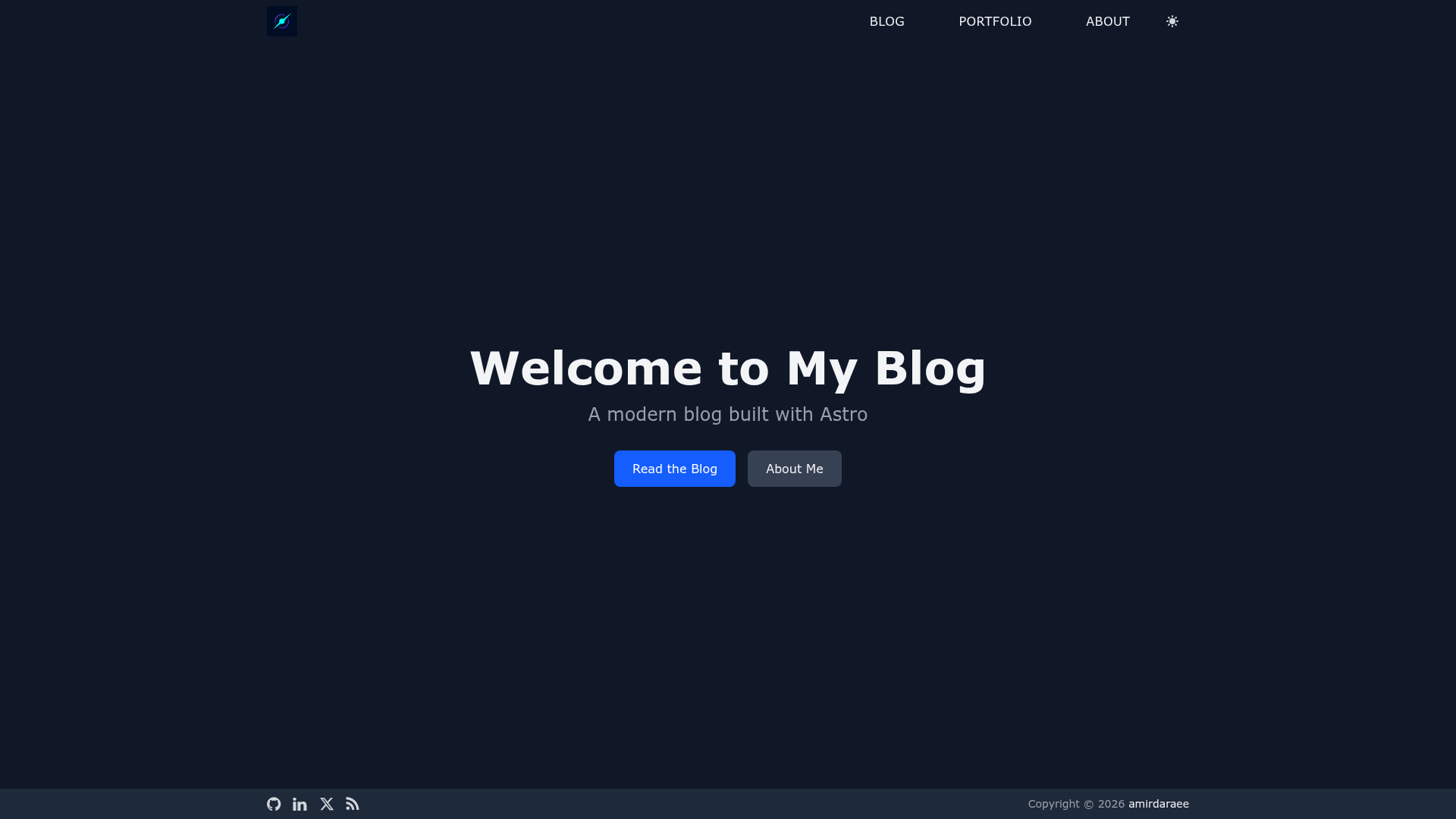
A fast, modern Astro blog theme with flash-free dark mode, SEO, RSS, tag pages, and Tailwind CSS, customizable via a single config file.
About this template
Pulsar is a free, open-source Astro blog theme built with Tailwind CSS that turns Markdown posts into a static, SEO-ready blog with flash-free dark mode, an RSS feed, tag pages, and per-post reading time.
What is Pulsar?
Pulsar is a production-ready blog starter theme for the Astro static site framework, created by developer amirdaraee. It takes Markdown blog posts placed in a content collection and outputs a static site with built-in SEO meta tags, Open Graph and Twitter Card support, a sitemap, and an auto-generated RSS feed. The theme is configured entirely through a single TypeScript file, src/config.ts, which controls site metadata, author info, social links, navigation, and the optional Google Analytics 4 measurement ID.
What makes Pulsar stand out?
Pulsar stands out for its combination of a minimal, accessible design with production-grade SEO, analytics, and content tooling packed into a small Astro theme. Here are the features that set it apart:
- Flash-free dark mode — A theme toggle persists with localStorage and avoids the flash of incorrect theme on load.
- Comprehensive SEO — A reusable SEO component renders meta tags, Open Graph, Twitter Cards, and structured data.
- Shiki syntax highlighting — Code blocks are highlighted with GitHub light and dark themes that follow the site theme.
- RSS feed — Auto-generated at
/rss.xmlwith autodiscovery. - Tag pages — Static tag index and per-tag listings generated from post keywords in frontmatter.
- Google Analytics 4 — Optional production-only tracking with content groups, post author and tag dimensions, a site theme user property, and read-completion events.
- Automated releases — release-please handles versioning and changelog generation for conventional commits.
- Accessible and responsive — ARIA labels, semantic HTML, keyboard navigation, skip-to-content link, and a mobile-first design.
The stack is Astro with Tailwind CSS v4 (config-file-free, themed via @theme in src/styles/global.css), TypeScript, and Font Awesome 4.7 icons. The template includes pages for home, blog, about, and tags, and file-based routing means adding a new page is as simple as dropping an .astro file into src/pages/.
Who should use Pulsar?
Pulsar is aimed at developers and writers who want a fast, self-hosted blog without assembling many separate integrations. It suits several roles:
- Developers starting a blog — Scaffold a new blog instantly via
npm create astro@latest -- --template amirdaraee/astro-pulsaror by cloning the GitHub repository. - Technical writers and content creators — Write posts in Markdown with YAML frontmatter that includes title, description, keywords, and a photo, then build with
npm run build. - Developers who want a minimal, customizable theme — Change site title, author, social links, and analytics ID in one config file, and override colors and fonts in
global.css. - Self-hosters and CI/CD users — Deploy to Netlify, Vercel, or GitHub Pages by setting the build command to
npm run buildand publishing thedistdirectory.
What can you do with Pulsar?
Pulsar's out-of-the-box features support several concrete use cases:
- Bloggers: Publish Markdown posts with tags and get automatic RSS, sitemap, and structured data output for search engines.
- Developers: Add custom pages, layouts, and components using Astro's file-based routing and the included
Layout.astrowrapper. - Product teams: Enable GA4 tracking to measure read completion, post popularity, and theme preference across visitors.
- Designers: Restyle the entire theme by editing CSS variables in
src/styles/global.css, such as--color-primaryand--font-sans.
How does Pulsar work?
Pulsar starts as a GitHub template or a cloned repository. After installing dependencies with npm install, you edit src/config.ts to set your site title, URL, social links, and optional Google Analytics ID, then add Markdown files to src/content/blog/. Run npm run dev to preview at localhost:4321, or npm run build to produce a static site in dist/. Custom pages are added as .astro files under src/pages/.
Pricing
Pulsar is free and open source under the MIT License, so it can be used for personal or commercial projects without restrictions.
FAQ
Is Pulsar free to use?
Yes, Pulsar is released under the MIT license, which permits free personal and commercial use, including modification and redistribution.
What framework does Pulsar use?
Pulsar is built on Astro, the content-focused static site framework, with Tailwind CSS v4 for styling and TypeScript for configuration. It uses Shiki for code highlighting and Font Awesome 4.7 for icons.
How do I customize the theme colors and fonts?
Since Pulsar uses Tailwind CSS v4, which is config-file-free, you override design tokens in src/styles/global.css inside an @theme block, for example by setting --color-primary or --font-sans. Additional global styles go in the is:global style block in src/layouts/Layout.astro.
Does Pulsar support dark mode?
Yes, Pulsar includes a dark mode toggle that stores the preference in localStorage, so no flash of incorrect theme occurs. The built-in Shiki syntax highlighting theme also switches between GitHub light and dark based on the active site theme.
Can I add Google Analytics to my Pulsar blog?
Yes, put your GA4 measurement ID in src/config.ts and the Analytics component renders automatically in the main layout. Tracking loads only in production builds and reports content groups, post author and tags, theme preference, and read-completion events.