Template details
Hexo Template
A starter template for Hexo blogs with GitHub Actions CI/CD, requiring only two edits in `_config.yml` to deploy.
About this template
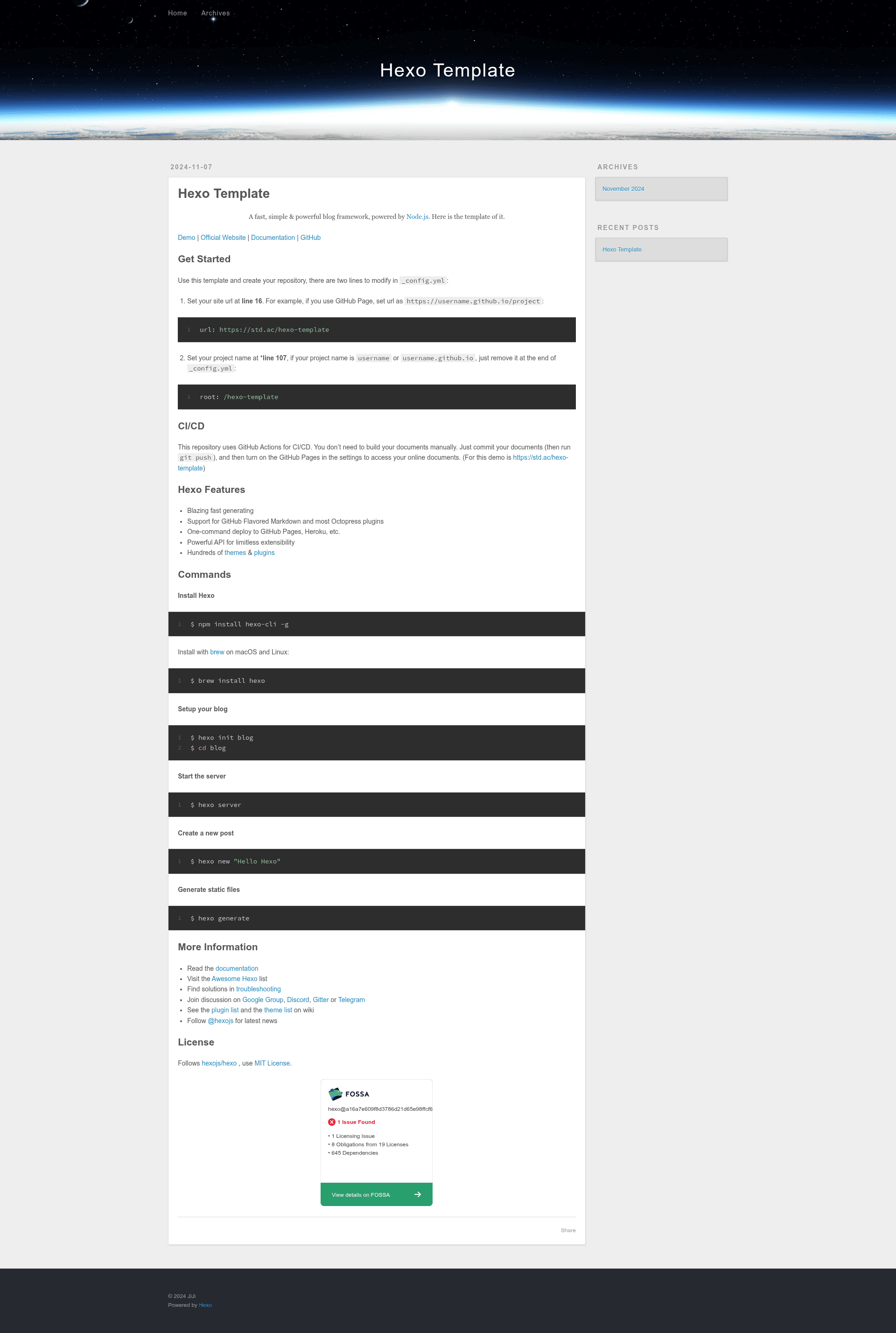
Hexo Template is a GitHub repository template that scaffolds a blog with the Hexo static site generator and wires up continuous deployment through GitHub Actions, so you can go from an empty repository to a published blog on GitHub Pages with two configuration edits.
What is Hexo Template?
Hexo Template is a starter repository for building and deploying a Hexo blog. It takes Markdown posts as input and generates static HTML files via Hexo, a blog framework powered by Node.js. The template ships with a GitHub Actions workflow that builds the site on every push, so you never run the generator locally unless you want to. It is based on the official Hexo project and is shared under the MIT License.
Key Features
- Built-in CI/CD — A GitHub Actions workflow compiles the site automatically when you push, so you don't need to run
hexo generateyourself. - Two-line configuration — You only need to change the
urlandrootfields in_config.yml(at lines 16 and 107) to point at your project's deployment location. - Fast static generation — Hexo is known for a fast build pipeline, generating static files that can be served from any host.
- GitHub Flavored Markdown — Write posts in Markdown with GFM support, plus compatibility with many Octopress plugins.
- One-command deploy — Through Hexo you can deploy to GitHub Pages, Heroku, and other services with a single command, though this template automates it.
- Large ecosystem — Hundreds of Hexo themes and plugins are available from the official theme and plugin lists to change the look and extend behavior.
Who is it for?
- Bloggers who want a free static site — Get a blog hosted on GitHub Pages without paying for a server or a CMS.
- Developers comfortable with Markdown — Write posts in plain text and manage everything through Git.
- Teams using GitHub — The CI/CD workflow makes it easy to have multiple contributors because every push triggers a fresh build.
What can you do with Hexo Template?
- Set up a new blog in minutes — Use the "Use this template" button on GitHub, modify two lines, push, and enable Pages.
- Automate deployment — The GitHub Actions pipeline builds and publishes your site without any local Node.js setup.
- Experiment with Hexo — Use the template to try out Hexo's theming, plugins, and API without starting from scratch.
How does Hexo Template work?
First, click "Use this template" to create your repository. Then open _config.yml and set the url on line 16 to your published address (for example, https://username.github.io/project) and set the root on line 107 to match your project path (remove it if the project name is username or username.github.io). Finally, commit and push your Markdown posts; GitHub Actions builds the static files and you turn on GitHub Pages in the repository settings to serve them.
Pricing
The template is free and open source under the MIT License.