Template details
Anubis2 Theme
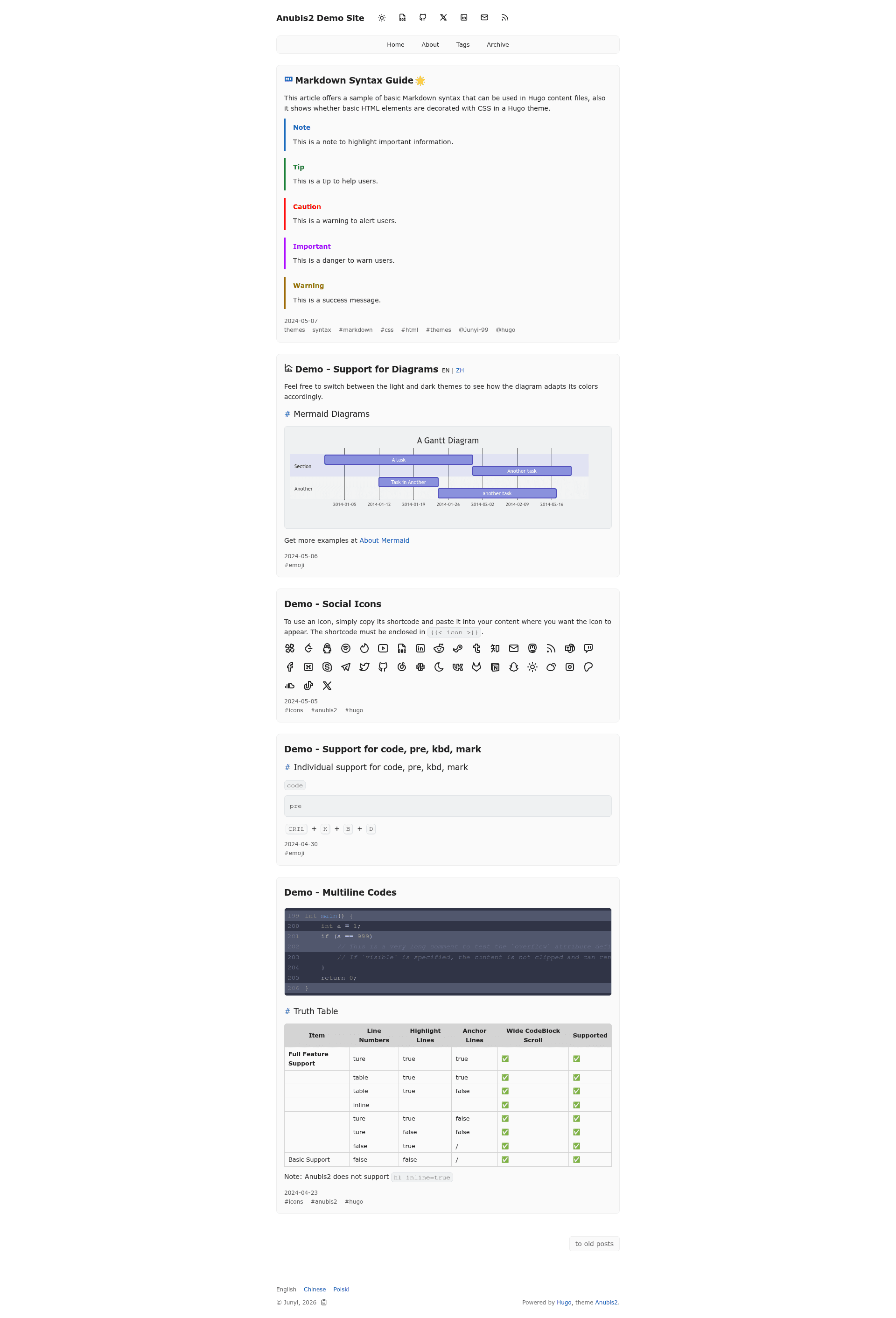
Anubis2 is a simple minimalist theme for Hugo blog engine with multilingual support, dark/light mode, and comment integrations.
About this template
Anubis2 is a simple, minimalist theme for the Hugo static site generator, built for personal blogs and content-focused websites. Created by Junyi and released under the MIT license, the theme is available on GitHub and can be installed as a git submodule directly into any Hugo project.
What is Anubis2?
Anubis2 is a Hugo blog theme that turns a standard Hugo site configuration into a fast, static blog with support for multilingual content, automatic dark/light mode, table of contents, and RSS feeds. The theme is maintained in the hugo-theme-anubis2/hugo-theme-anubis2 repository and requires the extended version of Hugo to run. It is designed to be simple to set up: add the submodule, configure a few TOML parameters, and run the built-in Hugo server.
Key Features
Anubis2 includes all the essential features a simple blog needs, and each one is controlled through Hugo's configuration parameters.
- Multilingual support — Publish content in multiple languages with the built-in language switcher, configured through Hugo's standard multilingual options.
- Automatic dark/light mode — The theme detects the user's system color scheme and switches between dark and light themes accordingly, without a manual toggle.
- Comment integrations — Supports Giscus, Disque, ISSO, Utterances, and GraphComment, so you can plug in a comment system without writing custom code.
- Analytics integrations — Built-in support for Google Analytics and Umami, letting you track visitors by simply adding your site ID to the config.
- Table of contents — Long posts automatically get a table of contents, improving navigation for readers.
- RSS feeds — Generated automatically for your blog, making it easy for readers to subscribe.
- Mobile-friendly layout — The responsive design works on phones, tablets, and desktops.
Who is it for?
Anubis2 is aimed at Hugo users who want a clean, no-nonsense design for personal blogs and content sites without extra page sections or heavy JavaScript.
- Personal bloggers — Individuals who want a minimal theme for their Hugo blog and prefer to focus on writing.
- Technical writers — Developers and engineers who publish documentation or technical articles and want a fast, readable theme with configurable code highlighting (e.g., the catppuccin-frappe style).
- Multilingual content creators — Authors who publish in more than one language and need a theme that supports language switchers out of the box.
What can you do with Anubis2?
With Anubis2, you can quickly launch a Hugo-powered blog and extend it with the features you need.
- Launch a minimalist blog — Add the theme as a submodule, define your menus and author in
hugo.toml, and runhugo serverto preview your site locally before deploying it to services like Netlify. - Add comments to posts — Choose one of the five supported comment backends (e.g., Giscus or Utterances) and configure it in your parameters; there is no need to embed external scripts manually.
- Track site analytics — Enable Google Analytics or Umami by setting the corresponding keys under
params.anubis2, and the theme will include the tracking code on every page.
How does Anubis2 work?
Anubis2 follows the standard Hugo theme architecture. After installing the theme as a git submodule in the themes/anubis2 folder, you update your site's configuration file (hugo.toml, hugo.yaml, or hugo.json) with the required params.anubis2 keys and menu definitions. The theme then processes your Markdown content and generates static HTML pages when you run hugo or hugo server. Configuration keys are lowercase; if you used older camelCase keys like googleAnalytics, you need to migrate to googleanalytics.
Pros and cons
- Free and open source — The MIT license lets you use, modify, and redistribute the theme for any purpose.
- Works with any Hugo site — Since it only relies on standard Hugo features, you can integrate it into an existing Hugo project.
- Requires the extended version of Hugo — The theme depends on Hugo's extended build, so you must install that version rather than the standard one if you want to use it.