Template details
Hexo Theme A4
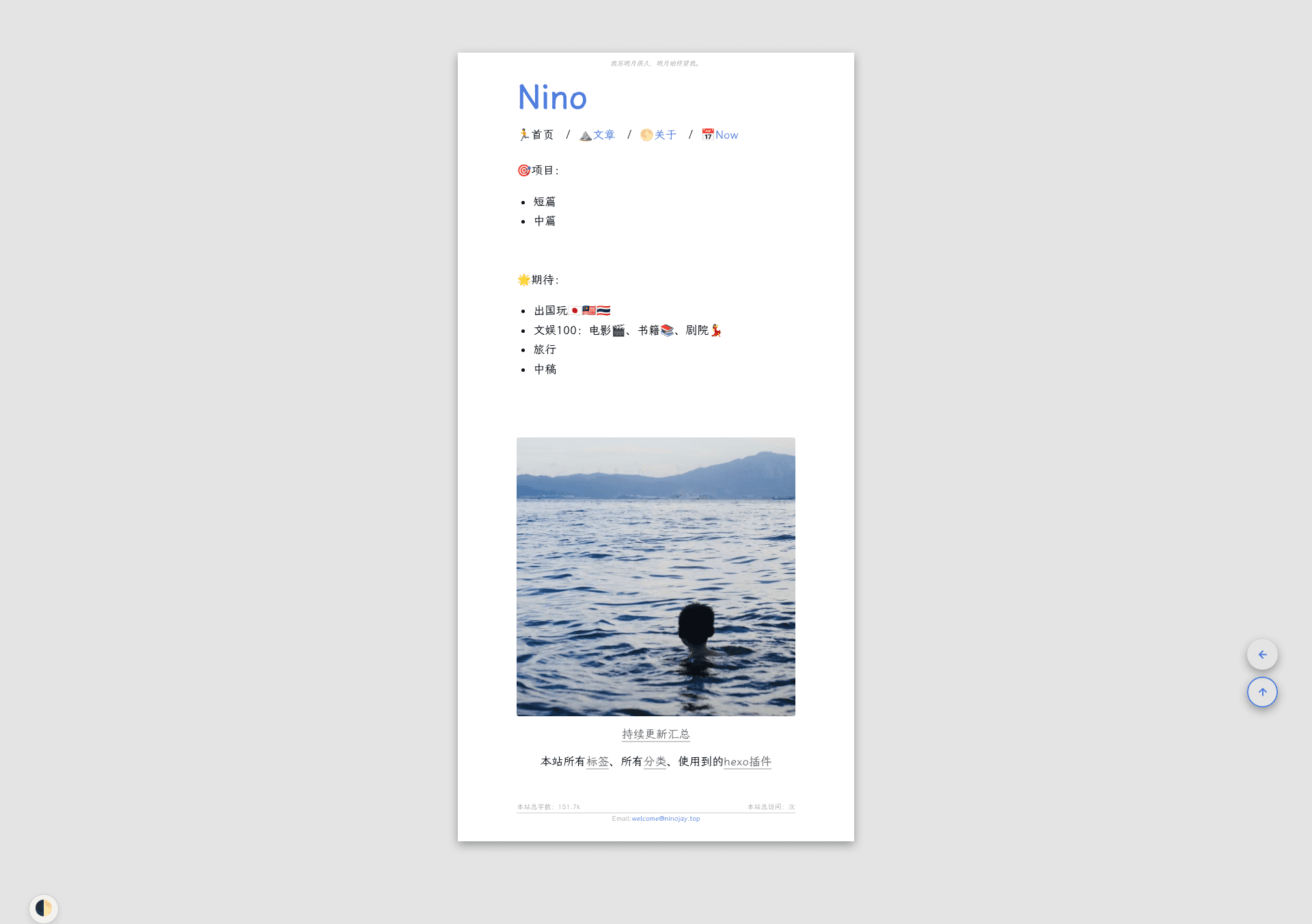
A hexo theme that looks like an A4 paper.
About this template
Hexo Theme A4 is a minimal Hexo blog theme styled to mimic an A4 paper sheet, giving bloggers a clean, print-like reading experience.
What is Hexo Theme A4?
Hexo Theme A4 is an open-source Hexo theme created by HiNinoJay that transforms a standard Hexo static site into a paper-like blog with a focus on simplicity and small footprint. It takes Markdown posts and a YAML config file as input and outputs a static blog featuring archive, tags, categories, table of contents, Waline comments, and customizable homepage. The theme badges show compatibility with Hexo v6.3.0, and the project ships as an npm package (hexo-theme-a4). It was designed around the idea that readers should focus on the text and writers should focus on writing.
What makes Hexo Theme A4 stand out?
- A4 paper aesthetic — The layout visually mimics an A4 sheet, with a grey-white color scheme by default and a preconfigured green-gold alternative that can be enabled in one click.
- Per-article controls — Each post can independently hide itself, enable or disable comments, enable or disable the table of contents, pin to the top, render MathJax math formulas, or require encryption via
hexo-blog-encrypt. - Global color customization — The entire color palette is configurable from
_config.a4.yml, and the author provides a color preview page so you can experiment with custom schemes. - Waline comments — Comments are powered by Waline, a lightweight commenting system, instead of heavier alternatives.
- CDN acceleration — Built-in CDN support accelerates asset delivery for visitors in mainland China.
- Plugin compatibility list — The author has verified support for
hexo-filter-mathjax,hexo-blog-encrypt,hexo-filter-github-emojis,hexo-reference, andhexo-all-minifier, so you know what works. - Performance compression — Using
hexo-all-minifier, you can compress images, CSS, and JS to speed up the site. - Extensive documentation — A dedicated Chinese-language documentation site at doc.ninojay.top covers installation, configuration, and customization.
Who should use Hexo Theme A4?
- Minimalist bloggers — people who want a no-frills, text-first layout that feels like reading a printed page.
- Hexo developers — users who already run Hexo and want a theme with few configuration options and a small package size.
- Academic writers — those who publish math-heavy content and need MathJax rendering, plus the ability to encrypt private posts.
- China-based bloggers — site owners who need CDN acceleration and verified plugin compatibility for a faster local experience.
What can you do with Hexo Theme A4?
- Set up a personal blog quickly — install via
npm install hexo-theme-a4@latest, copy the example config, and runhexo sto see a paper-like blog with archive, tags, and categories. - Create a resume-style homepage — the homepage is designed to work like a resume or document page, with fully customizable content in the config.
- Publish interactive articles — add math formulas, GitHub emojis, footnotes, and per-article encryption, all without writing extra code.
How does Hexo Theme A4 work?
After installing the theme, you create an _config.a4.yml file and copy the contents of the theme's default _config.yml into it. Then run hexo new page index and hexo new page list to generate the homepage and article list, make your edits, and start the server with hexo s. Updates are handled through npm install hexo-theme-a4@latest or git pull, depending on how you installed it.
Pricing
Hexo Theme A4 is free and open source, released on GitHub. You can support the author by starring the repository or buying them a coffee.
FAQ
How do I install Hexo Theme A4?
Run npm install hexo-theme-a4@latest from your Hexo project root, or clone the repository into themes/A4. Then create _config.a4.yml, copy the contents of the theme's _config.yml into it, and run hexo s to preview.
Do I need to create pages manually?
Yes. The theme requires you to run hexo new page index and hexo new page list to generate the homepage and the article list page. The documentation explains exactly what to add.
Can I change the color scheme?
Yes. The palette is controlled by global color variables in _config.a4.yml. Two schemes ship with the theme: a default grey-white and a green-gold preset you can enable directly.
Does it support math formulas and encrypted posts?
Yes. The theme works with hexo-filter-mathjax for LaTeX formulas and hexo-blog-encrypt for article passwords. Both are listed as verified plugins on the author's demo site.
How do I update the theme?
If you installed via npm, run npm install hexo-theme-a4@latest. If you used git, run git pull inside themes/A4. After updating, check the releases page for any new or changed config options.