Template details
Hexo Theme Aomori
A minimalist and powerful Hexo blog theme with rich customization, SEO optimization, and responsive design.
About this template
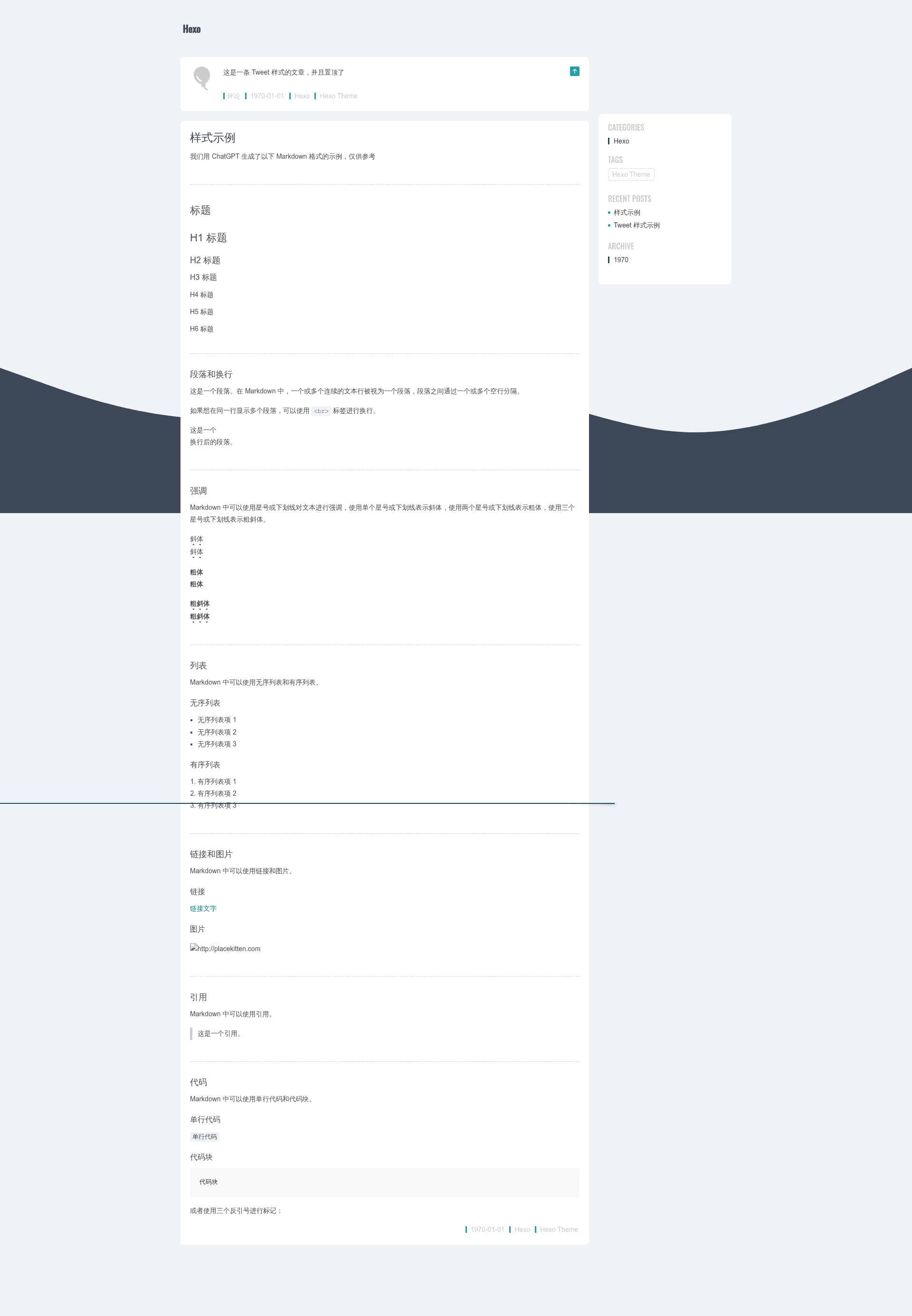
Hexo Theme Aomori is a minimalist, feature-rich theme for the Hexo static site generator, designed to help bloggers focus on producing content and readers on consuming it.
What is Hexo Theme Aomori?
Hexo Theme Aomori is a theme for Hexo, a fast blog framework that converts Markdown files into static HTML with ultra-fast generation speed. It takes your Markdown posts and site configuration as input and outputs a responsive, SEO-optimized blog with enhanced multimedia playback. The theme was developed by LIN HONG and is open-sourced under the MIT License. Installation is done via npm (npm i hexo-theme-aomori --save) and activation by setting theme: aomori in your site's _config.yml.
Key Features
- Rich Website Style — Offers multiple built-in styling options so you can change the look and feel without heavy customization.
- Rich Theme Configuration — Exposes a wide range of options through Hexo's
_config.yml, letting you control navigation, colors, widgets, and more from one place. - Optimize multimedia playback — Includes enhancements for audio and video embeds so embedded content plays smoothly for readers.
- Excellent SEO optimization — Provides structured markup and metadata to help search engines understand and rank your blog content.
- Responsive layout — Automatically adjusts columns, typography, and navigation for phones, tablets, and desktops.
- Open source and continuously updated — Maintained as a GitHub repository with releases, so you get bug fixes and new features over time.
Who should use Hexo Theme Aomori?
Hexo bloggers who want a clean, content-focused design without configuring every detail. Developers who want a customizable base theme to build their own blog or portfolio on Hexo. Writers and journalists who publish regularly and value fast load times and good search visibility. Multimedia creators who embed video and audio and want a theme that handles playback gracefully.
Use cases
- Personal bloggers: Publish a minimal blog with Markdown, fast generation, and SEO metadata built in.
- Multimedia-heavy sites: Embed YouTube, podcasts, or audio players and rely on the theme's optimized playback.
- Portfolio or project sites: Use the responsive layout and rich configuration to present projects on a clean grid.
- Technical documentation: Combine with Hexo's Markdown support to build a lightweight docs site.
How does Hexo Theme Aomori work?
Install the theme with npm i hexo-theme-aomori --save, then edit your Hexo site's _config.yml to set theme: aomori. After that, run your normal Hexo build commands — the theme will generate static pages from your Markdown content. The repository provides both Chinese and English guides on GitBook.
Pricing
Aomori is free and open source, released under the MIT License. You can use it in personal or commercial projects without paying a license fee.
FAQ
Is Hexo Theme Aomori free?
Yes, Hexo Theme Aomori is released under the MIT License, so it is completely free to use, modify, and redistribute.
How do I install Hexo Theme Aomori?
Run npm i hexo-theme-aomori --save in your Hexo project directory, then set theme: aomori in your site's _config.yml file.
Do I need to configure anything after installation?
The theme works with default settings, but you can customize navigation, styling, and other options through the _config.yml file. The official guide (English and Chinese) covers the available configuration options.
What is the demo site?
The repository links to a live demo at hexo-theme-aomori-demo.pages.dev, so you can preview the theme before installing it.
What license does the theme use?
The theme is released under the MIT License, as stated in the repository's copyright notice.