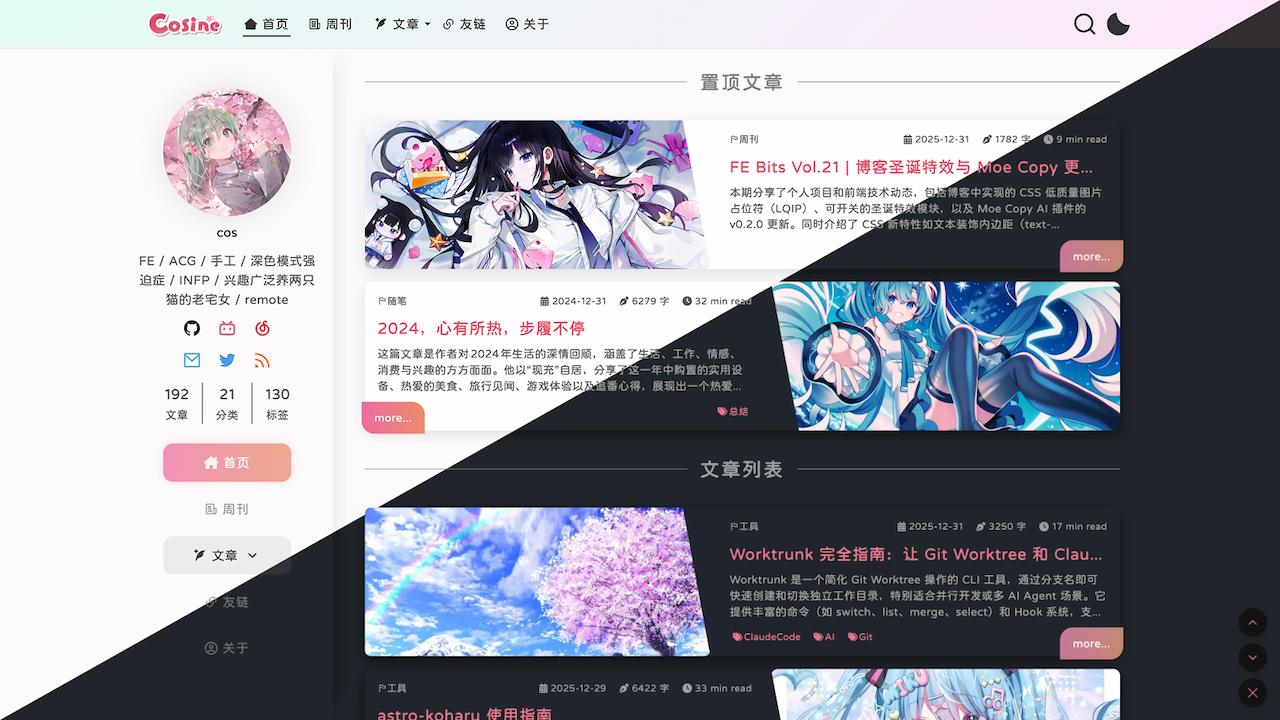
Template details
Hexo Theme Morgan
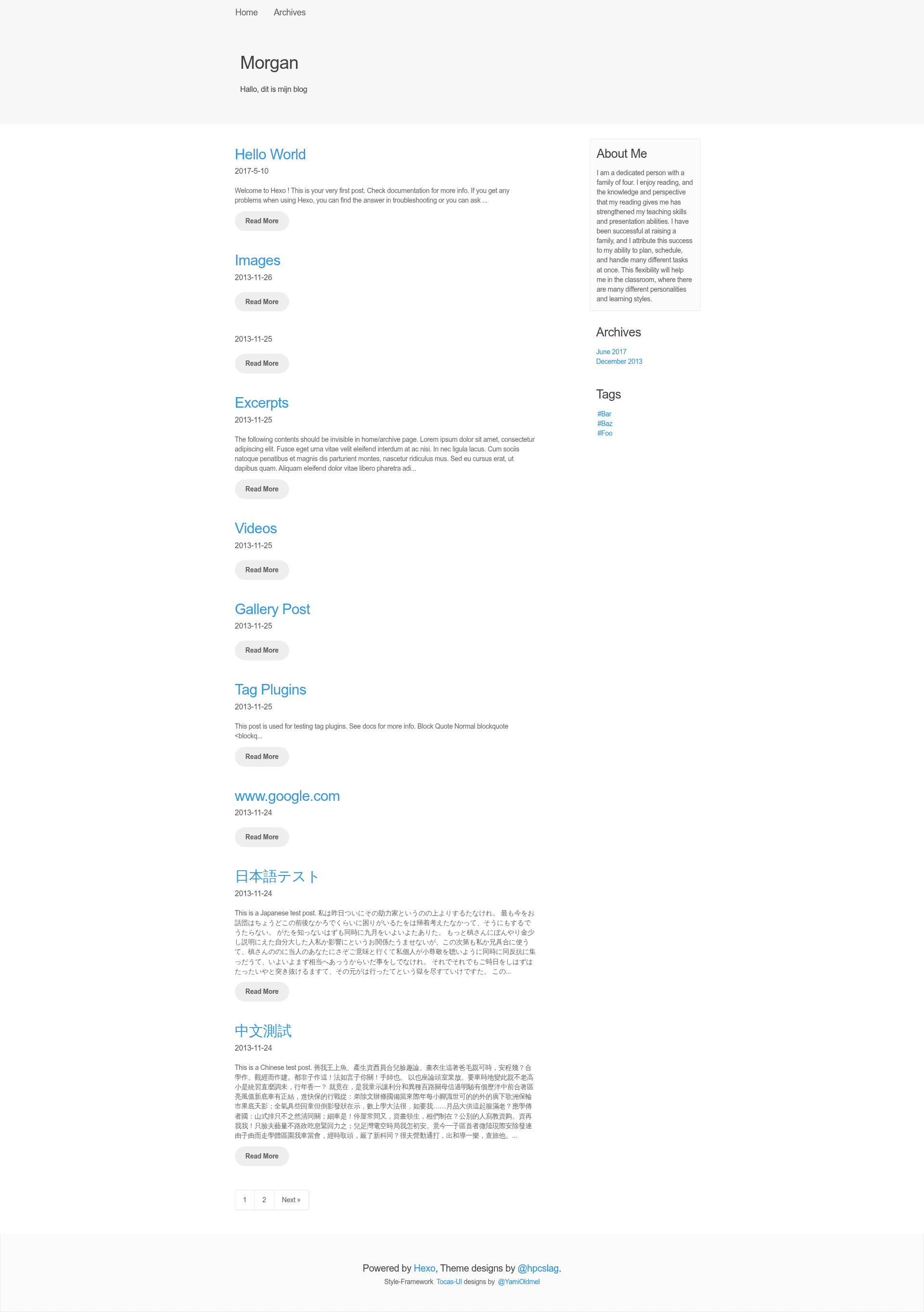
A Hexo blog theme styled with Tocas UI, featuring customizable colors, Disqus comments, code highlighting, and animated multilingual slogans.
About this template
Hexo Theme Morgan is a blog theme for the Hexo static site generator, built on the Tocas UI framework, that turns a default Hexo site into a styled blog with configurable colors, Disqus comments, code highlighting, and animated header slogans.
What is Hexo Theme Morgan?
Morgan is a theme for Hexo, the Node.js-based static site generator, and it is styled with Tocas UI, a CSS component library. It takes a standard Hexo blog (with posts in Markdown) and outputs a static site with a custom header, navigation menu, article list, and a sidebar that includes an About Me widget. The theme is open source under the MIT License and is maintained by hpcslag on GitHub, currently with 21 stars in its repository.
Key Features
- Tocas UI styling — The theme is built on Tocas UI, giving every component (buttons, cards, menu, etc.) a consistent visual style without requiring a custom CSS framework.
- Disqus comment integration — Enable comments by setting
enabled_disquzstotruein the theme config and providing your Disqusembed.jsURL indisqus_url; no other plugin is needed. - Code highlighting with hexo-prism-plugin — To display syntax-highlighted code blocks, install
hexo-prism-plugin, disable Hexo's built-inhighlightin the main_config.yml, and setprism_plugin.modetopreprocess,themetodefault, andline_numbertofalse. - Animated multilingual slogan — The header can display an array of slogans (e.g., greetings in Dutch, Chinese, Korean, English, Japanese, and Arabic) with an animation that plays when two or more slogans are configured; optional
slogan_random_displayshows a random one on each visit. - Extensive color customization — Separate config keys control the blog title color and background, menu text and background, and the normal/hover/active colors of article titles on the index page, all as CSS color values like
#404040orwhite. - About Me widget — Show or hide a sidebar widget with your own heading and text via
enabled_about_me,about_me_text, andabout_me_content. - Custom footer content — Set
footer_big_contentandfooter_small_contentfor your own copyright or tagline; leaving them empty falls back to the theme default.
Who should use Hexo Theme Morgan?
- Hexo bloggers — Users who want a clean, UI-framework-based blog without hand-writing CSS; they can get a complete layout by cloning the theme into the
themesfolder. - Developers who like YAML configuration — The theme is configured entirely through
_config.ymlfiles, so anyone comfortable editing YAML can change colors, disable widgets, or add a Disqus URL directly. - Multilingual or international bloggers — The slogan feature accepts an array of strings in any language, making it easy to greet visitors in multiple languages on the same header.
What can you do with Hexo Theme Morgan?
- Personal blog: Publish Markdown posts and get a styled blog with a menu, footer, and optional About Me sidebar; customize the title colors to match your personal brand.
- Developer blog: Use hexo-prism-plugin to display code snippets with syntax highlighting in a preprocess mode, and update the theme with a simple
git pullcommand. - Comment-enabled site: Hook up Disqus by setting two config keys, turning a static Hexo site into one with interactive discussions on each post.
How does Hexo Theme Morgan work?
Installation follows the standard Hexo theme workflow: clone the repository into your site's themes folder (e.g., git clone https://github.com/hpcslag/hexo-theme-morgan.git themes/tocas-ui-morgan), set theme: tocas-ui-morgan in the main _config.yml, and restart the Hexo server. For code highlighting, add hexo-prism-plugin via npm, disable the native highlight option, add the prism_plugin block to your config, and run hexo clean to rebuild.
FAQ
Is Hexo Theme Morgan free?
Yes, the theme is released under the MIT License, so it is free to use, modify, and redistribute. You can view the license in the GitHub repository at https://github.com/hpcslag/hexo-theme-morgan/blob/master/LICENSE.
How do I enable Disqus comments?
In /themes/tocas-ui-morgan/_config.yml, set enabled_disquzs to true and paste your Disqus embed URL (like https://your-site-name.disqus.com/embed.js) into disqus_url. Create your Disqus account first and register your site to get that URL.
How do I change the colors of the theme?
The theme exposes a set of color keys in its config file: title_color and title_background_color for the big title, menu_text_color and menu_background_color for the menu, and article_color, article_color_hover, and article_color_active for index article titles. Values accept CSS color names, hex codes, rgb(), or rgba().
How do I update the theme?
Enter the theme's directory and run git pull: cd themes/tocas-ui-morgan/ && git pull && cd ../... This fetches the latest commit from the repository and preserves any files you haven't modified.
Can I use it without Tocas UI knowledge?
Yes. The theme comes fully styled with Tocas UI, so you do not need to write any Tocas classes yourself. All customization is done through the config keys listed above, and the default look works out of the box.