Template details
Hexo Theme Oasis
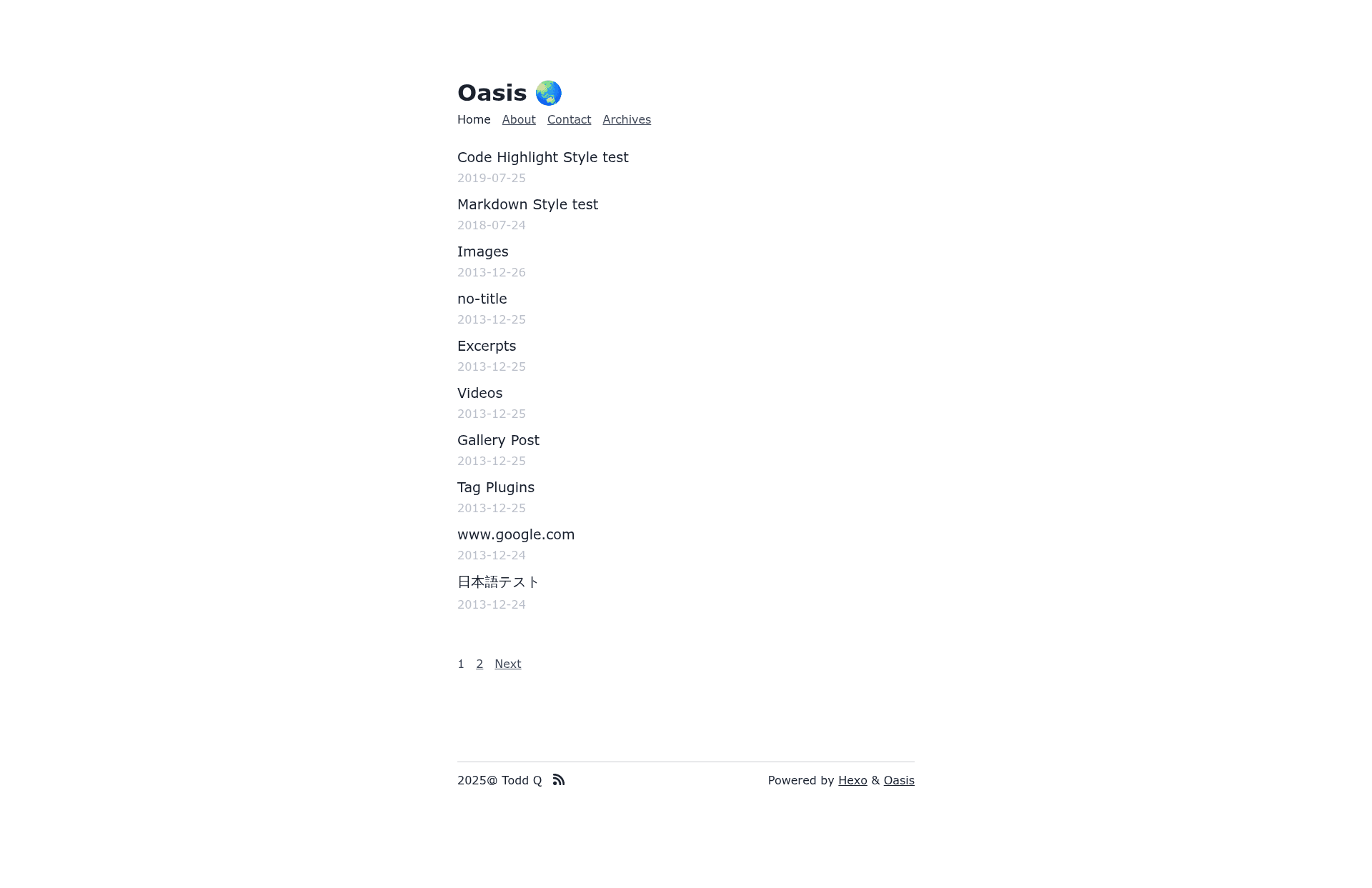
A pure and simple Hexo blog theme with minimal design, PrismJS highlighting, and feed support.
About this template
Hexo Theme Oasis is a minimal Hexo blog theme built for pure content presentation, requiring Hexo 5.4.0 or higher and installed by cloning the GitHub repository into your themes directory.
What is Hexo Theme Oasis?
Hexo Theme Oasis is an open-source Hexo blog theme that takes Markdown posts and renders them as clean, static HTML pages with a deliberately plain layout. It runs on the Hexo static site generator and is developed by qiantao94, released under the MIT license. The repository is described as "A pure and simple Hexo theme" and has 31 stars on GitHub.
Key Features
- Minimal design — The theme intentionally avoids elegant UI and animations, focusing solely on readable content with a clean, unadorned presentation.
- Hexo integration — Installs into the standard themes/oasis directory and activates by changing the theme setting in _config.yml to oasis.
- PrismJS syntax highlighting — Uses PrismJS instead of Hexo's default highlight engine; requires setting highlight.enable to false and prismjs.enable to true in the config file.
- Feed support — Includes hexo-generator-feed as a dependency, allowing you to generate RSS or Atom feeds from your posts.
- Pug templating — Templates are rendered using Pug via the hexo-renderer-pug package, giving developers flexibility in customizing the markup.
- Stylus stylesheets — The theme's visual styling is written in Stylus, a CSS preprocessor, so design tweaks involve editing .styl files.
- Easy updates — Updating the theme is done with a simple git pull inside the themes/oasis directory.
- Live preview — A demo site is available at https://hexo-theme-oasis-preview.pages.dev/ to see the theme in action.
Who is it for?
- Personal bloggers — who want a distraction-free, reading-focused layout for their written content without visual clutter.
- Hexo users — who need a minimal starter theme they can easily customize, with little existing styling to override.
- Technical writers — who publish code-heavy articles and want reliable PrismJS syntax highlighting for snippets.
- RSS enthusiasts — who want to provide an XML feed to readers through the bundled feed generator.
What can you do with Hexo Theme Oasis?
- Personal bloggers: write posts in Markdown, run hexo generate, and publish a static site with a consistent, plain reading layout.
- Technical writers: enable PrismJS to display code snippets with language-aware syntax highlighting in tutorials and documentation.
- Feed subscribers: use hexo-generator-feed to output an RSS or Atom feed that readers can follow in their preferred feed reader.
- Theme developers: inspect the Pug and Stylus source files to learn how a minimal Hexo theme is structured or build your own customized version.
How does Hexo Theme Oasis work?
Install the theme by running git clone --depth 1 https://github.com/qiantao94/hexo-theme-oasis.git themes/oasis, then install the required dependencies with npm install hexo-generator-feed --save and npm install hexo-renderer-pug --save. After setting theme: oasis in _config.yml and switching from highlight to prismjs, run hexo clean, hexo g, and hexo s to build and preview the site locally.
FAQ
Does Oasis require a specific Hexo version?
Yes, Oasis requires Hexo 5.4.0 and above. Older versions of Hexo may not support the theme's template features, so check your Hexo version before installation.
Is Oasis free to use?
Oasis is open-source and published under the MIT license, meaning it is completely free to use, modify, and redistribute, including in commercial projects.
How do I enable PrismJS code highlighting?
Open your site's _config.yml, set highlight.enable to false, and set prismjs.enable to true. After that, run hexo clean and hexo generate to rebuild the site with PrismJS styling.
How can I update the theme to the latest version?
Navigate into the themes/oasis directory and run git pull. This fetches the latest commits from the GitHub repository, keeping the theme up to date.
Does the theme include a preview site?
Yes, the repository links to a live preview at https://hexo-theme-oasis-preview.pages.dev/, hosted on Cloudflare Pages, where you can see the exact look of the theme.
Pricing
Oasis is free and open-source under the MIT license. There are no paid tiers, premium features, or licensing costs; you can use it as-is or adapt it to your needs without restriction.