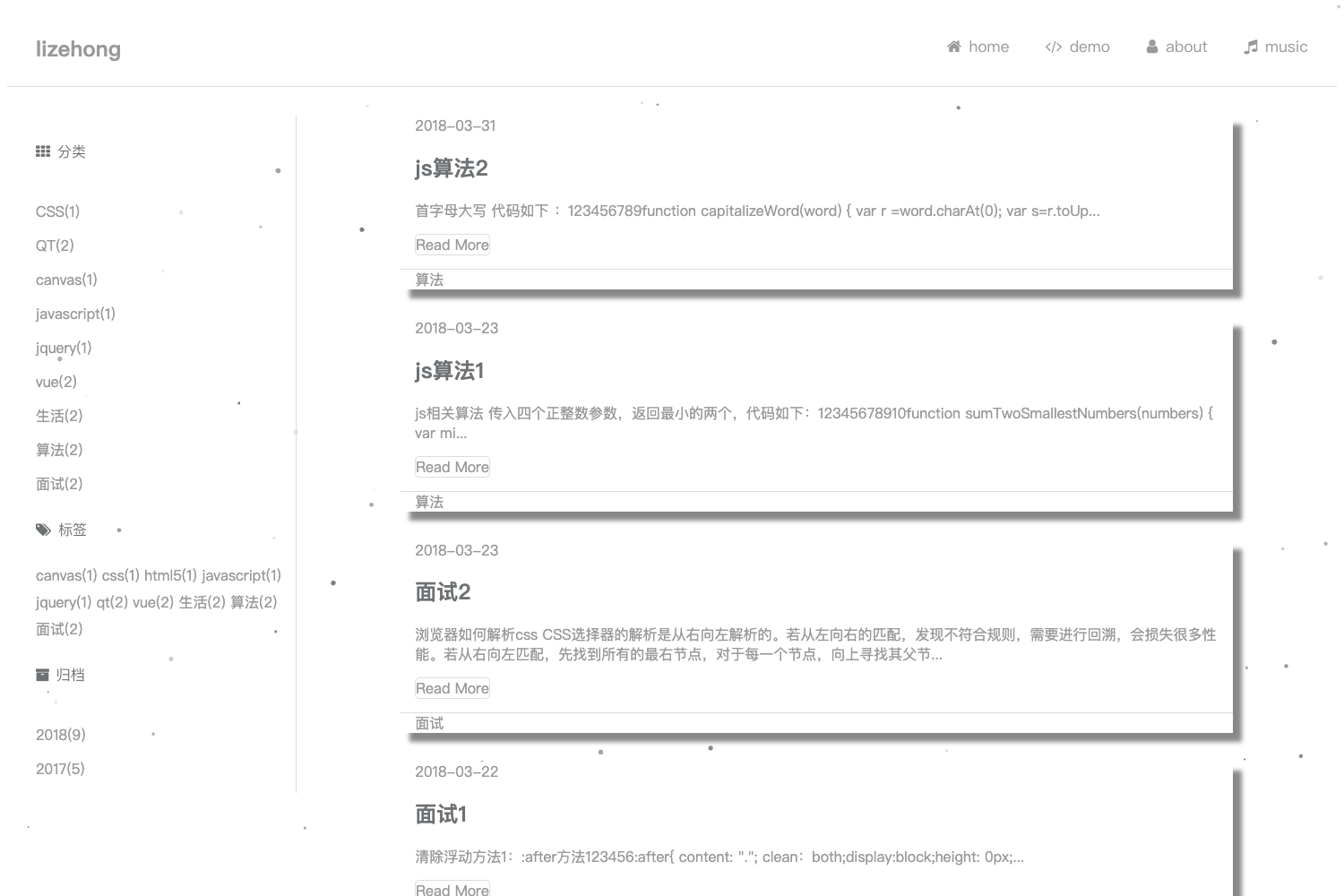
Template details
Hexo Theme Ylion
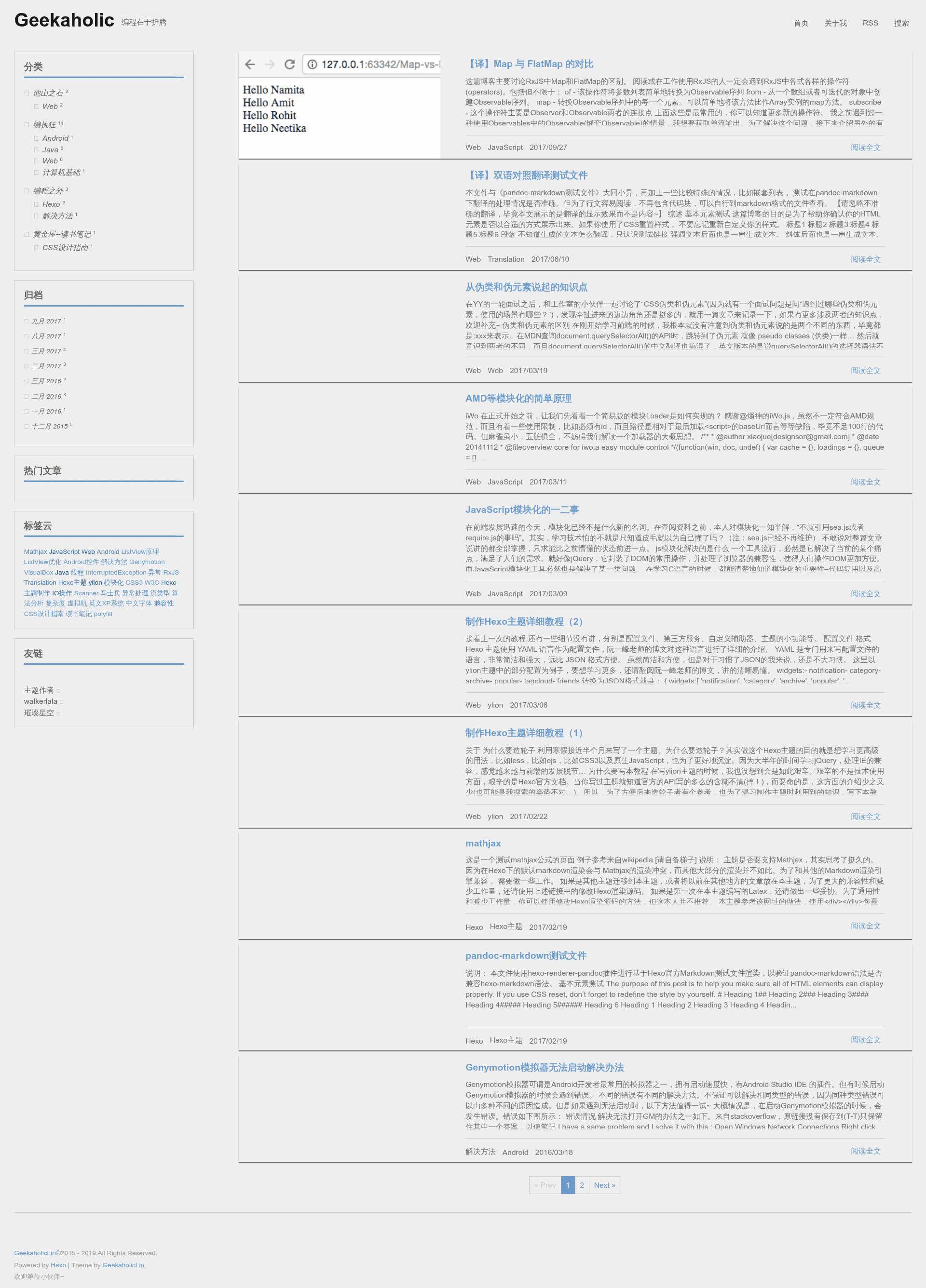
Responsive Hexo blog theme with jQuery-free JavaScript, LeanCloud stats, Gitment comments, bilingual support, and MathJax.
About this template
hexo-theme-ylion is a free, open-source blog theme for the Hexo static site generator that turns a Hexo blog into a responsive site with sticky posts, reading statistics, and bilingual support. It is built on the ejs template engine, Less for styling, and native JavaScript with no jQuery dependency, and it was created by a front-end developer known as geekaholic. The theme supports English, Simplified Chinese, and Traditional Chinese, and it works in Chrome, Firefox, Safari, and IE9 and above (though IE9 loses animations and LeanCloud statistics).
What is hexo-theme-ylion?
hexo-theme-ylion takes the content of a Hexo blog — posts, pages, tags, and configuration — as input and renders a complete front-end theme as output. It runs on the Hexo static site generator and requires Node.js, Git, and Hexo to be installed. The repository lists its purpose as a 'surprising hexo theme' and includes a detailed README in Chinese with installation, configuration, and customization instructions.
Key Features
- jQuery-free JavaScript — All interactive components are written in native JavaScript, so the theme loads without the jQuery library.
- Sticky posts — Posts can be pinned to the top of the home page using a sorting algorithm adapted from Netcan Space's blog.
- LeanCloud reading counts — The theme tracks per-post view counts via LeanCloud and can display a 'most popular posts' widget; this feature does not work in IE9.
- Gitment integration — Comments use Gitment, which stores each comment as a GitHub issue, replacing the older Duoshuo service.
- Bilingual content — A built-in bilingual comparison feature lets authors present posts in two languages, e.g., Chinese and English.
- MathJax support — Math formulas render through MathJax; support was added on 2017/2/19 with a separate usage guide.
- Enhanced site search — Based on a modified hexo-generator-search plugin, the theme generates a
search.xmlindex for client-side search. - Lazy-loaded images — Homepage images load lazily to improve initial page speed.
- No bundled images — The theme itself contains no image assets, keeping it lightweight.
- Responsive layout — The design adapts to desktop, tablet, and mobile screens.
Who should use hexo-theme-ylion?
- Hexo bloggers — Anyone running a Hexo blog who wants a feature-rich alternative to the default Landscape theme; they'll need to edit YAML config files.
- Chinese-speaking developers — The README, documentation, and design patterns target the Chinese blogging community, and the theme natively supports Simplified and Traditional Chinese.
- GitHub-centric site owners — Developers who want comment data stored in their GitHub repo will appreciate Gitment.
- Performance-focused writers — The combination of no jQuery, no included images, and lazy loading helps keep pages fast.
What can you do with hexo-theme-ylion?
- Pin important content — Use sticky posts to keep key articles at the top of the homepage and the announcement feature for site-wide messages.
- Track popular posts — Let LeanCloud record views and surface the most-read content in the widget.
- Publish bilingual posts — Use the bilingual comparison feature to show the same post in two languages side by side.
- Write mathematical articles — Write LaTeX-style equations in markdown and render them with MathJax.
How do you install hexo-theme-ylion?
Start with Node.js, Git, and Hexo already installed. Then install the required dependencies in one npm command: npm install hexo-renderer-ejs hexo-renderer-less hexo-generator-feed hexo-generator-sitemap hexo-deployer-git hexo-util ejs@^1.0.0 moment utils-merge --save. Download the theme files into the themes directory (beside landscape), set theme: ylion in the site's config file, and adjust the theme's YAML options. Finally run hexo clean && hexo g && hexo s -p 4300 and open http://localhost:4300 to preview.
Pros and cons
- Pros: Lightweight (no jQuery or image assets), responsive, includes sticky posts, announcements, reading counts, Gitment comments, MathJax, bilingual support, and on-site search.
- Cons: IE9 users miss CSS3 animations and LeanCloud statistics; the ejs version must be pinned to
^1.0.0to avoid known issues; most documentation is in Chinese.
Alternatives
- hexo-theme-next — a popular Hexo theme with a config-driven, feature-rich design.
- hexo-theme-landscape — the default Hexo theme, simpler in scope and used as a reference for this theme's early code.
FAQ
Is hexo-theme-ylion free?
Yes, it is open source under the MIT license, so you can use and modify it freely.
Does hexo-theme-ylion support comments?
Yes. It includes Gitment, which stores comments as GitHub issues, and this replaced the discontinued Duoshuo (多说) comment service.
What browsers does hexo-theme-ylion support?
It supports IE9 and above, Chrome, Firefox, and Safari. IE9 gets basic functionality without animations, and LeanCloud statistics may fail in that browser.
Can I write math formulas with this theme?
Yes. MathJax support was added on 2017/2/19. The author published a separate blog post explaining how to use it and what to watch out for.
Which languages are supported by the theme's interface?
English, Simplified Chinese, and Traditional Chinese. The README invites contributions to translate the theme into other languages.