Template details
Hextra Starter Template
Minimal Hugo starter template for Hextra with one-click deploy to GitHub Pages, Netlify, and Vercel.
About this template
Hextra Starter Template is a minimal Hugo-based boilerplate for bootstrapping a static website with the Hextra theme, pre-configured for one-click deployment to GitHub Pages, Netlify, and Vercel.
What is Hextra Starter Template?
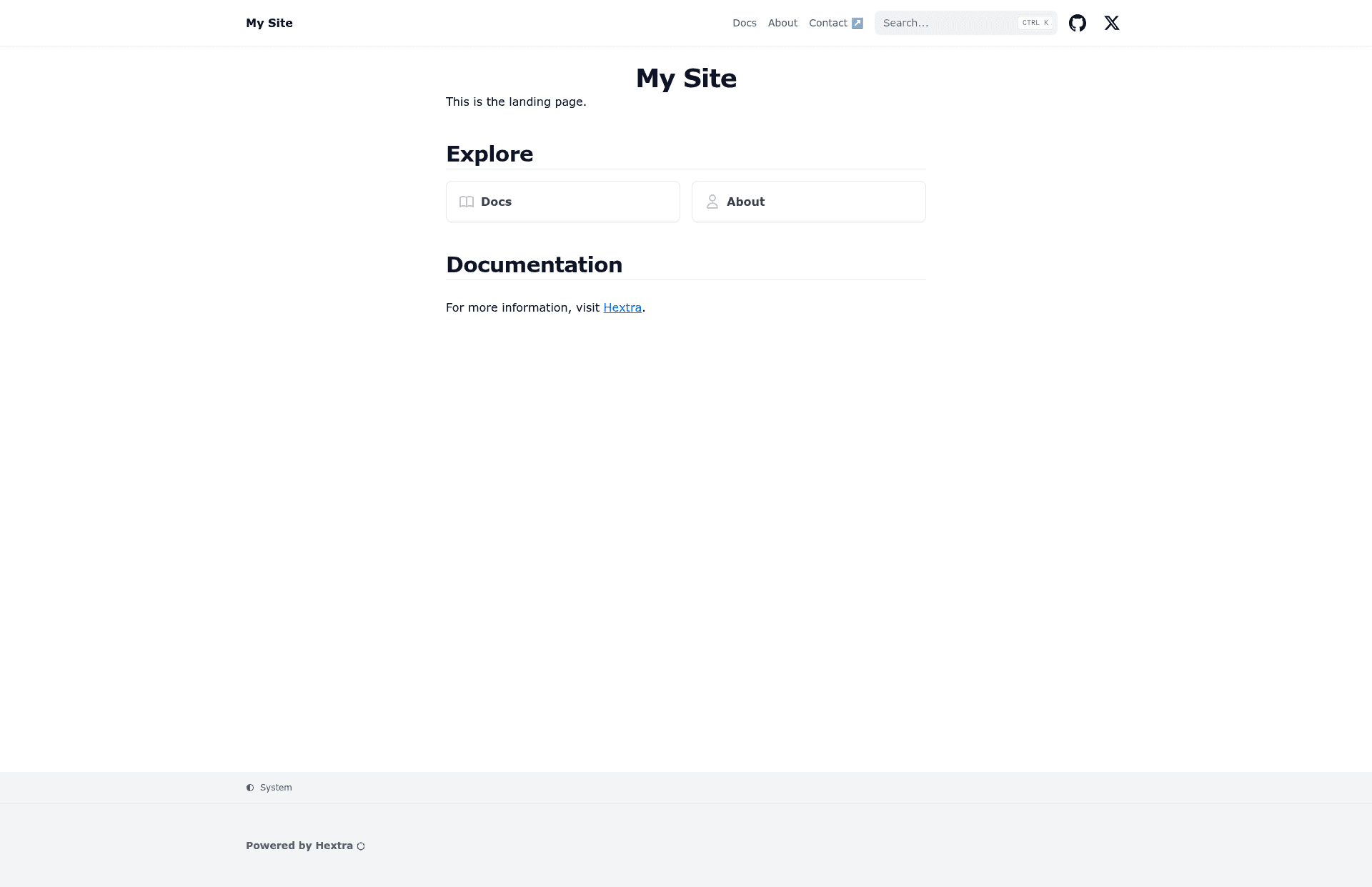
Hextra Starter Template is a GitHub template repository created by imfing, the developer of the Hextra Hugo theme. It provides the minimum file structure needed to launch a Hugo site using Hextra: you click "Use this template," get a new repository, and can immediately develop locally or deploy to three hosting platforms. The template outputs a complete static website and includes a prebuilt demo at https://imfing.github.io/hextra-starter-template/.
Key Features
- One-click GitHub Pages deployment — A ready-made GitHub Actions workflow in .github/workflows/pages.yaml publishes the site to GitHub Pages for free; users only need to set the Pages deployment source to "GitHub Actions" and push or run the workflow manually.
- Netlify and Vercel deploy buttons — The README includes "Deploy to Netlify" and "Deploy with Vercel" buttons that clone the repository and configure hosting; the Vercel flow accepts a HUGO_VERSION environment variable.
- Local development with Hugo Modules — Requires only Hugo, Go, and Git; run
hugo mod tidythenhugo server --logLevel debug --disableFastRender -p 1313to start a live-reloading preview at port 1313. - Theme updates via one command — Execute
hugo mod get -ufollowed byhugo mod tidyto update the Hextra theme module to the latest version. - GitHub Codespaces support — An "Open in GitHub Codespaces" badge lets you launch a cloud development environment and follow the same local development commands without installing tooling.
- Minimal starter structure — The template is intentionally small, giving you a clean base to add your own content and customize the site.
Who is it for?
Hextra Starter Template is for anyone who wants to build a static site with Hugo and the Hextra theme without starting from scratch. Developers who are new to Hextra can use it to see a working setup instantly. Teams that need a documentation site on GitHub Pages can deploy the built-in workflow with minimal configuration. Contributors who prefer cloud-based editing can jump into GitHub Codespaces and modify the site from a browser.
What can you do with it?
- Documentation site maintainers: Scaffold a new Hextra documentation site and publish it to GitHub Pages using the included Actions workflow, which requires no paid services.
- Static site hobbyists: Create a personal blog or portfolio page with Hugo and deploy to Netlify or Vercel via the one-click buttons.
- Evaluating Hextra: Run the local dev server to preview the theme's default styling and behavior before deciding on a full content build.
How does the template work?
To start, click the "Use this template" button on GitHub to create your own repository from Hextra Starter Template. For local development, clone that repository, run hugo mod tidy to download dependencies, then start the server with hugo server --logLevel debug --disableFastRender -p 1313. For deployment, either rely on the provided GitHub Actions workflow to build and publish to GitHub Pages, or click the Netlify/Vercel deploy buttons to connect the repository to those platforms.
FAQ
Is Hextra Starter Template free?
Yes. The template is a public GitHub repository and is free to use. You can clone it, modify it, and deploy it without paying for the template itself; any hosting costs depend on the provider you select.
What are the prerequisites for local development?
You need Hugo, Go, and Git installed. After cloning the repository, run hugo mod tidy to fetch modules, then launch the development server with hugo server --logLevel debug --disableFastRender -p 1313. The server runs at http://localhost:1313.
How do I deploy to GitHub Pages?
In your repository settings, set the Pages deployment source to "GitHub Actions." Then push a commit or manually run the workflow named "pages.yaml" from the Actions tab. The workflow builds the site and publishes it to GitHub Pages automatically.
Does the template work with Netlify and Vercel?
Yes. The README includes a "Deploy to Netlify" button that starts a site import, and a "Deploy with Vercel" button that lets you set the HUGO_VERSION environment variable before deploying. Both services build the Hugo site without extra configuration.
Can I develop in the cloud?
Yes. Click the "Open in GitHub Codespaces" badge in the README to create a cloud development environment. Once the codespace is ready, run the same local development commands to edit and preview the site without installing anything on your machine.