Template details
Highlights Jekyll Theme
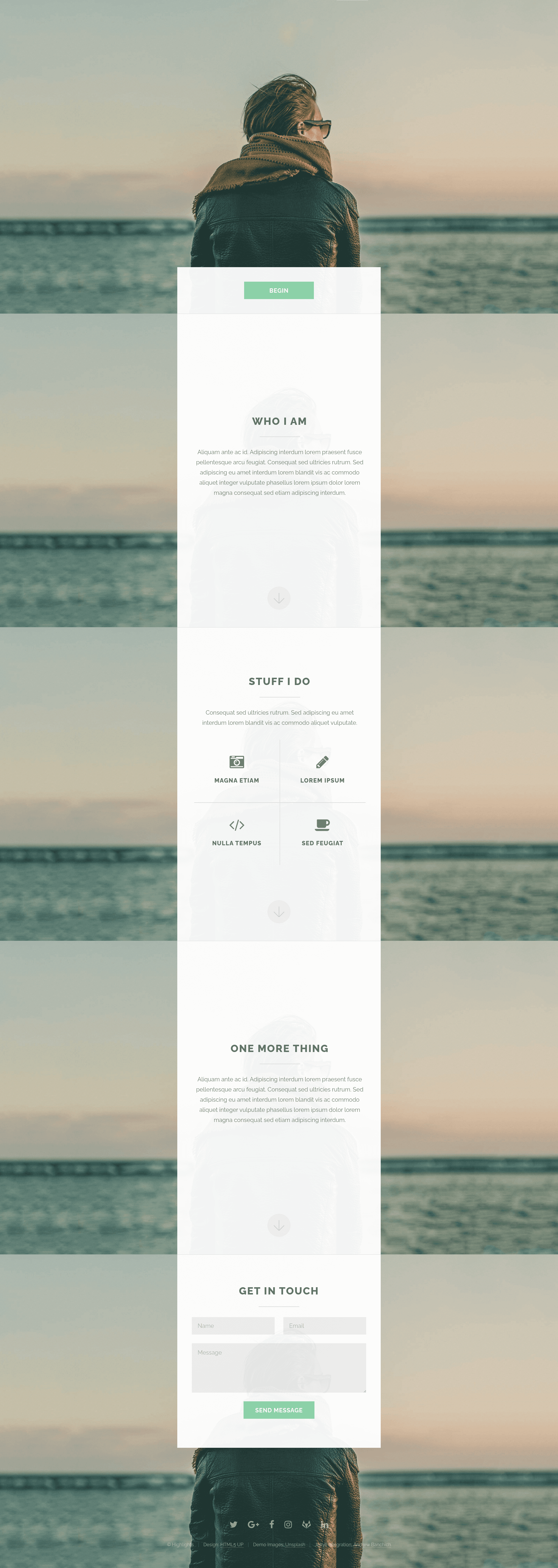
A Jekyll version of the 'Highlights' theme by HTML5 UP, a single-page responsive portfolio template.
About this template
Highlights Jekyll Theme is a single-page portfolio Jekyll theme ported from HTML5 UP's "Highlights" design by Andrew Banchich, runnable as a static site by editing one _config.yml file.
What is Highlights Jekyll Theme?
Highlights Jekyll Theme is a Jekyll port of the "Highlights" single-page responsive template created by AJ at HTML5 UP. It takes configuration data in _config.yml (site title, social links, Formspree email) and generates a static HTML site. The theme runs on any Jekyll environment, including GitLab Pages or GitHub Pages with a gh-pages branch. The port is maintained by Andrew Banchich; the original theme is by HTML5 UP under the CCA 3.0 license. The repository is tagged with topics like ruby-gem, static-site, and jekyll-themes, and its assets include jQuery, html5shiv, Respond.js, and Skel per the credits.
Key Features
- Formspree contact form integration — Set your email in
_config.ymlto enable a working contact form that posts to Formspree.io; no backend required. - Ten social link fields — Configure optional URLs for 500px, Facebook, GitHub, GitLab, Google+, Instagram, LinkedIn, Pinterest, Slack, and Twitter in
_config.yml. - Single-page layout — Displays all sections on one scrolling page, based on HTML5 UP's original design.
- Responsive design — Fully adapts to desktop, tablet, and mobile viewports.
- Scrollex scroll effects — Uses the jQuery scrollex plugin for scroll-triggered interactions, as in the original theme.
- Easy deployment — Fork the repo on GitLab and edit
_config.yml, or on GitHub create agh-pagesbranch; no build step beyond Jekyll. - Free to use — Licensed under Creative Commons Attribution 3.0, allowing personal and commercial use with attribution.
Who is it for?
Freelancers and creatives who want a clean single-page portfolio to display projects and contact information. Developers who need a minimal Jekyll theme with a pre-integrated contact form and social links. Small-business owners who want a simple static landing page that is easy to update by editing one YAML config file.
What can you do with it?
- Portfolio showcase — Display your work, skills, and bio in a responsive one-page layout.
- Lead generation — Collect inquiries through the Formspree-powered contact form without running a server.
- Personal landing page — Centralize links to your social profiles (Twitter, GitHub, Instagram, etc.) in the header or footer.
How does Highlights Jekyll Theme work?
To deploy, fork this repository on GitLab, or on GitHub fork it and rename the branch to gh-pages. Then edit _config.yml to set site parameters: add your email for Formspree and fill in any social URLs. Commit and push, and Jekyll generates the static site.