Template details
Photographix
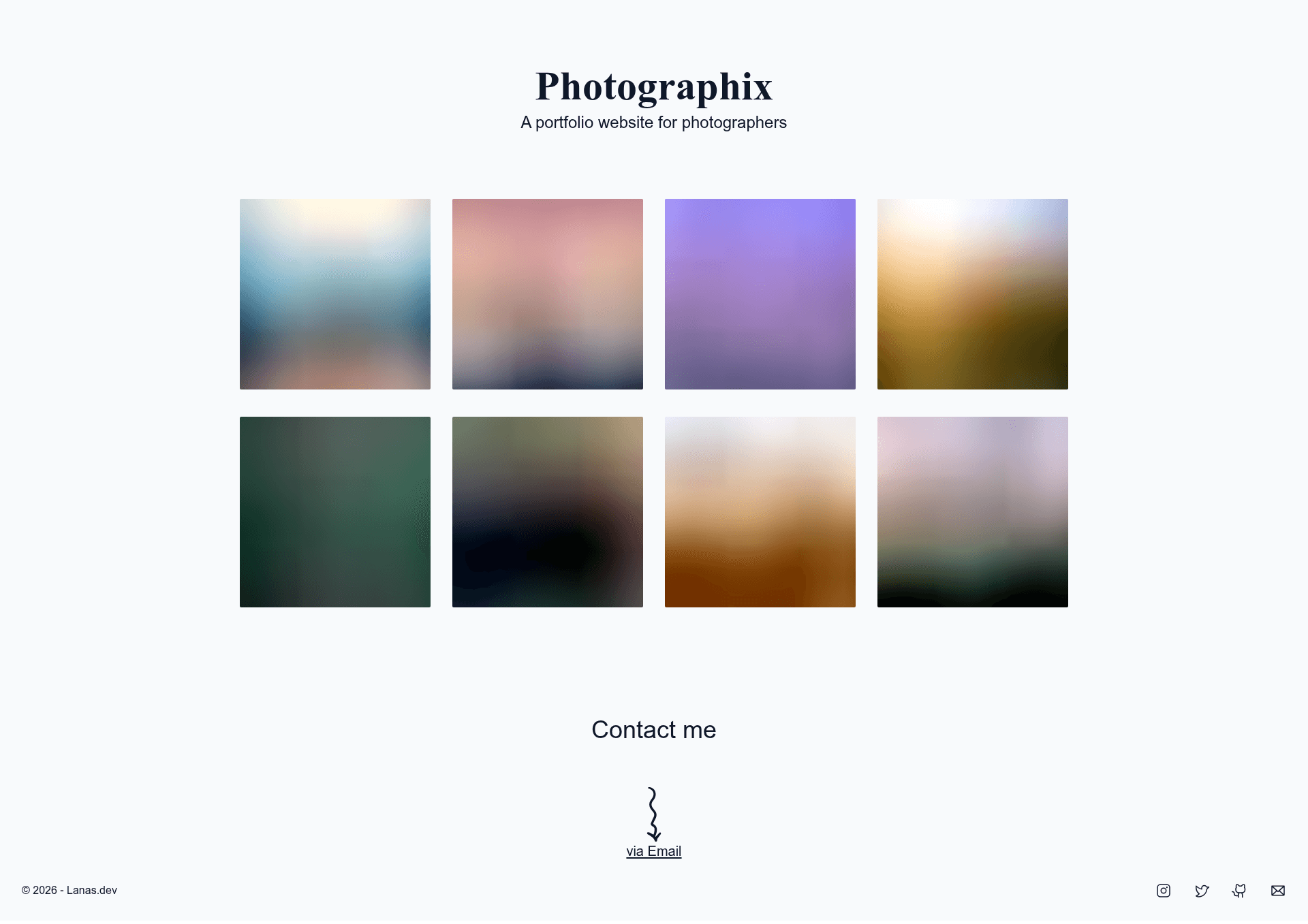
A Next.js portfolio template for photographers, powered by DatoCMS and Tailwind CSS.
About this template
Photographix is a Next.js portfolio template for photographers that pairs a responsive, statically generated front end with DatoCMS as the content backend, letting image galleries and site text be managed without touching code.
What is Photographix?
Photographix is a portfolio template for photographers built with Next.js, TailwindCSS, DatoCMS, and TypeScript. It takes content managed in DatoCMS — including photography galleries and page copy — and generates a fully responsive static website for photographers. The template is available as a GitHub repository under the lanasdev account and can be deployed either through the DatoCMS clone button or by cloning the repo and running it locally.
What makes Photographix stand out?
Photographix stands out because it combines a modern Next.js static site with the DatoCMS headless CMS, enabling content updates without writing code. Its features include:
- Next.js framework — built on Next.js and configured for static site generation, producing pre-built HTML pages.
- TailwindCSS styling — utility-first CSS classes make the layout responsive and easy to restyle.
- DatoCMS integration — the site is fully customizable from the DatoCMS dashboard, including image galleries and text content.
- TypeScript — the codebase is typed with TypeScript for better developer tooling and maintainability.
- Lazy-loaded images with blur-up effect — pictures load with a placeholder and a blur transition, improving perceived performance.
- Fully responsive design — the layout adapts to mobile, tablet, and desktop screen sizes.
- Portfolio structure — the template is centered on a photography portfolio layout, with galleries as the primary content.
- One-click deployment — the DatoCMS clone button sets up both the CMS project and the site without manual configuration.
- Simple local development — running
yarn installandyarn devstarts the project locally.
Who should use Photographix?
Photographix is built for photographers and developers who want a ready-made portfolio site with a CMS. Specific users include:
- Photographers who want a professional online portfolio without building one from scratch can use Photographix to showcase their work.
- Freelance photographers who need to update their galleries frequently can manage all images and text through DatoCMS, avoiding code changes.
- Developers looking for a Next.js and DatoCMS starter can customize this template as a base for client portfolio projects.
What can you do with Photographix?
With Photographix you can build and manage a photography portfolio entirely through DatoCMS. Typical tasks include:
- Showcase a photography portfolio: display galleries of work in a responsive layout that looks good on any device.
- Manage content through DatoCMS: update images, captions, and site text from the CMS dashboard, and rebuild the static site with the new content.
- Deploy quickly: use the DatoCMS clone button to deploy the site and CMS together, or host the static output on any static hosting platform.
How does Photographix work?
To get started, you can either click the "Clone DatoCMS project" button to deploy a pre-configured site, or clone the GitHub repository and run yarn install followed by yarn dev for local development. The DatoCMS project holds the editable content, and the Next.js app fetches that content at build time to generate static pages.
FAQ
Does Photographix use a CMS?
Yes, Photographix uses DatoCMS as its content management system. You edit galleries and site copy in DatoCMS, and the Next.js site pulls that content during the static build.
What tech stack does Photographix use?
Photographix is built with Next.js, TailwindCSS, DatoCMS, and TypeScript. It is configured for static generation and includes lazy-loaded images with blur-up placeholders.
How do I run Photographix locally?
Clone the repository, then run yarn install to install dependencies and yarn dev to start the development server. This runs the Next.js app in development mode.
Can I deploy Photographix without using DatoCMS?
The template is designed around DatoCMS, so replacing it would require changing how content is fetched and modelled. The provided deployment path uses the DatoCMS clone button.