Template details
Homarr
Customizable browser's home page to interact with your homeserver's Docker containers (e.g. Sonarr/Radarr)
About this template
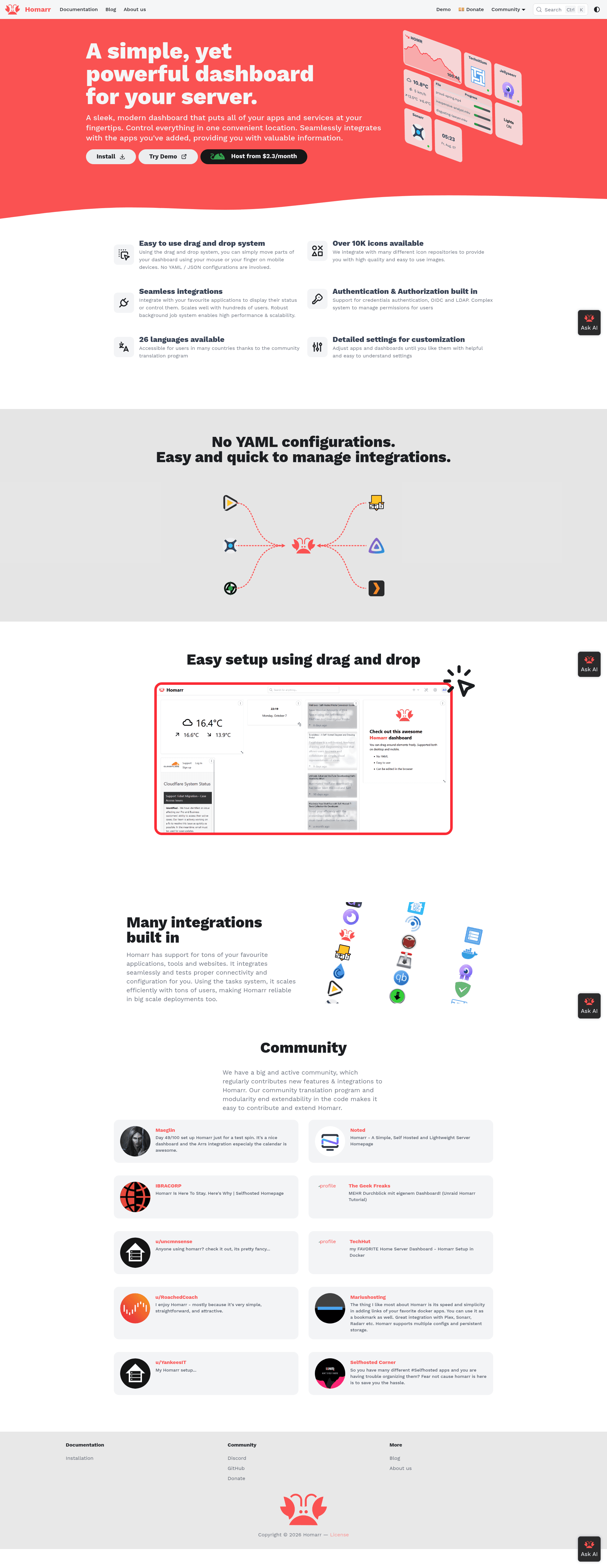
Homarr is an open-source, self-hosted dashboard for managing homeserver applications and Docker containers from a single browser page.
What is Homarr?
Homarr is a customizable browser home page that lets users interact with their homeserver's Docker containers and self-hosted apps. It runs as a self-hosted web application and is built with Next.js, React, and Mantine. The original project was created by ajnart and is now maintained under homarr-labs; the v0.x repository is archived, and development continues on v1+.
Key Features
- Drag-and-drop grid system — Highly customizable layout with an extensive drag-and-drop grid system.
- App management without YAML — Add and configure apps easily through the UI, no manual YAML files required.
- Built-in integrations — Connect to popular self-hosted apps including Plex, Jellyfin, Sonarr, Radarr, Lidarr, Readarr, Overseerr, Jellyseerr, Pi-hole, AdGuard Home, Deluge, Transmission, qBittorrent, SABnzbd, NZBGet, Docker, and Dash.
- Advanced secrets management — Securely store and use API keys and credentials for the connected integrations.
- Icon picker with over 7000 icons — Choose from a built-in library of more than 7,000 icons for apps and services.
- Application status monitoring — Monitor the availability of your apps with a built-in status system.
- Instant search — Search the web or your supported integrations directly from the dashboard.
- Easy deployment — Deploy with Docker, unRAID, or Synology; compatible with x86, Raspberry Pi, and older laptops.
Who is it for?
Homarr is for homelab enthusiasts and self-hosting users who want a single page to access and monitor their services. It's also useful for Docker users who want a graphical way to manage their container apps without editing YAML, and for media server owners running Plex/Jellyfin alongside Sonarr/Radarr to have an all-in-one landing page.
What can you do with Homarr?
- Homelab administrators: create a unified dashboard with live status indicators for all self-hosted services.
- Media server owners: integrate Plex, Jellyfin, Sonarr, Radarr, and Overseerr to monitor downloads and requests directly from the dashboard.
- Docker users: manage container apps and launch them from a visual interface without touching configuration files.
- Network admins: add Pi-hole or AdGuard Home widgets to check ad-blocking status at a glance.
FAQ
Is Homarr free?
Yes, Homarr is free and open source. It is maintained by volunteer developers and accepts donations via Ko-fi, but all features are available without cost.
What integrations does Homarr support?
Homarr supports torrent clients (Deluge, Transmission, qBittorrent), Usenet clients (SABnzbd, NZBGet), media servers (Plex, Jellyfin), collection managers (Sonarr, Radarr, Lidarr, Readarr), request managers (Overseerr, Jellyseerr), DNS ad-blockers (Pi-hole, AdGuard Home), Docker, and Dash.
Is Homarr still maintained?
The original ajnart/homarr repository is archived and no longer updated. The project has moved to homarr-labs/homarr with v1+, which is actively developed. Users are encouraged to migrate following the official migration guide.
Does Homarr work on Raspberry Pi?
Yes, Homarr is compatible with any major consumer hardware, including x86, Raspberry Pi, and old laptops.