Template details
Nuxt Black Dashboard
Nuxt.js admin dashboard template with Bootstrap 4, dark and light modes, charts, and example pages for managing business data.
About this template
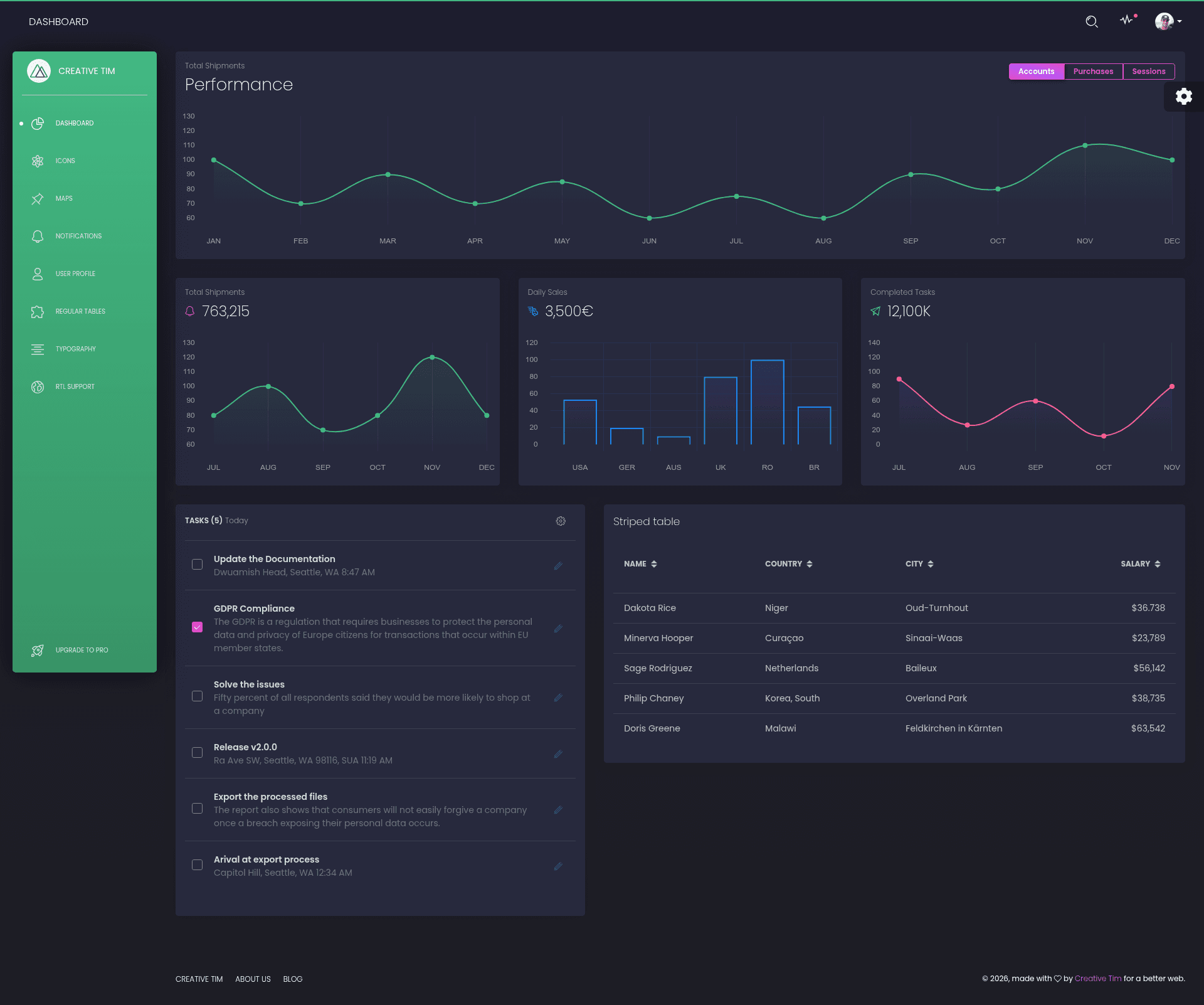
Nuxt Black Dashboard is a Bootstrap 4 admin dashboard template built on the Nuxt.js framework by Creative Tim, offering dark and light modes for managing and visualizing business data.
What is Nuxt Black Dashboard?
Nuxt Black Dashboard is a Nuxt.js (Vue.js) admin dashboard template developed by Creative Tim, currently at version 1.1.0. It takes a Nuxt.js project structure and delivers a complete admin interface, including dashboard, user profile, tables, maps, notifications, typography, and RTL example pages, along with the required SCSS, fonts, and configuration files. The template runs on Nuxt.js and uses Bootstrap 4 for styling, with Chart.js, Nucleo, perfect-scrollbar, and Element UI as integrated plugins.
Key Features
- Dark and Light Mode — The template ships with two color schemes, allowing you to switch between dark and light interfaces.
- Nuxt.js Framework — Built on Nuxt.js, offering file-based routing, server-side rendering, and static site generation capabilities.
- Bootstrap 4 Styling — Styled with Bootstrap 4 and custom SCSS located in assets/sass/black-dashboard.scss.
- Included Plugins — Integrates Chart.js for charts, Nucleo for icons, perfect-scrollbar for scrollbars, and Element UI for Vue components.
- Example Pages — Includes dashboard, user profile, tables, maps, notifications, typography, RTL, and starter-page examples.
- RTL Support — Ships with an RTL plugin and an Arabic language file (lang/ar.js) for right-to-left layouts.
- Reusable Components — Provides Vue components such as BaseButton, BaseInput, BaseTable, Modal, Cards, Charts, and Navbar components.
- Browser Support — Officially supports the last two versions of Chrome, Firefox, Edge, Safari, and Opera.
Who is it for?
- Admin developers — who need a ready-made Nuxt.js admin panel with common pages and components to accelerate dashboard development.
- Product teams and startups — looking to display business metrics, user data, and analytics in a clean, modern dashboard.
- Agencies — that need to quickly prototype an admin interface for clients using a Vue-based stack.
What can you do with it?
- Build a business dashboard — use the included chart components and data tables to visualize key performance indicators.
- Create a user profile page — leverage the EditProfileForm and UserCard components to manage user details.
- Set up an RTL interface — activate the RTL plugin and Arabic language file to serve Arabic-speaking users.
FAQ
Is Nuxt Black Dashboard available in other frameworks?
Yes, Creative Tim offers the same Black Dashboard design in HTML, React, Vue, Angular, Django, Flask, Laravel, and Nuxt versions.
Does Nuxt Black Dashboard support dark and light mode?
Yes, the template includes both dark and light modes that can be toggled.
What plugins are included in Nuxt Black Dashboard?
It includes Chart.js for charts, Nucleo for icons, perfect-scrollbar for custom scrollbars, and Element UI for Vue components.
Does the template support RTL languages?
Yes, it ships with an RTL plugin and an Arabic language file, plus an RTL example page.
Which browsers are supported?
Nuxt Black Dashboard officially supports the last two versions of Chrome, Firefox, Edge, Safari, and Opera.