Template details
Hugo Atlantic Theme
A clean, modern Tailwind CSS 3 blog theme for Hugo with full blog functionality and Netlify-ready deployment.
About this template
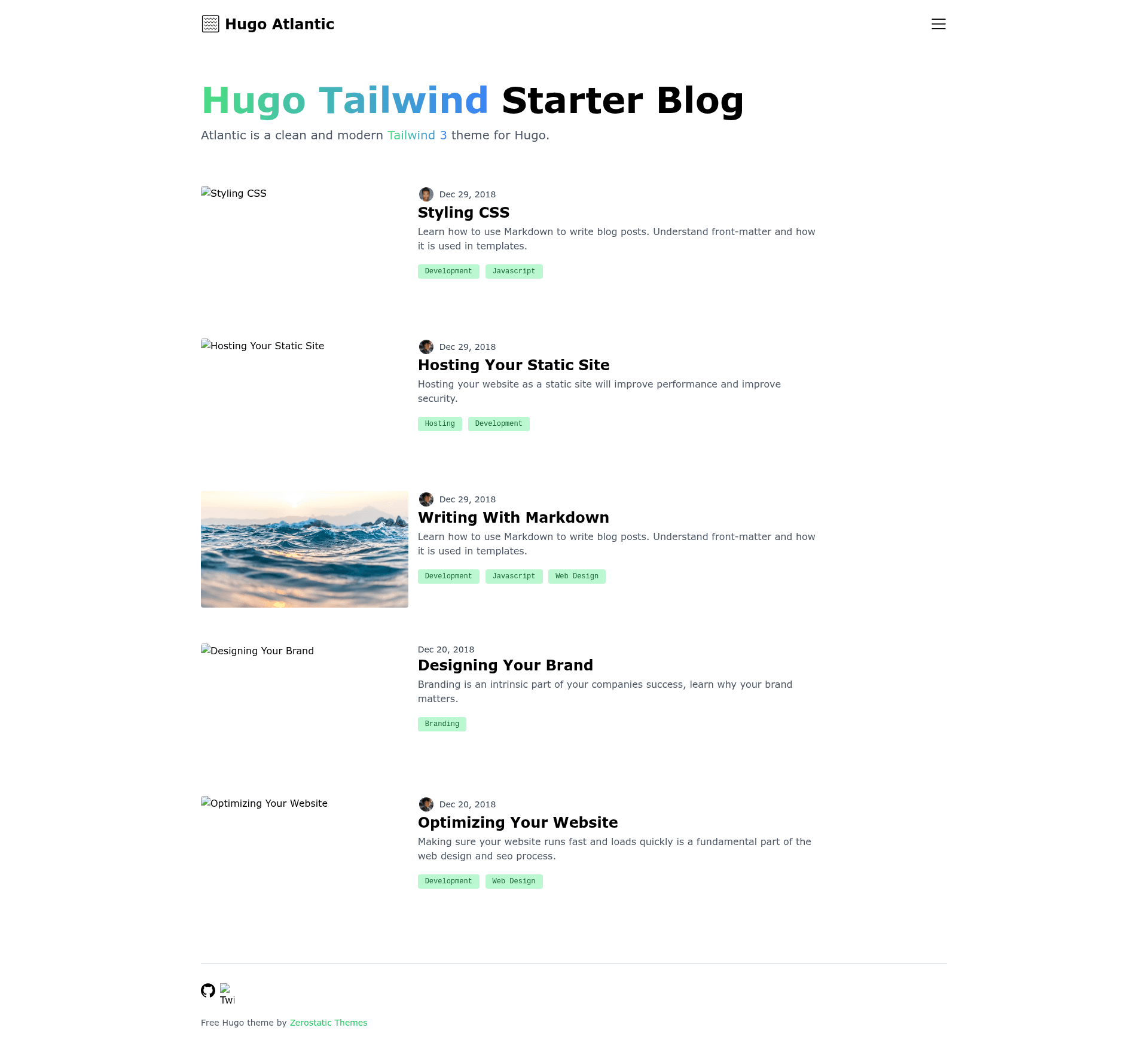
Hugo Atlantic Theme is a Tailwind CSS 3 blog theme for the Hugo static site generator, designed to produce a lightweight, high-scoring blog with full Hugo blog features.
What is Hugo Atlantic Theme?
Hugo Atlantic Theme is an open-source Hugo theme created by Zerostatic Themes that transforms a fresh Hugo site into a responsive blog with category support, pagination, and Tailwind CSS v3 styling. It accepts a Hugo site with example content and outputs a static blog featuring a responsive menu, post layouts, and a clean visual design. The theme runs on Hugo (Hugo Extended version is required) and uses PostCSS v8 to process Tailwind. A Jekyll version of the Atlantic design is also available from the same author.
What makes Hugo Atlantic Theme stand out?
- Tailwind CSS v3 pipeline — Styling is built with Tailwind CSS v3, processed through PostCSS v8 with
postcss-importandpostcss-nested. - High Lighthouse scores — Reports 100/100 performance, 100/100 SEO, and 94/100 accessibility; the accessibility score is reduced only by the green text color contrast, according to the author.
- Tiny page size — A page weighs 8.7 kB without images, which the author says could load on a 56k modem in 1.5 seconds.
- Full Hugo blog functionality — Includes blog categories, pagination, a responsive menu, and responsive blog and post layouts.
- Royalty-free illustrations — Robust example content is bundled with royalty-free illustrations.
- Netlify-ready — A
netlify.tomlfile is included, so the theme can be deployed to Netlify directly. - Example site content — A complete
exampleSitefolder is included, letting you copy the contents into a new Hugo site and start immediately. - Jekyll alternative — The same Atlantic design is published as a Jekyll theme on GitHub, useful if you prefer Jekyll over Hugo.
Who is Hugo Atlantic Theme for?
- Bloggers and content writers — Set up a category-organized blog with pagination and a responsive design without writing CSS from scratch.
- Hugo developers — Use the theme as a starter reference for integrating Tailwind CSS v3 with Hugo Pipes and PostCSS.
- Agencies and freelancers — Deliver fast, SEO-optimized client blogs that score highly in Lighthouse audits, aided by the small page size.
What can you do with Hugo Atlantic Theme?
- Personal bloggers: Launch a clean blog by copying the example content into a new Hugo site, updating
config.toml, and running the included build commands. - Hugo developers: Customize the Tailwind and PostCSS pipeline to match a client's brand, then reuse the pattern in other Hugo projects.
- Netlify deployers: Push the repository to Netlify with the included
netlify.tomlfor automatic builds.
How does Hugo Atlantic Theme work?
- Install Hugo Extended, which is required because the theme uses Hugo Pipes to compile and minify assets.
- Create a new Hugo site and clone the theme into the
themesfolder. - Copy the contents of
exampleSiteinto the site root. - Update
baseURL,themesDir, andthemevalues inconfig.toml. - Run
npm installto install Tailwind and PostCSS dependencies, thennpm run startto launch the development server atlocalhost:1313.
Pros and cons
- Very fast page loads — The 8.7 kB page size (without images) yields excellent Lighthouse performance scores.
- Complete starter content — The theme includes example content, illustrations, and a Netlify config.
- Hugo Extended requirement — The theme will not work with the standard Hugo binary; you must install the
/extendedbuild. - Node dependency — Tailwind processing requires npm modules, so the build is not purely Hugo-based.
FAQ
Is Hugo Extended required for Hugo Atlantic Theme?
Yes. The theme uses Hugo Pipes to compile SCSS and minify assets, so the Hugo Extended version is mandatory. You can verify your install by running hugo version and checking that the output includes /extended.
What are the Lighthouse scores for this theme?
The theme reports 100/100 performance, 100/100 SEO, and 94/100 accessibility. The author notes the accessibility score is slightly lower because of the green text color contrast.
How do I install the Atlantic theme?
Install Hugo Extended, then run hugo new site mynewsite, clone the theme into mynewsite/themes, copy the exampleSite contents to the site root, update config.toml, run npm install, and finally npm run start to launch the dev server.
Does the theme support blog categories?
Yes, the theme includes full Hugo blog functionality, including category pages and pagination.
Can I deploy this theme to Netlify?
Yes, a netlify.toml file is included in the repository, so the theme is Netlify-ready with no additional configuration.