Template details
Hugo Quickstart Template
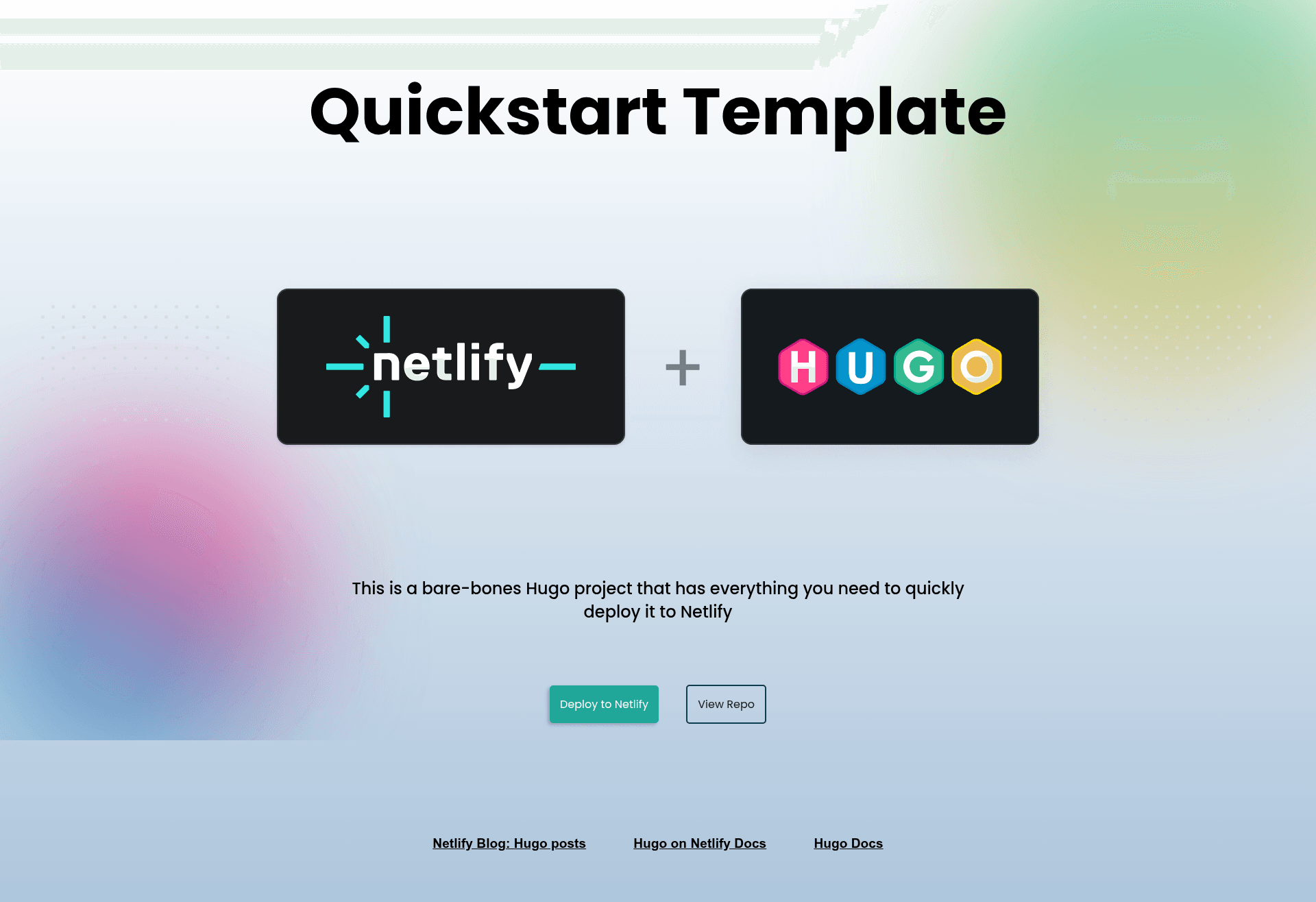
A bare-bones Hugo template to get you deployed to Netlify fast!
About this template
Hugo Quickstart Template is a bare-bones Hugo project from Netlify's template library that gets a static site deployed to Netlify in minutes.
What is the Hugo Quickstart Template?
The Hugo Quickstart Template is a minimal starter site built with the Hugo static site generator, preconfigured for deployment to Netlify. It takes the template repository as input and produces a working static website that you can run locally or deploy to production. The template is maintained by Netlify and is part of the netlify-templates organization on GitHub.
Key Features
- One-click Netlify deployment — The Deploy to Netlify button creates a new repository, sets up a Netlify project, and deploys the site automatically.
- Hugo static site generator — Uses the Hugo framework, so you write content in Markdown and get a compiled HTML site with no server-side dependencies.
- Sass styling with CSS variables — Includes a modern external stylesheet with Sass variables that control the gradient colors of background blobs; the whole demo stylesheet can be deleted.
- Netlify CLI support — Commands like
netlify dev,netlify deploy, andnetlify deploy --prodhandle local previews, deploy preview links, and production deploys. - Built-in end-to-end testing — Cypress runs browser tests on the template, gated by the Cypress Netlify Build Plugin so failed tests block deploy links.
- Automated dependency updates — Renovate keeps template dependencies current by opening update PRs; removing it means deleting the renovate.json file.
- Continuous deployment options —
netlify initornetlify linkconnect the repository to existing Netlify projects with GitHub webhooks.
Who should use the Hugo Quickstart Template?
Developers who are new to Hugo can use this template to see a minimal working site and learn the Hugo file structure. Teams that want a fast static-site deployment pipeline can clone the repo and push to Netlify without configuring builds from scratch. Anyone evaluating Hugo for a personal blog or project site can use this starter to spin up a live preview in under five minutes.
What can you do with the Hugo Quickstart Template?
- Hugo beginners: run
hugo server -Dto start a local development server at localhost:1313 and inspect the generated site. - Netlify users: deploy via the CLI with
netlify deploy --prodor usenetlify sites:create-template hugo-quickstartto have Netlify create the repo and project for you. - Template maintainers: remove the demo styling by deleting the demo-styling.css file, and strip out Cypress or Renovate for your own testing setup.
- Content authors: the Hugo project supports Markdown content, making it easy to add pages and posts without touching HTML.
How does the Hugo Quickstart Template work?
Using the Quick Setup option, click the Deploy to Netlify button and Netlify creates a new repository, initializes the project, and deploys the site. For manual setup, clone the repository, run hugo server -D to serve locally, then run hugo to build and netlify deploy --prod to publish. The template includes a netlify.toml configuration that integrates the Cypress build plugin for testing.
FAQ
Is the Hugo Quickstart Template free?
Yes, the template is open source and hosted in the netlify-templates GitHub repository. You can use it without cost; you only pay for Netlify's hosting if you exceed the free tier limits.
Does the template include styling?
Yes, it ships with a Sass-powered demo stylesheet with CSS variables for blob gradient colors. If you don't want the styling, delete the demo-styling.css file in the themes/netlify-basic/static/css directory.
What testing tools are included?
The template includes Cypress for end-to-end browser tests and a Cypress Netlify Build Plugin to run tests during the Netlify build. Renovate is also configured to update dependencies automatically via pull requests.
Can I deploy without the Netlify CLI?
Yes, the one-click Deploy to Netlify button handles repo creation and deployment entirely in the browser. You can also use netlify sites:create-template hugo-quickstart to deploy without manual setup.