Template details
HyperFrames on Vercel
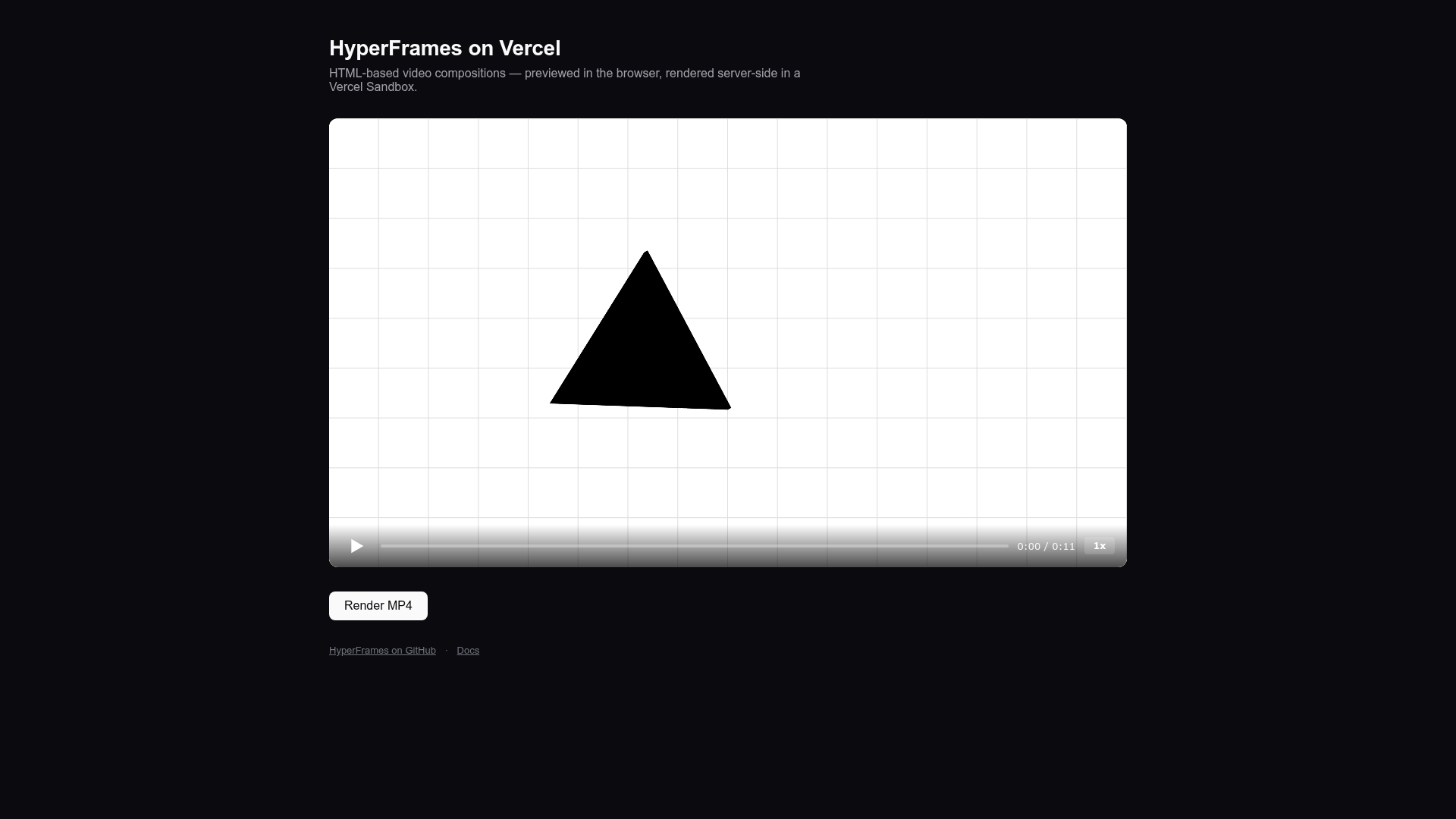
Preview HTML video compositions in the browser and render MP4s server-side on Vercel Sandbox.
About this template
HyperFrames on Vercel is a Next.js template that previews HTML + CSS + GSAP video compositions in the browser and renders them to MP4 files server-side, using Vercel Sandbox for the render runtime and Vercel Blob for output storage. It is maintained by heygen-com, the creators of the open-source HyperFrames rendering framework.
What is HyperFrames on Vercel?
HyperFrames on Vercel is a deployment-ready reference template that couples the HyperFrames video framework with Vercel's serverless platform. It takes as input a composition bundle containing index.html and assets written in HTML, CSS, and GSAP; it outputs an MP4 file whose public URL is returned by an API route. The template runs on Next.js (App Router) and is designed to be deployed directly to Vercel, where rendering happens inside a Vercel Sandbox — an Amazon Linux 2023 Firecracker microVM.
Key Features
- Browser preview — The bundled
vercel-introcomposition plays in a preview iframe via the zero-dependencyhyperframes-playerweb component from@hyperframes/player, with no extra runtime dependencies. - Server-side MP4 rendering — A POST to
/api/renderrestores a pre-baked sandbox snapshot, writes the composition files, runshyperframes render, uploads the MP4 to Vercel Blob, and returns the public URL. - Build-time sandbox snapshot —
scripts/create-snapshot.tsruns duringnext buildto install Chromium system libraries, ffmpeg-static, ffprobe-static, and chrome-headless-shell, then snapshots the microVM for ~100 ms restores at request time. - Parallel render workers — On a 4-vCPU Sandbox,
hyperframes render --workers autospawns 3 parallel Chrome workers, cutting render time roughly 2× versus the single-worker default. - Zero-config deployment — The Vercel Deploy button provisions a public Blob store, injects
BLOB_READ_WRITE_TOKEN, and Sandbox auth is handled at runtime viaVERCEL_OIDC_TOKEN. - Local authoring workflow — Use
npx hyperframes init my-videoandnpx hyperframes previewto create and live-reload compositions locally, then swap them intopublic/compositions/and updatelib/preview.ts. - Open-source license — The template is Apache-2.0 licensed, matching HyperFrames itself.
Who is it for?
- Creative developers who want to write videos as code (HTML/CSS/GSAP) and render MP4s programmatically without maintaining their own render farm.
- Next.js teams on Vercel who need to add video generation to an existing app; the
/api/renderroute is a ready-made reference implementation. - Automation builders who generate personalized or data-driven videos on demand, store the output in Vercel Blob, and serve it via URL.
What can you do with HyperFrames on Vercel?
- Preview composition iterations — Load the bundled
vercel-introor your own composition in the browser to check timing and animation before rendering. - Generate MP4s on demand — Hit the render endpoint from a form, webhook, or CI job to produce a finished video and get back a Blob URL.
- Scale via parallel workers — On a 4-vCPU Sandbox, three Chrome workers render the ~11-second example in about 2 minutes, enabling throughput of roughly 100 renders per month on the Pro plan's $20 Sandbox credit.
How does HyperFrames on Vercel work?
The flow is: open the app to preview the composition in the browser using the HyperFrames player; when you click render, the browser POSTs to /api/render; that route restores a sandbox from a pre-built snapshot, writes the composition files into the sandbox, runs hyperframes render, uploads the resulting MP4 to Vercel Blob, and responds with the public URL. In local development (vercel dev), the sandbox is created fresh instead of from a snapshot.
Pricing
The template is free and open source (Apache-2.0). Rendering costs are determined by Vercel Sandbox pricing: Pro plans include $20 per month in Sandbox credit, which at roughly 2 minutes per render for the bundled example covers about 100 MP4 renders per month. Snapshot storage (about 1.1 GB per deployment) is included in Sandbox pricing.
FAQ
How do I set up the template locally?
Clone the repository, run npm install, then npm run dev. The browser preview works immediately; to use the render endpoint locally, link the project on Vercel and run vercel env pull .env.local to fetch VERCEL_OIDC_TOKEN, or use vercel dev.
How long does rendering take?
A cold render of the bundled ~11-second composition takes roughly 2 minutes on a 4-vCPU Sandbox. Most of that time is the Chromium render itself, not environment setup, because the sandbox snapshot is pre-baked at build time.
Can I render my own compositions?
Yes. Author a composition locally with npx hyperframes init my-video and npx hyperframes preview, then place the bundle in public/compositions/. Update PREVIEW_COMPOSITION_DIR in lib/preview.ts, and optionally set COMPOSITION_WIDTH / COMPOSITION_HEIGHT in app/page.tsx to match.
Why does this use Vercel Sandbox instead of a regular serverless function?
Vercel Functions cap at 300 seconds and a 50 MB compressed bundle, while HyperFrames needs a full Chromium plus FFmpeg at runtime. Vercel Sandbox is a Firecracker microVM that supports sudo-level package installs, up to 5 hours of runtime, and up to 8 vCPUs; the template uses 4 vCPUs.
Is there a live demo?
Yes, the template has a hosted demo at hyperframes-on-vercel.vercel.app.