Template details
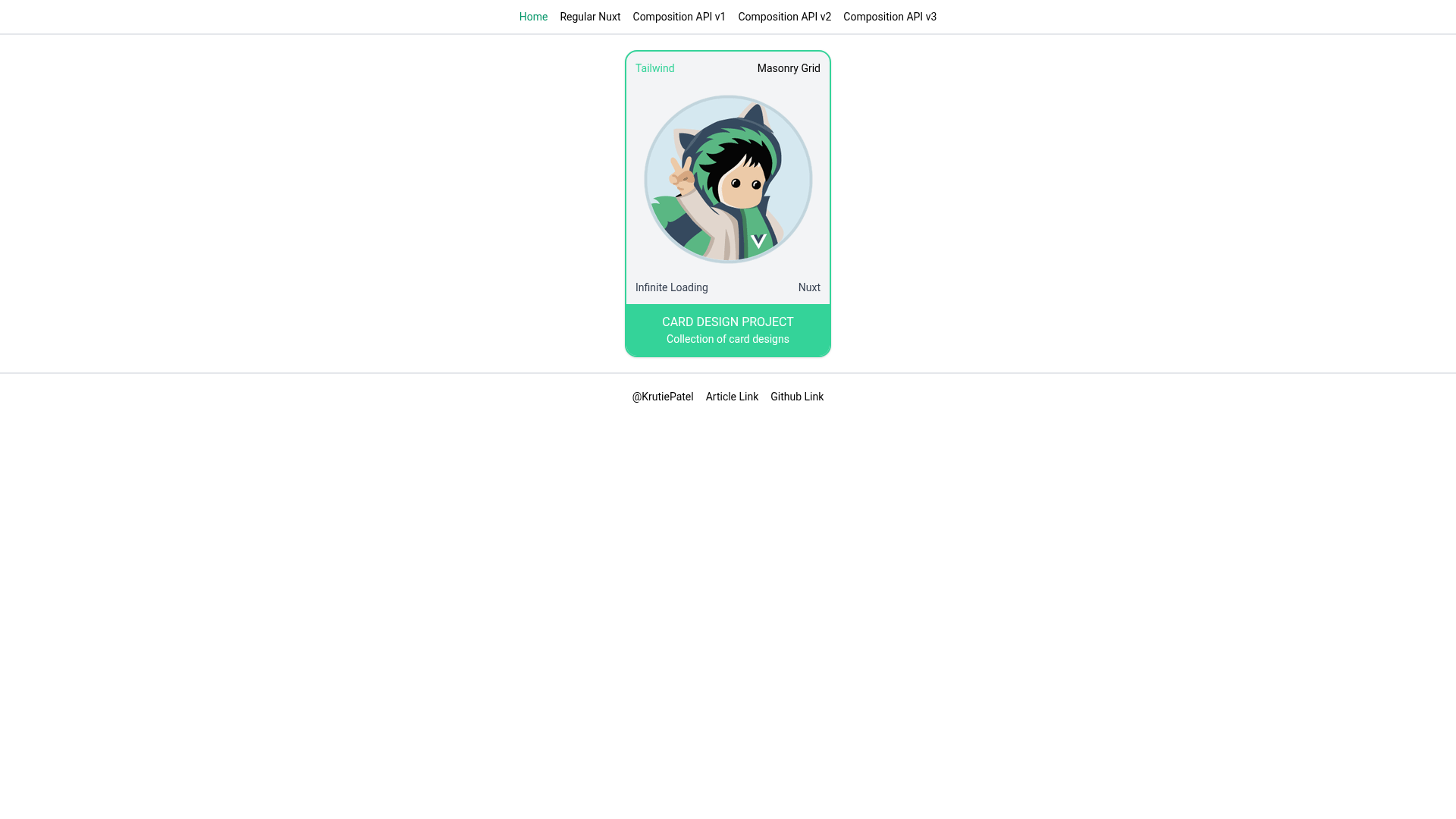
Infinite Masonry Grid with Nuxt
Infinite masonry with Nuxt
About this template
Infinite Masonry Grid with Nuxt is a boilerplate project for building a Pinterest-style infinite-loading masonry grid with Nuxt.js, the Composition API, and the Nuxt Content Module. It takes Markdown content files managed by @nuxt/content and renders them as a responsive masonry layout that loads additional items as the user scrolls. The project runs on Nuxt, a Vue-based framework, and includes standard scripts for development, production builds, and static export. It accompanies a detailed tutorial by Krutie Patel on creating such a grid.
What is Infinite Masonry Grid with Nuxt?
Infinite Masonry Grid with Nuxt is a starter project that demonstrates how to build a Pinterest-like infinite grid using the Nuxt Composition API and the Nuxt Content Module. It reads Markdown files from a local content directory and displays them as a masonry layout with infinite scroll. The project is built on Nuxt and includes scripts for development, production, and static generation.
Key Features
- Nuxt Composition API — Uses Nuxt's Composition API (with
setupfunctions) to handle reactive state for scroll-based loading. - Nuxt Content Module — Uses
@nuxt/contentto read local Markdown files and expose them as data for the grid. - Infinite scroll — Automatically fetches and appends the next batch of items when the user reaches the bottom of the page.
- Masonry layout — Displays items of varying heights in a Pinterest-like column grid instead of a uniform row layout.
- SCSS styling — Custom styles are written in SCSS, allowing easier maintenance of the grid and responsive breakpoints.
- Static generation — Includes
npm run generateto output a fully static site deployable to any hosting service.
Who is it for?
- Nuxt developers looking for a minimal, well-structured example of infinite scrolling and the Composition API.
- Photographers and visual artists who want a portfolio page arranged as a masonry gallery using Markdown files for each project.
- Front-end developers learning how to combine Nuxt Content with scroll events for a smooth user experience.
What can you do with it?
- Portfolio gallery: drop image entries in the
contentdirectory and the grid picks them up automatically. - Blog post listing: use frontmatter metadata (title, date, cover) to create an infinite grid of article cards.
- Product showcase: display product images and descriptions in a masonry grid with lazy-loaded results.
How does it work?
- Run
npm installto install dependencies. - Use
npm run devto start the development server atlocalhost:3000. - The Nuxt Content module loads Markdown files from the
contentfolder; the Composition API tracks scroll position and increments the number of visible items, fetching more as needed. - For production, run
npm run buildandnpm run start, ornpm run generatefor static export.
FAQ
What is the tech stack?
The template uses Nuxt with the Composition API and the @nuxt/content module. Styles are written in SCSS. There is no backend or database; all content lives in Markdown files.
Does this template include the Nuxt Content module?
Yes, the template is built specifically around the Nuxt Content Module, which lets you manage a local content directory with Markdown, JSON, or YAML files.
Can I deploy the generated site statically?
Yes, the project includes the npm run generate command to produce a static version that can be hosted on any static host. The README lists it as one of the available scripts.
How do I add new items to the grid?
Add a new Markdown file to the content directory with the required frontmatter fields. The Nuxt Content module will pick it up automatically, and the grid will include it when the next batch loads.
Who created this template?
The template was created to accompany an article by Krutie Patel. The article link is included in the README.